
SebastiaoV
Known Participant
October 23, 2024
Answered

Getting all link as text when I save the Document info panel

  • October 23, 2024
  • 1 reply
  • 422 views

Hi guys,

This might be a simple issue but I cannot find how to get all links as text file when I save the Document Info panel. I do get one when is selected but not all of them. 
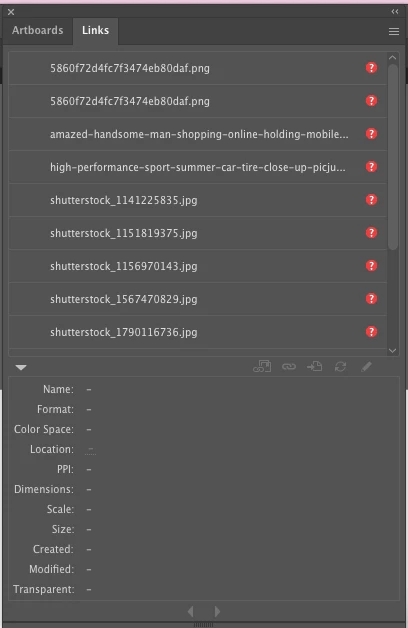


In an old file all links are missing but I have an idea where I can find them on my External Drive. I do need the complete names but i cannot copy paste from the link panel since it has not that feature which it would be nice. In the Document Info Panel it only export the selected one. 

Any help with this issue?
Thanks! 😉

This topic has been closed for replies.
Correct answer Ton Frederiks

Did you uncheck the Selection Only option in the Document Info panel menu?

1 reply

Ton Frederiks
Community Expert
Ton FrederiksCommunity ExpertCorrect answer
Community Expert
October 23, 2024

Did you uncheck the Selection Only option in the Document Info panel menu?

SebastiaoV
Known Participant
October 23, 2024

You are right! that was the key to have all links at the time. 
For future AI versions it would be great to be able to copy and paste a Link from the Link Panel directly (as in the Artboards) and not having to Export as txt. Thank again Ton! 😉

Ton Frederiks
Community Expert
Community Expert
October 24, 2024

Good to hear that helped. Yes, it would be good to have options similar to the InDesign Links panel, I believe there is a UserVoice request for that.