Participant
August 30, 2021
Question

Getting Error "Text Import Options" while opening a file in Illustrator on Windows 10

  • August 30, 2021
  • 2 replies
  • 612 views

Hello, everyone. I have a problem with my Adobe Illustration working file, when I open my file it opens a window saying: "Text import options" and when I want to open it in other compatibility programs it tells me that it is damaged, if they have a method to solve this problem I will be happy and grateful, my computer is a Windows 10 Home Single Language version 20H2 / Intel (R) Celeron (R)
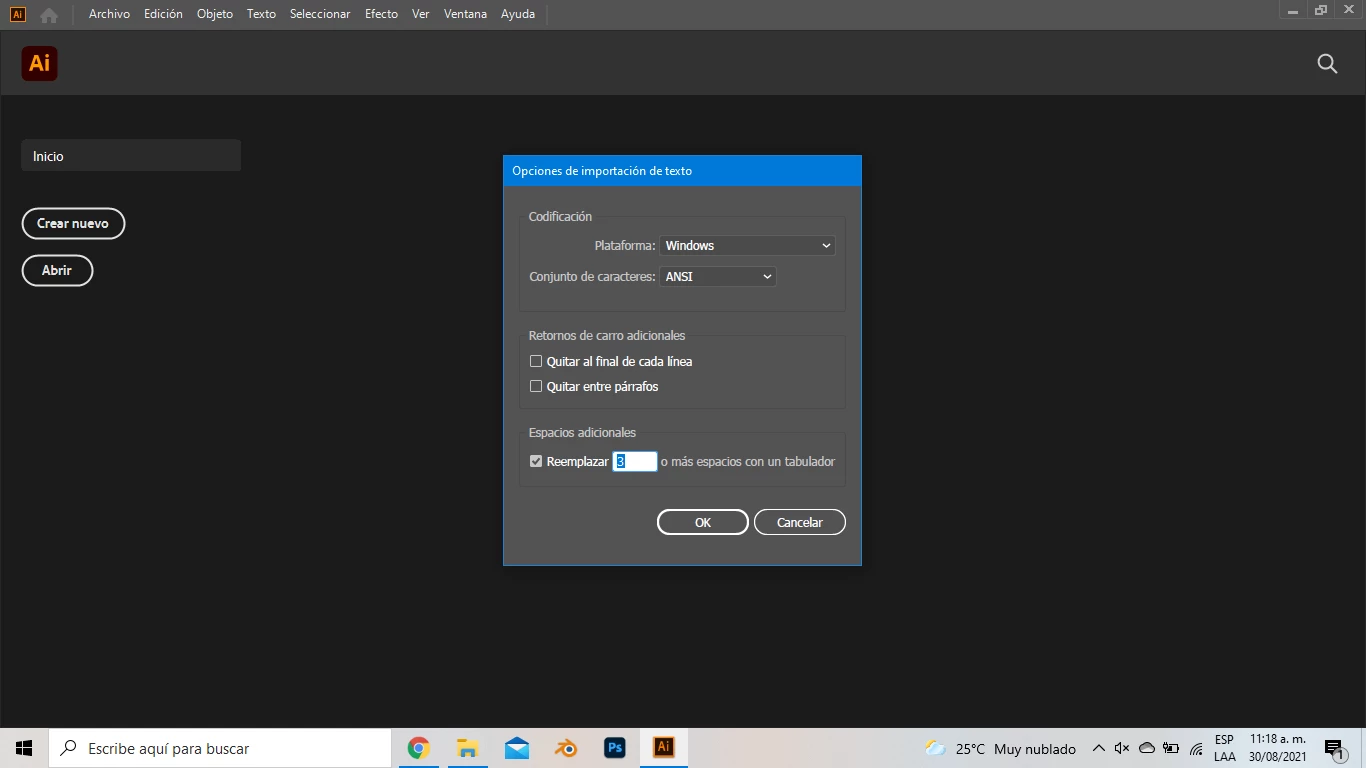
 

{Renamed by MOD}

This topic has been closed for replies.

2 replies

Anshul_Saini
Community Manager
Community Manager
August 30, 2021

Hi there,


Sorry about the trouble. I am afraid to tell you that, as you are getting the "Text import options" dialog box, then most likely, the file is corrupted and will not be recoverable. You may share that and corrupt file, and we will try to recover it. You can upload it to the Creative Cloud (https://helpx.adobe.com/in/creative-cloud/help/share.html) and share the download link here or via DM. But I must inform you that file recovery can't be guaranteed with 100% success. We'll surely try our best.


Thanks & Regards,

Anshul Saini

Participating Frequently
May 30, 2022

hello, i have the same issue, can you try to open and recover my file? thanks

Anshul_Saini
Community Manager
Community Manager
June 1, 2022

Hi @corinal,


Thanks for reaching out. I will try my best to recover the file. Please share the download link to the file here or via DM.


I will be looking forward to your response.


Regards,

Anshul Saini

Anna Lander
Inspiring
August 30, 2021

Tell please me a bit more about the file: its format (with the soft version), the storage, whether it's visible in Bridge or not.

Does it happen with any files last time or just with this file?