
gerdal9707547
Participant
January 8, 2025
Question

Ghost lines appear in TIFF file after exporting

  • January 8, 2025
  • 2 replies
  • 357 views

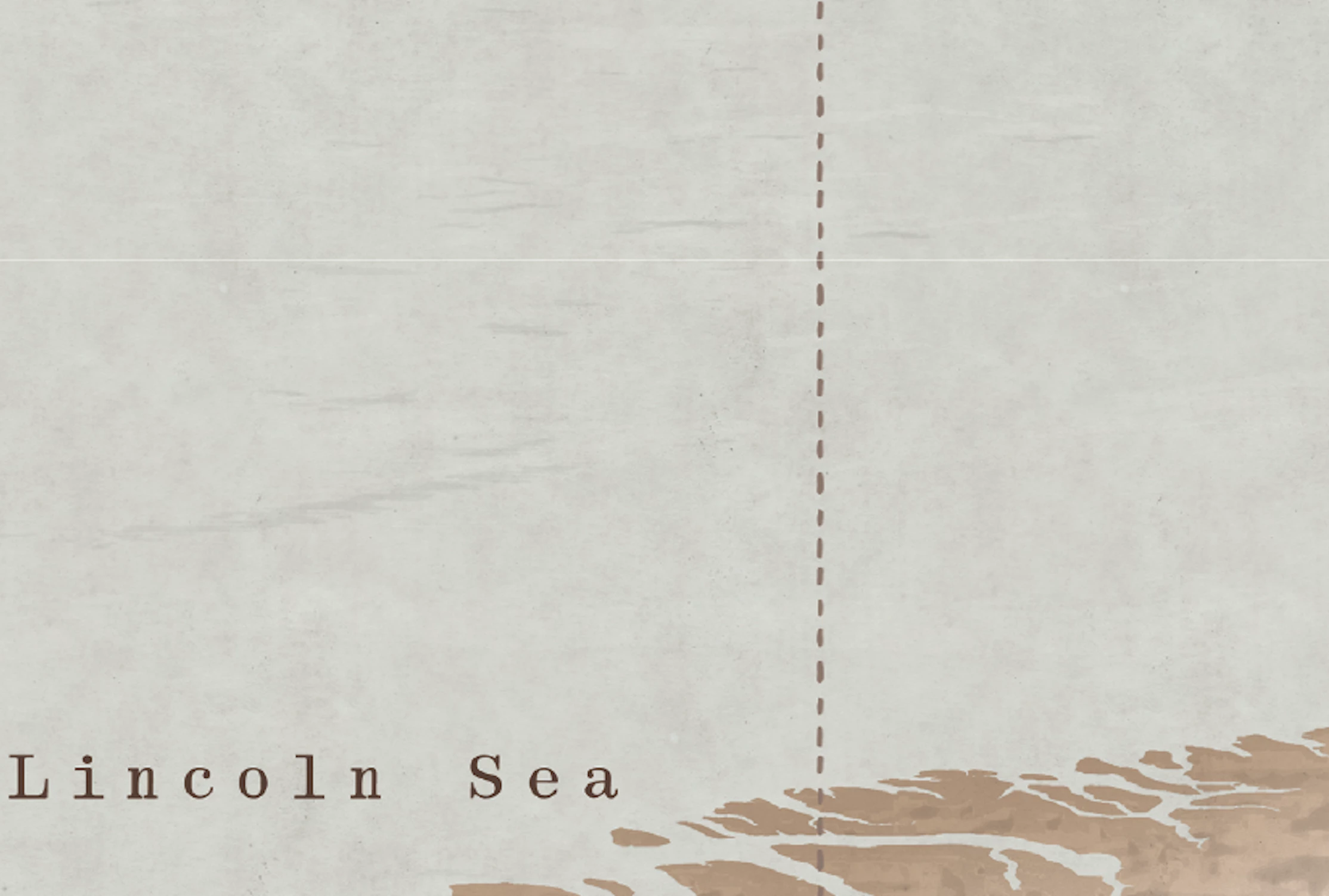
I have a raster image as background layer in AI and some vector elements on top of it. After exporting this file as TIFF, I get a ghost line on top of it. Here is a close up of the white line. It's also shown on a printed canvas.
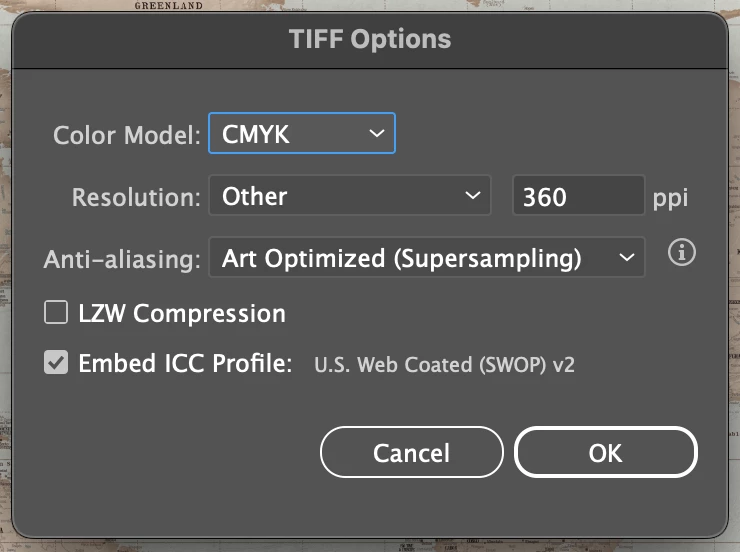
Here is my exporting setings 
2 replies

Ton Frederiks
Community Expert
Community Expert
January 8, 2025

Can you rasterize the file in Illustrator and export or unembed the result?

Monika Gause
Community Expert
Community Expert
January 8, 2025

In order to solve this, please show the whole picture.

If we do not even know what kinds of objects interact, nobody will be able to help.

gerdal9707547
Participant
January 8, 2025

Here is a full picture. 

You can't see the line here because the file is big (120x80cm) and the line is only 1px wide (I guess). It's located above Greenland 

Monika Gause
Community Expert
Community Expert
January 8, 2025

Thank you. I assume that the background is a pixel image?

What about those coast lines? Did you use raster based effects, such as inner glow on them?


In that case the line could be a result of transparency flattening stitching