


Gibson font family issues with rendering glyphs
Hello Community,
I hope someone here can help, as I’ve spoken with Adobe Support twice with no solution, and the font foundry has stated that they fixed this issue several months ago.
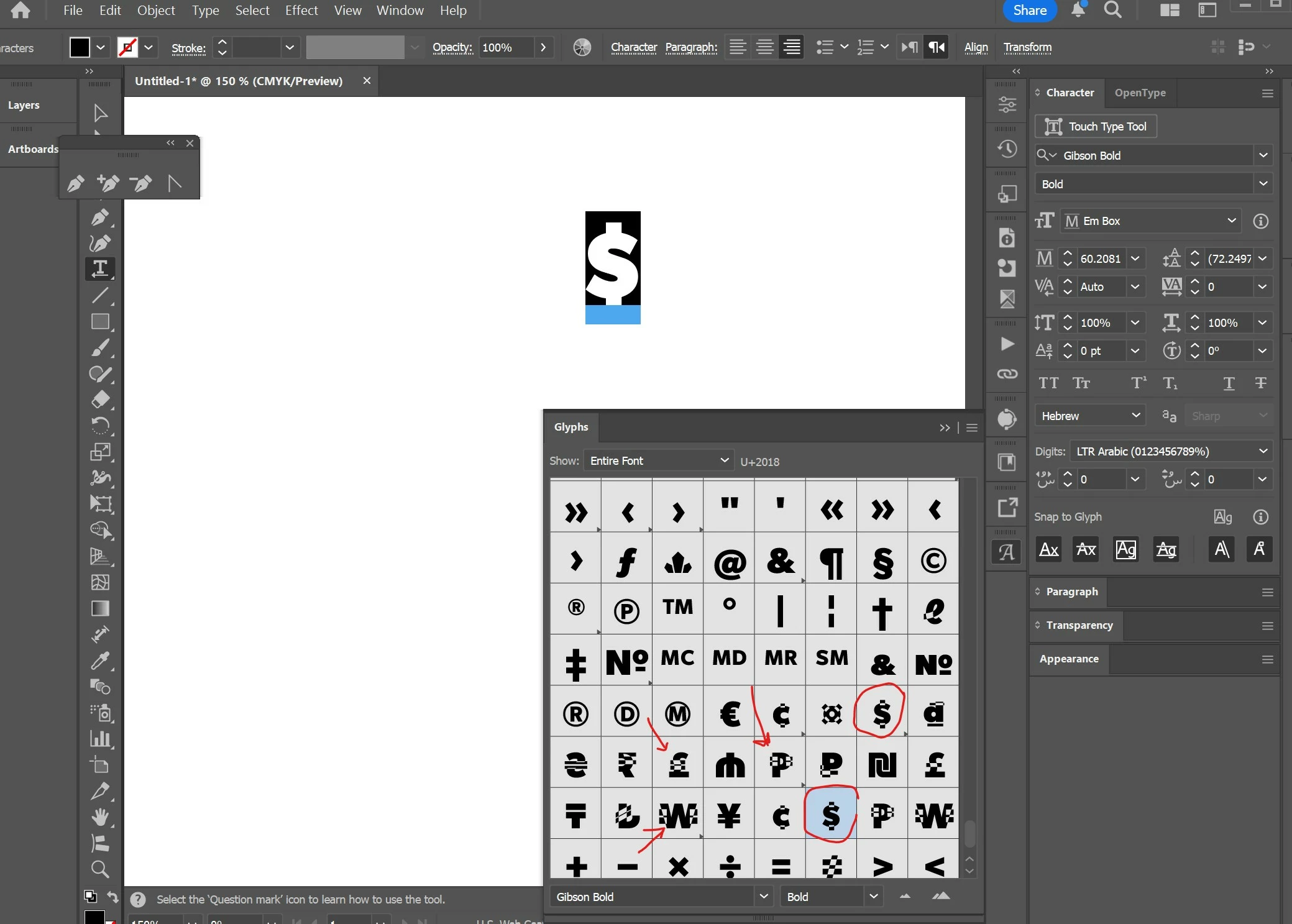
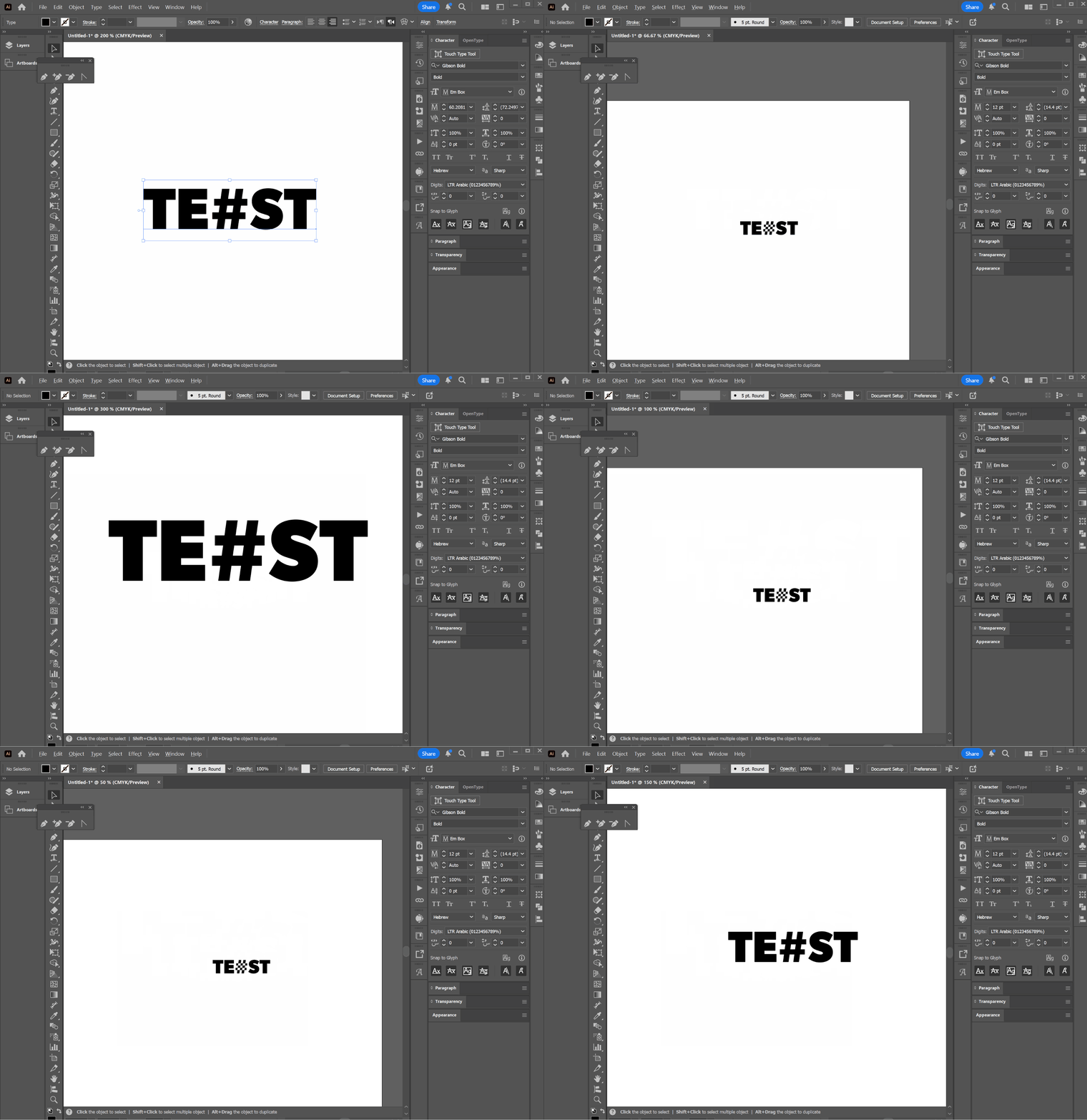
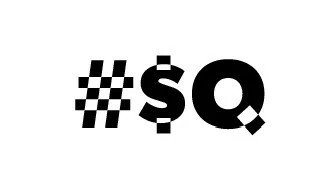
The problem occurs with the Gibson font through Adobe Fonts, particularly in Adobe Illustrator. Some letters appear distorted, almost as if they’ve been altered by a pathfinder operation. This affects both workflow and exports to PDF and other image formats, making the font unusable unless manually outlined and corrected.
I have tried the following troubleshooting steps:
- Removing and reinstalling the font multiple times
- Clearing the font cache (not sure it was done right)
- Testing across all Adobe applications, including beta versions
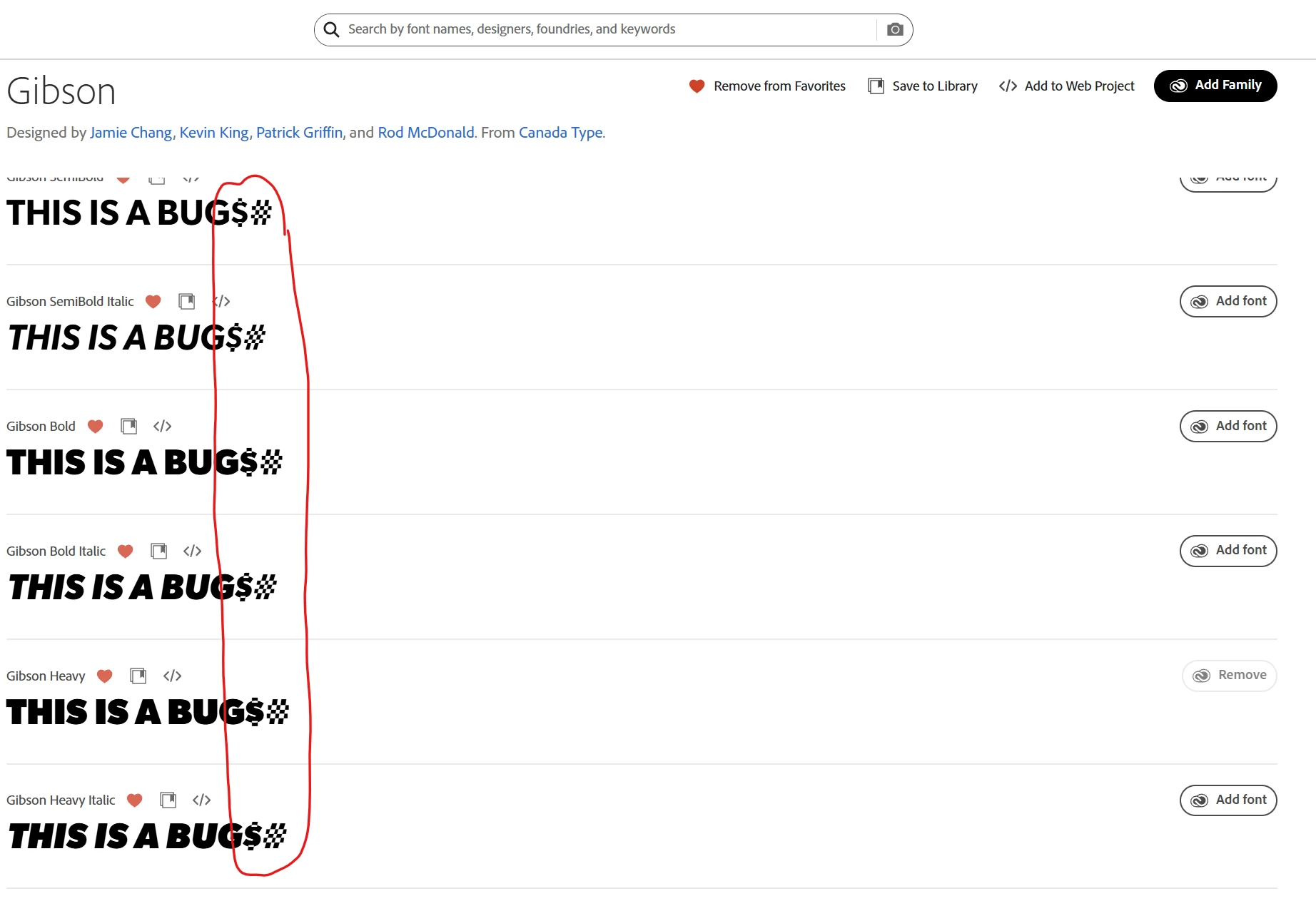
The issue also appears on the Adobe Fonts website, where the web font is rendered server-side and looks incorrect as well (see attached screenshot).
However, when I tested on a different PC running Windows 10 (I’m using Windows 11), the font displayed correctly on the Adobe Fonts website in Chrome. When I reinstalled it under the same account, it worked fine. But on my own PC, with the same installed fonts and account, the problem persists.
This makes me suspect that my local computer may be holding onto an outdated cached version of the font.
Is there a way to force Adobe to completely reinstall fonts from scratch on my PC?
Any guidance would be greatly appreciated!
 AdChoices