Glitch in Illustrator
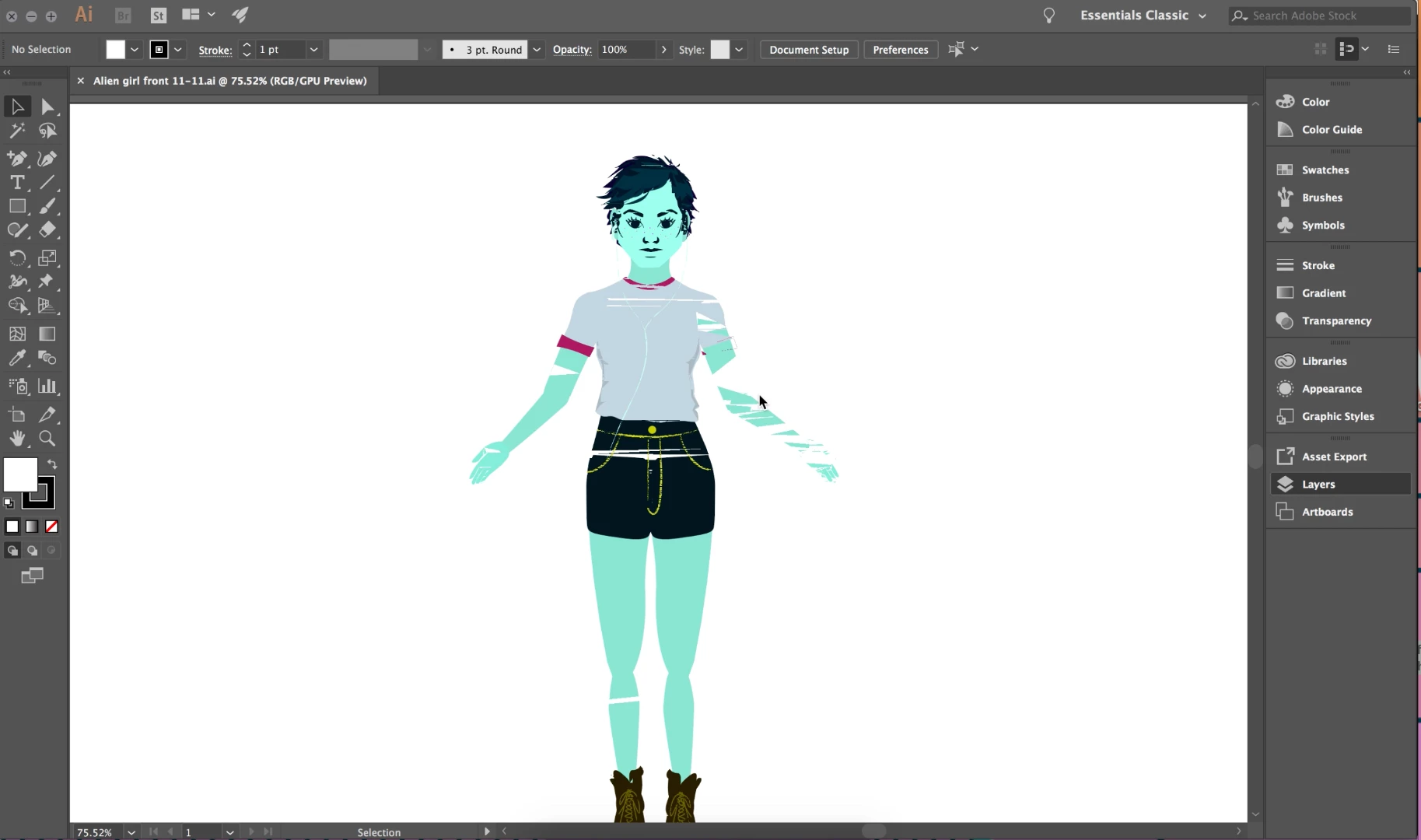
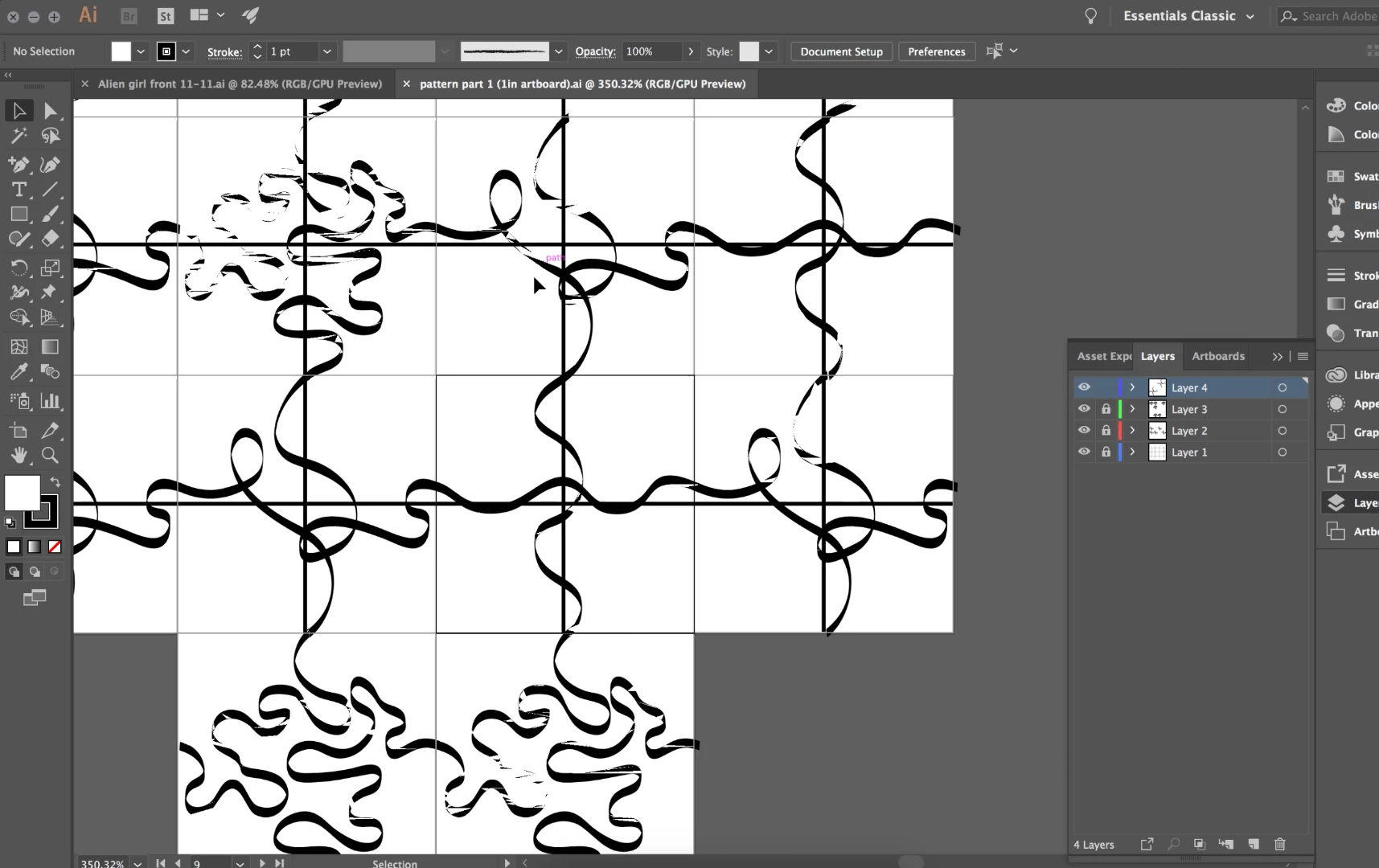
I don't know how to recreate my problem as I cannot get it to go away. I updated my program to CC 2018, and now there is a weird fragmentation in the imagining. This happened maybe a week ago, and I thought it would be fixed by now. I tried restarting my computer, I cleared my clipboard, I uninstalled this version of illustrator and downloaded the older version, I switched back to the new version, and I tried uninstalling all of my apps from the cloud and reinstalled them and the issue persisted. Originally the problem was only in the pattern project I am making for class, but it transferred over when I copy and pasted the layers into another project, as I didn't want to restart. Now it is starting to corrupt other files that aren't related to my pattern project and I don't know how to fix it.
Thanks,
Mary
 AdChoices