



Question
Global and Spot Swatches can not be edited
Windows 11 Enterprise, v24H2 on a 13th gen Intel R Core i7-13700K (3.40 GHz), 128 Mb Graphics Card and 32 gb RAM, Adobe Illustrator V30.0.
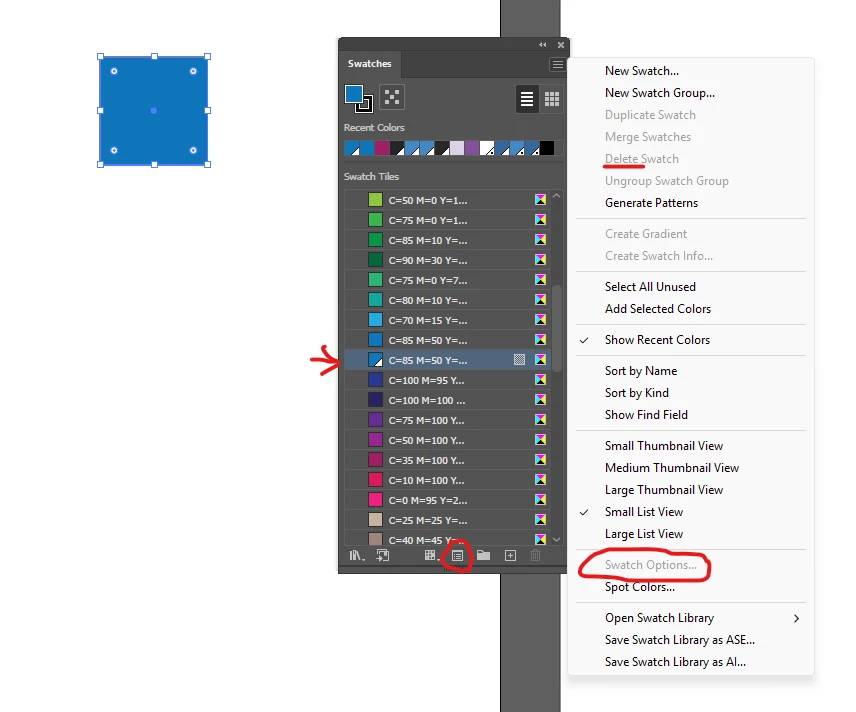
I am no longer able to edit any global or spot swatch. All options are grayed out. The only way I can do it is to copy the swatch and edit it before I save it. Once it is saved, all links to the option panel are grayed out again. I work for a financial institution so all access to Libraries and automatic updates are turned off. I can’t even delete the swatch. This is driving me crazy and causing issues.
 AdChoices