Answered
GPU Compatibility
IS RTX 3070 not compatible with this
IF it is Compatible Please share how to correct this
non availability Feature 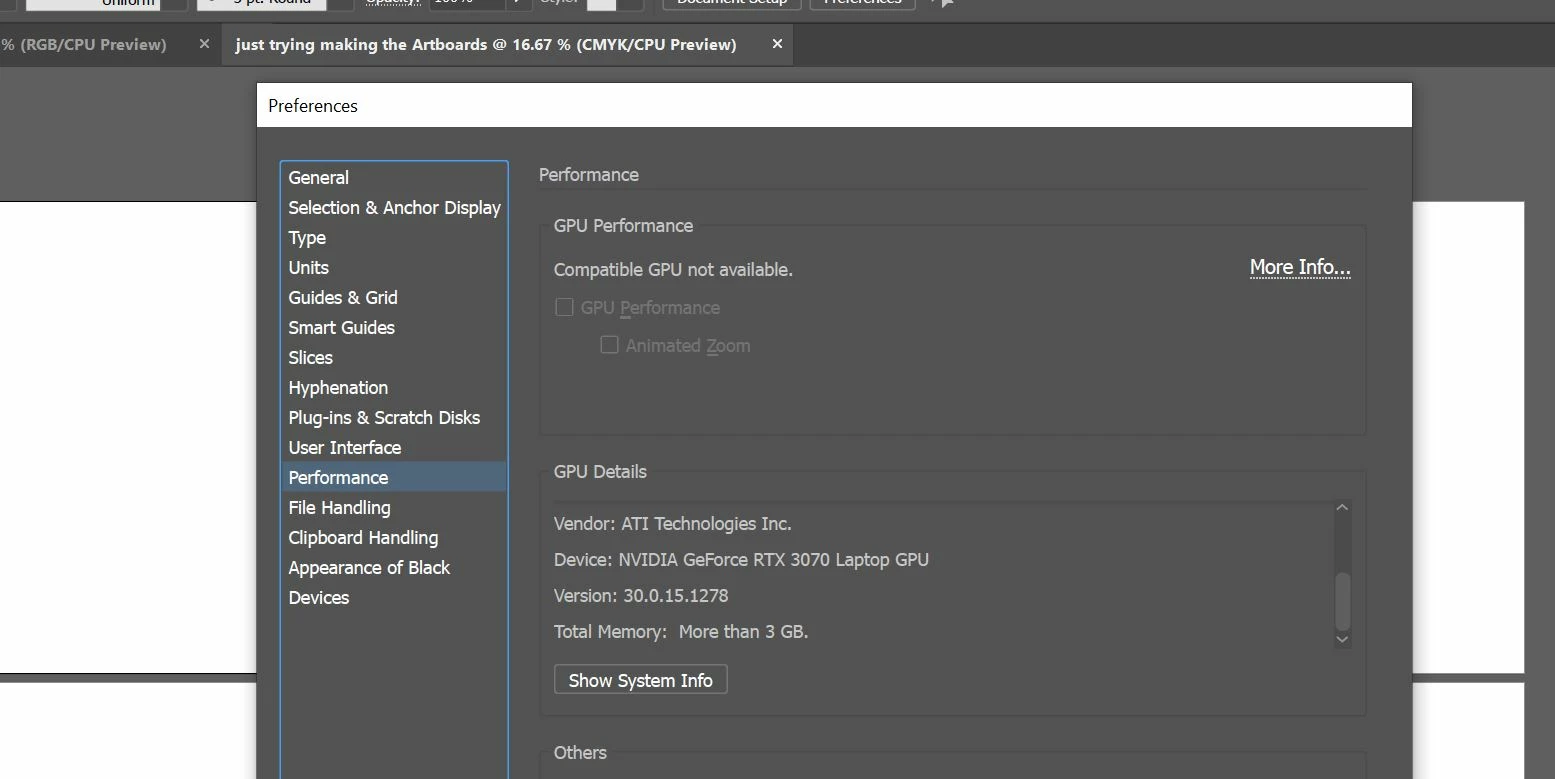

IS RTX 3070 not compatible with this
IF it is Compatible Please share how to correct this
non availability Feature
Hello Nakul Arora6283,
Sorry to hear about this experience. The NVIDIA RTX 3070 is compatible with Illustrator. I would request you try resetting Illustrator's preferences by following the steps shared in this article (https://helpx.adobe.com/illustrator/kb/troubleshoot-preference-issues.html) and check if it helps.
Disclaimer: Please note that resetting preferences will remove all custom settings, and Illustrator will launch with the defaults. You may take a backup of these settings from the location mentioned in the article.
If the issue persists, kindly try resetting the Windows Management Instrumentation (WMI) Repository by following the steps shared in this Microsoft Community Post: https://answers.microsoft.com/en-us/windows/forum/all/msinfo32exe-system-information-not-working-error/ddc9c6ef-1832-42ee-a768-9878c81f196c and share your observations.
Looking forward to hearing from you.
Thanks,
Anubhav
Already have an account? Login
No account yet? Create an account
Enter your E-mail address. We'll send you an e-mail with instructions to reset your password.


 AdChoices