


Participating Frequently
November 17, 2025
Question

GPU Not Utilized and OpenGL Errors on Hybrid Intel + NVIDIA Systems in Illustrator

  • November 17, 2025
  • 3 replies
  • 170 views

Hi there


I am assisting a client of ours with a GPU error that is being received whilst he is in Illustrator. He is one of the marketing designers for the company.


The device specifications are:


Dell Pro Max 16

Intel(R) Core(TM) Ultra 7 265H
64GB of ram
Intel(R) Arc(TM) Pro 140T GPU (32GB)
NVIDIA RTX PRO 1000 Blackwell Generation Laptop GPU

Whilst using Illustrator he repeatedly receives the following error message, 
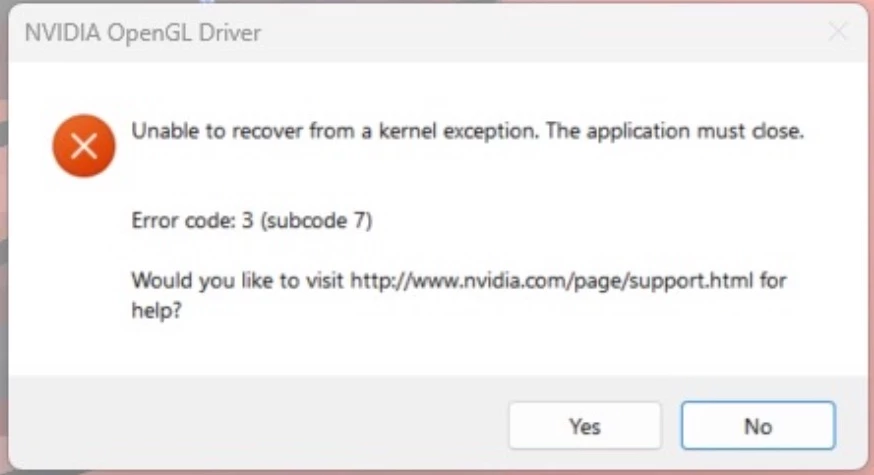

I have gone through the forum and tried all applicable fixes including

Setting the application settings within the Nvidia panel to use the high performance GPU.

Updated the Intel Iris drivers.
Updated the Nvidia drivers.
Uninstalled and reinstalled Adobe Creative Cloud. (Used Revo uninstaller to ensure a clean removal).
Attempted the registry fixes.

None of them worked, The GPU is also not visible within the Adobe settings as per below,
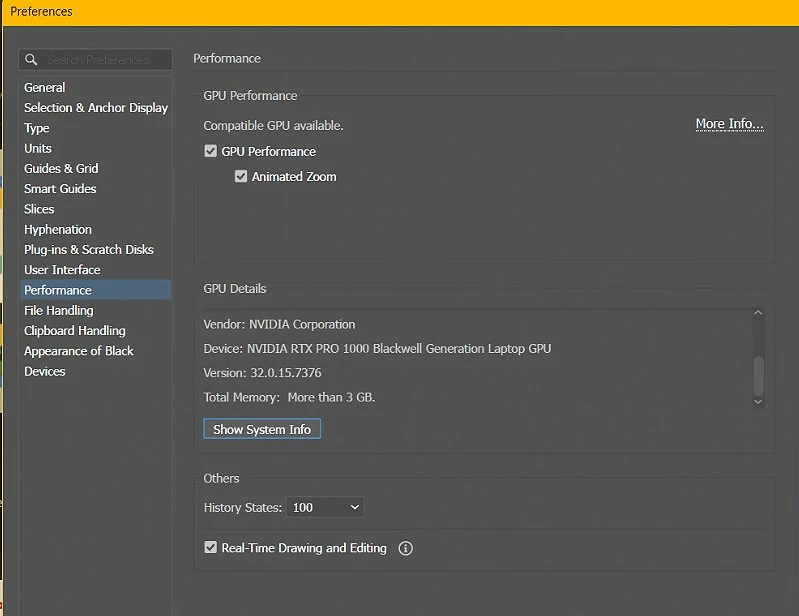

I am unsure as to how to resolve this issue as it is a brand new device. 

Any advice will be appreciated.


3 replies

Anubhav M
Community Manager
Community Manager
April 17, 2026

Hello everyone,

We will need some more information to help investigate this problem: 

1. AiSniffer file:
- Close all Adobe applications.
- Navigate to the Illustrator Preferences folder and copy the AiSniffer file to the desktop from this location: 
%USERPROFILE%\AppData\Roaming\Adobe\Adobe Illustrator 30 Settings\en_US\x64\
 
2. For the System Report, kindly follow these steps:
- Please press Windows Key + the letter "R" on your keyboard to bring up the Run command window
- Type "msinfo32" in the Open field and left-click OK
- While viewing the Microsoft System Information summary, go to File, then choose Save (Please do not use Export)
- Save your MSINFO32 report as "msinfo32.nfo" on your desktop to easily locate it after. It can take up to a minute to generate a report.

3. A brief screen recording of the problem.
 
Kindly upload the files to Google Drive/Dropbox/etc. and share a public link here or via DM so that we can investigate this further.
 
Looking forward to hearing from you.
Anubhav

Peter27159121aq5l
Participant
February 27, 2026

Hello,


We have the same issue on multiple devices. We have 3 systems with;

Dell Pro Max 16

Intel(R) Core(TM) Ultra 7 265H
32GB of ram
Intel(R) Arc(TM) Pro 140T GPU (32GB)
NVIDIA RTX PRO 1000 Blackwell Generation Laptop GPU


all of them crash like this with the error screen of nvidia of directly from Illustrator.


Is there anything known about this issue?

Anubhav M
Community Manager
Community Manager
November 17, 2025

Hello @bev_n12,

Thanks for reaching out. Would you mind performing a clean reinstallation of the GPU(s) drivers by following the suggestions shared here (Intel / NVIDIA / AMD) and setting the Graphics Preference to High-Performance for Illustrator (https://adobe.ly/4r4v9Ty) and checking if it helps?

Looking forward to hearing from you.

Anubhav

bev_n12Author
Participating Frequently
November 18, 2025

Hi @Anubhav M 


I found the steps provided on several other threads and have already performed them on the device, the issue persists.


The GPU settings have been configured for high performance on Illustrator already.


Thank you