


Participant
September 26, 2025
Question

GPU Preview
  • September 26, 2025
  • 1 reply
  • 70 views

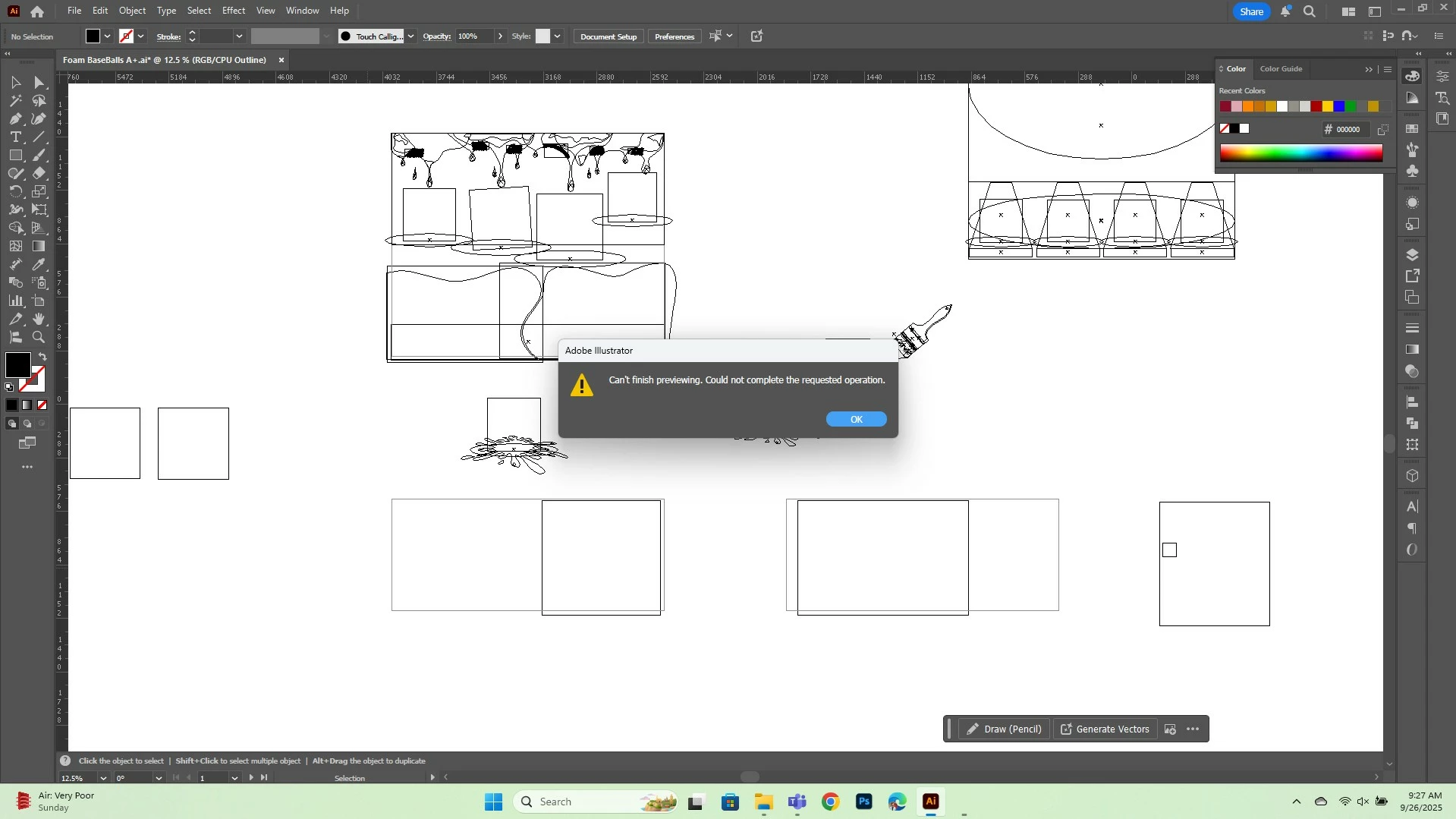
I'm unable to enable GPU Preview on this particular file.... I've tried each and every method to prevent this from happening.... Like, Copying the data and pasting it into a new Illustrator file, Restarting the windows, Checking the RAM etc.....
I just can't help it now..... All the things are gone... They are in outline view....

1 reply

creative explorer
Community Expert
Community Expert
September 27, 2025

@resourceful_dancer5CC2  to get out of 'Outline' view, try using the keyboard shortcuts, Command Y (MAC) or Control Y (PC) — if that failed, try Command E (MAC) or Control E (P), which is 'Preview on CPU' or 'GPU Preview'

Looking at the top of the screenshot, those squares with the 'x' sort of reminds me an image. Could it be that these images are a bit huge and can be very memory-intensive and often cause this error, especially with large artboards or embedded images. If you find the problematic layer, look for and hide any raster effects in the Appearance panel (Window > Appearance), then try the GPU Preview again.

A part of me thinks maybe, the file is corrupted, it could be a font or an image. But, I would also go into the preferences, and toggle off the CPU/GPU Settings. In Illustrator, go to Edit > Preferences > Performance. Temporarily disable "GPU Performance." This forces Illustrator to use your CPU for rendering, which is slower but far more stable and can help you get out of the stuck state. With GPU Performance off, try to switch to Preview mode (not GPU Preview). If it works, try isolating the corrupted element before turning GPU Performance back on.


m