
Participating Frequently
August 4, 2022
Question

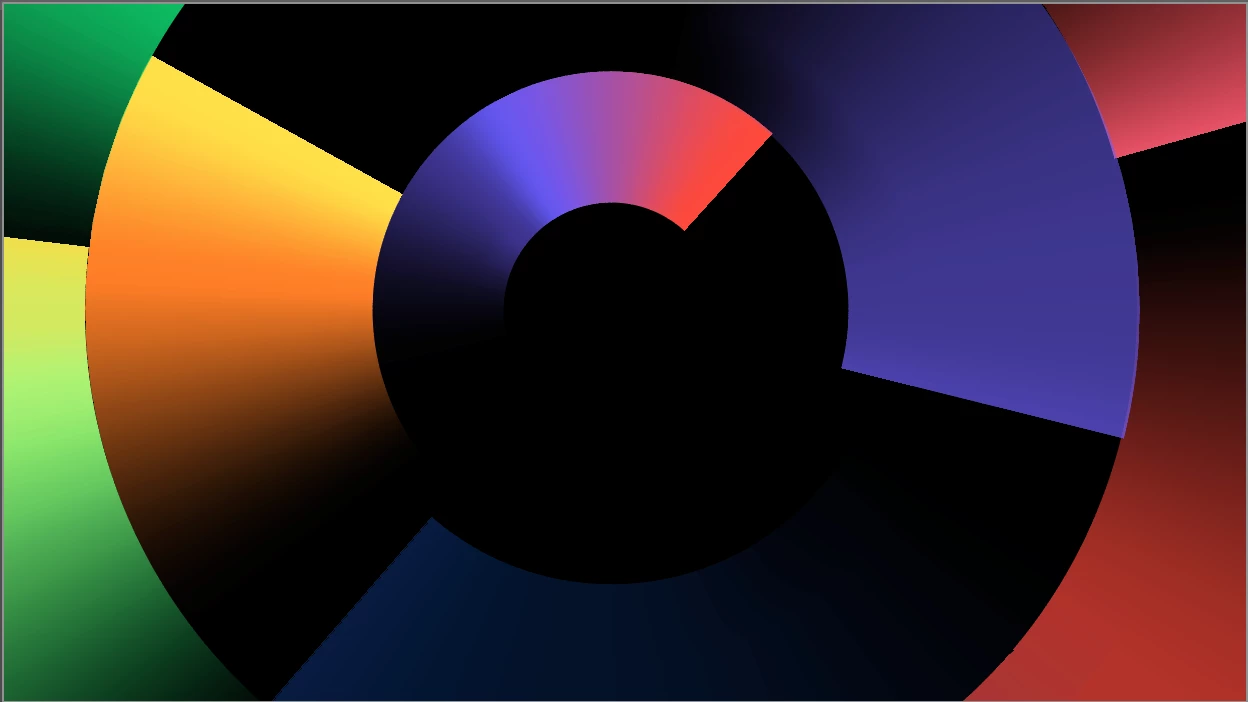
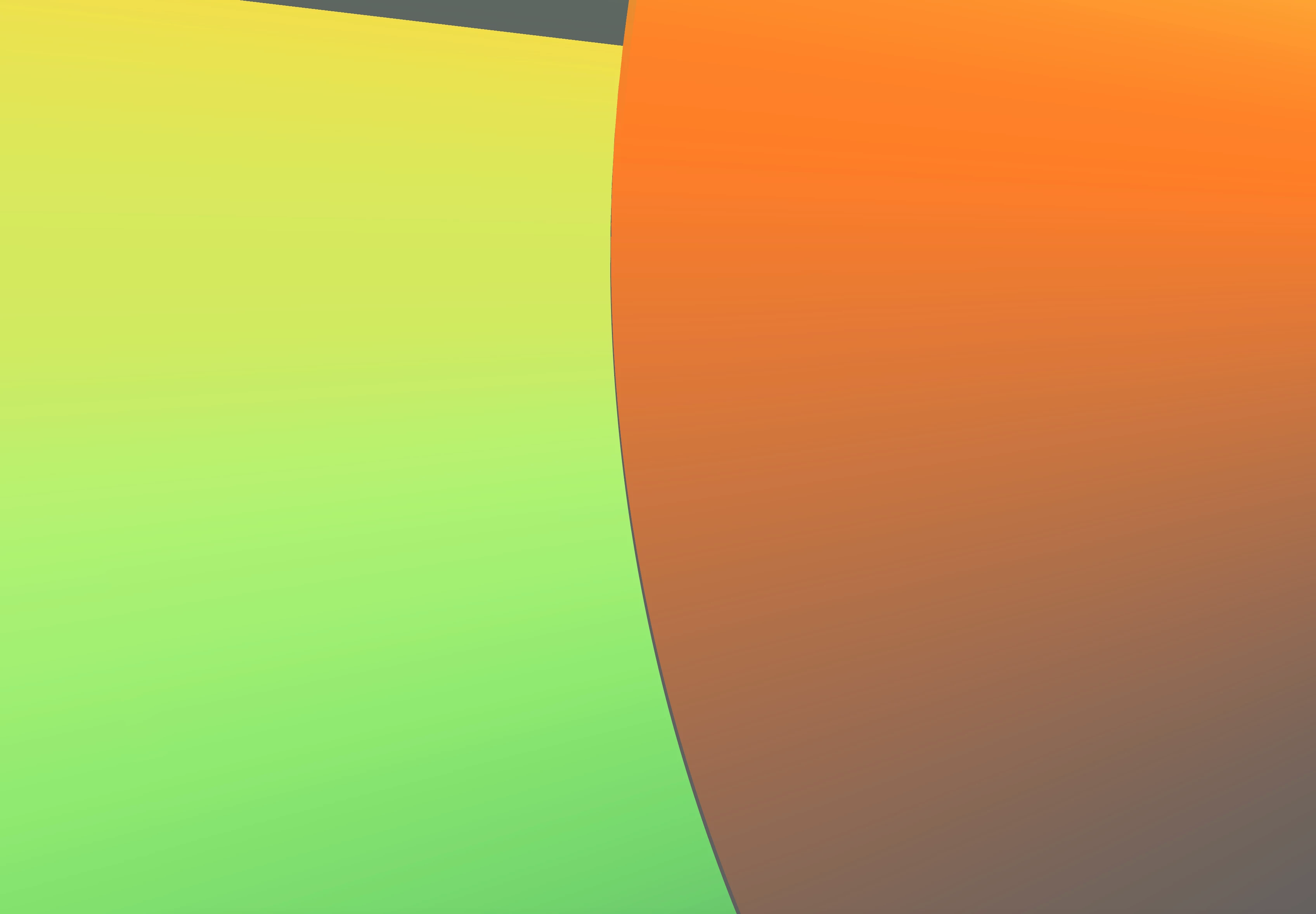
Gradient along stroke not lining up

  • August 4, 2022
  • 2 replies
  • 299 views

I'm trying to build this graphic of different sized circles, each with a gradient applied along the stroke. My problem is getting the intersections to line up correctly. I can get it perfect in one point but further along there will be a gap. I'm confused as they are all perfect circles and align correctly. Have tried outlining the stroke but still get them same problem. Am I doing something wrong or can anyone suggest another way of building it? Thanks.
This topic has been closed for replies.

2 replies

sara_pixels
Inspiring
August 4, 2022

Personally, I would probably let them overlap a little, unless there is some transparency in the gradients.  Also, I'm often finding that the snap to pixel setting gets in the way and can nudge work out of place.  You might check your View menu to make sure that's unchecked.  But overlapping the shapes should give you a little leeway anyways.

mrbertAuthor
Participating Frequently
August 5, 2022

Hi,

Unfortunately unchecking snap to pixel hasn't worked and i'm unable to have the circles overlapping as there's transparency in the gradients. This will probably get blow up to a billboard size so needs to be spot on. I'm stumped!

Jacob Bugge
Community Expert
Community Expert
August 4, 2022

Mr Bert,


What happens if you hold Ctrl/Cmd and press E?


That toggles between GPU and CPU, the former with some advantages but sometimes it moves in mysterious ways.


mrbertAuthor
Participating Frequently
August 4, 2022

Hi, have tried that but still getting the same issue. Thought it might have been some weird thing with just how it's viewing but can still see the gaps after exporting. 

Jacob Bugge
Community Expert
Community Expert
August 4, 2022

Mr Bert,


I believe we may be looking at the effect of the inherent inaccuracy of Bezier circles when circles are at different angles, as by rotating (differently). Each circle has 8 bulges.


As a cover up, you can increase the Stroke Weight of every second circle a wee bit, less wee for larger circles. The overlap elsewhere will go unnoticed.