
Participating Frequently
January 18, 2024
Question

Gradient Colors Disappear After Copy and Paste

  • January 18, 2024
  • 1 reply
  • 1188 views

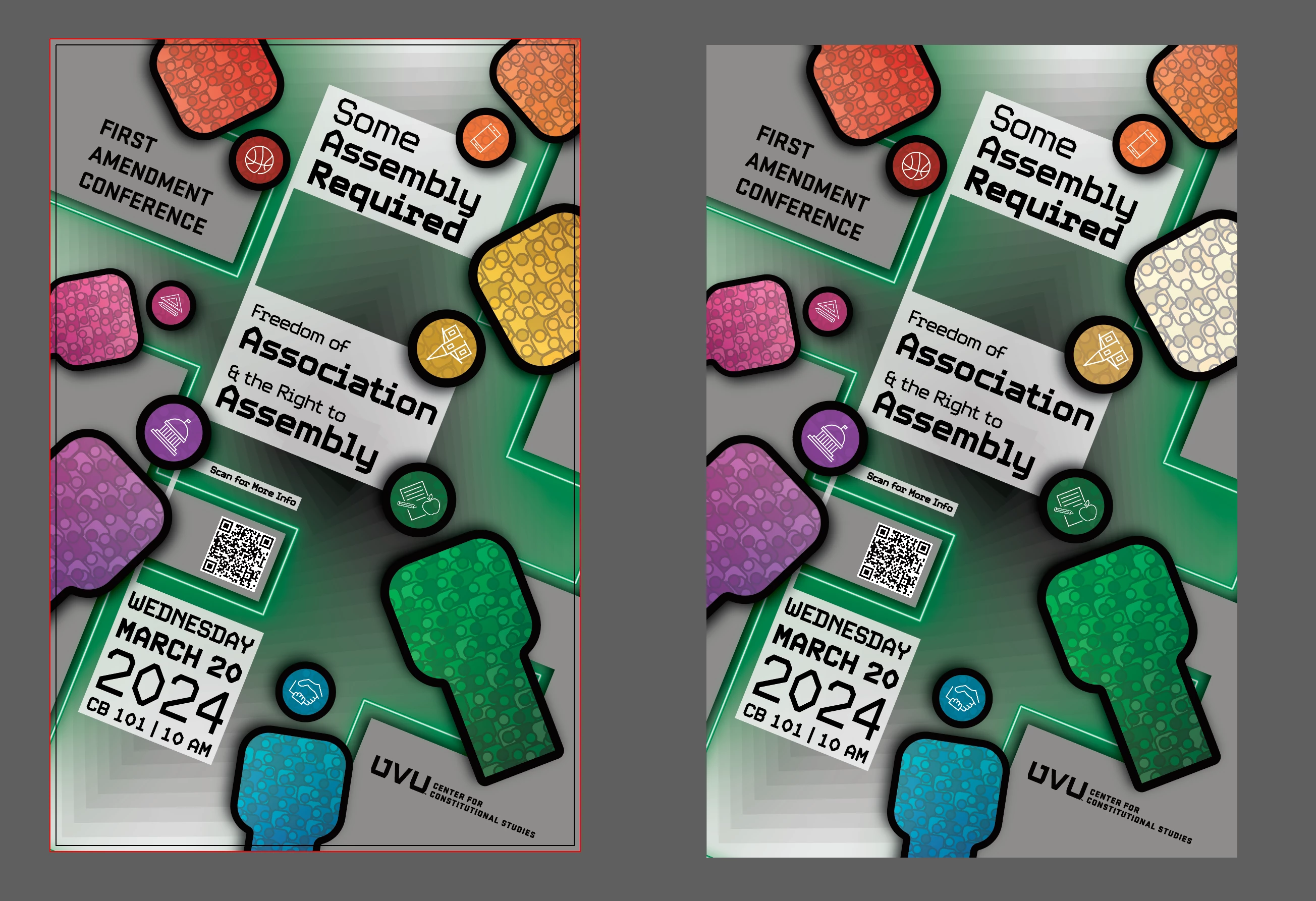
Any thoughts on while this yellow gradient just destorys itself after being copied? Have had it happen a few times. If I try to recopy the graphic and then paste it again it will still result in this same error. I've had to rebuild the gradient any time I want to copy the graphic or the figure itself. 

Adobe Illustrator 2024 28.0 


iMac M1 2021 16 GB Sonoma 14.0


This topic has been closed for replies.

1 reply

Monika Gause
Community Expert
Community Expert
January 18, 2024

Can you upload a sample file?

Anubhav M
Community Manager
Community Manager
January 18, 2024

Hello @W. W.,

Sorry to hear about your experience. Would you mind sharing some more details about your workflow, a sample file (https://adobe.ly/3u8oTS9), and a screen recording of the problem (https://adobe.ly/48FsR3F), so we can investigate this further?


Looking forward to hearing from you.


Thanks,

Anubhav

W. W.Author
Participating Frequently
January 18, 2024

The workflow is not great, the actual gradient is set at an opacity of 75% and is then clipped to confrom to the shape of figure. 


I couldn't attach the file, but hopefully this link will work. 


https://assets.adobe.com/id/urn:aaid:sc:US:28e9b9ee-d001-4714-988c-1a486c5e6348?view=published