


Question
Gradient Issue
I replicated the work in this video. Gradient did not come to me. How to fix it?
How to Make a Viral Blend Logo in 2025
time 0.48
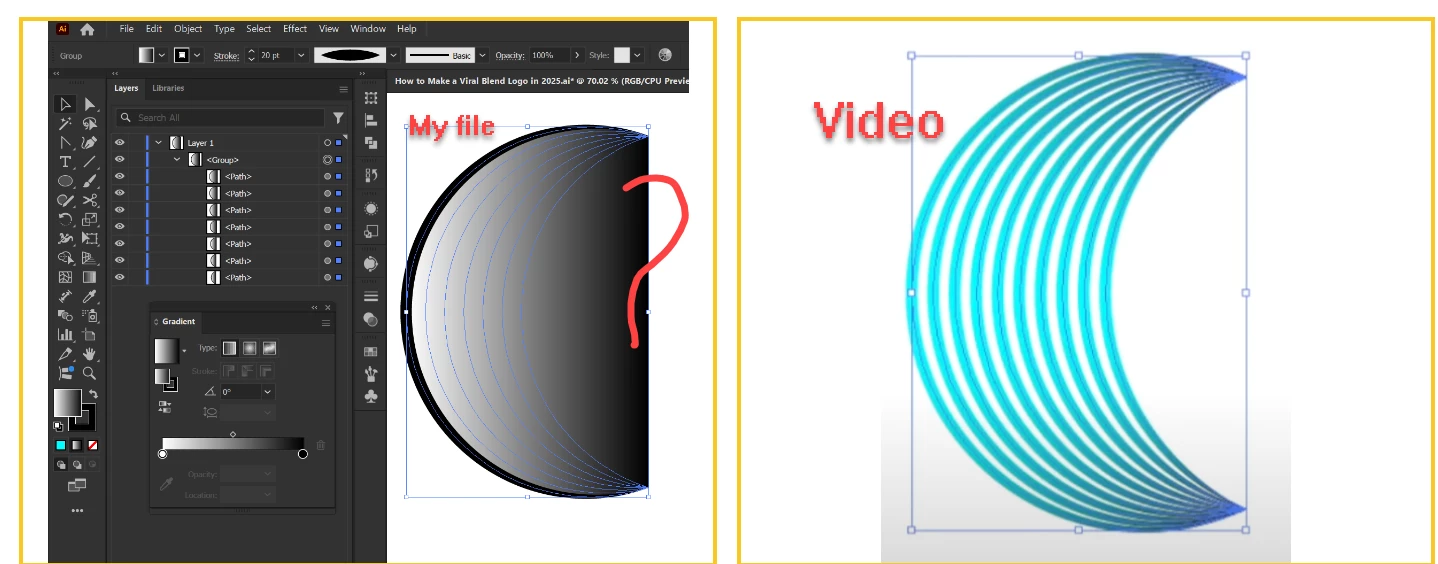

I replicated the work in this video. Gradient did not come to me. How to fix it?
How to Make a Viral Blend Logo in 2025
time 0.48
Already have an account? Login
Enter your E-mail address. We'll send you an e-mail with instructions to reset your password.
 AdChoices