



R_Bli
Participant
April 9, 2026
Answered

Gradient not showing

  • April 9, 2026
  • 1 reply
  • 59 views

When applying a freeform gradient i can edit the color points but the fill turns invisible.
I can choose from preset gradients, and can edit the linear and gradient ones, but as soon as i select freeform (points or lines doesn’t make a difference) the fill turns transparent.
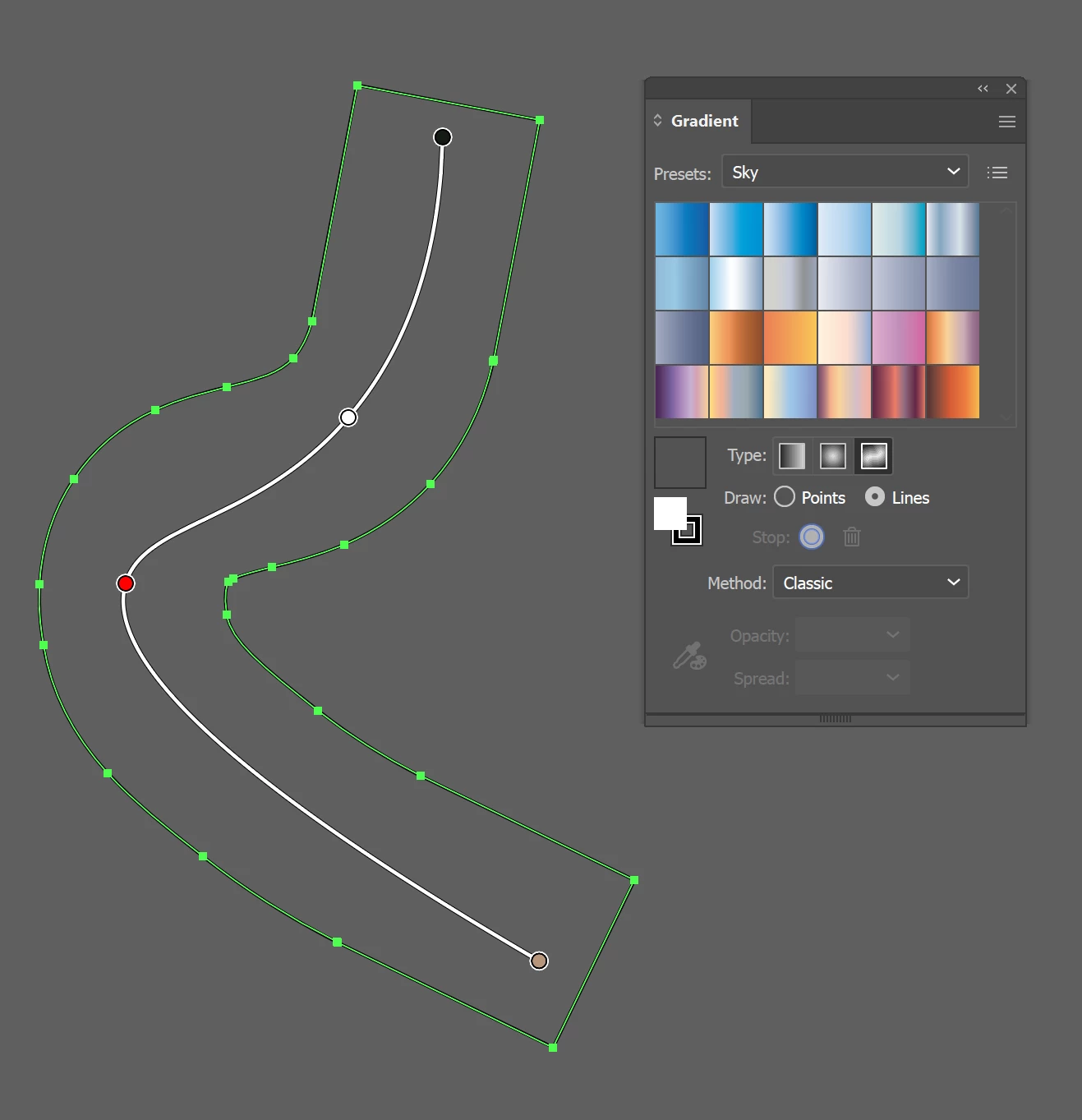


Illustrator 30.3 Windows

Correct answer R_Bli

It wasn’t, I checked.

I restarted adobe an my computer multiple times, but even on shapes that already had gradients they would disappear if I tried to edit them.

Finally I decided to save the file locally to my computer as a copy and open it and then the problem was gone!

1 reply

Monika Gause
Community Expert
Community Expert
April 9, 2026

When you select one of these gradient stops, it’s not by accident set to 0% opacity?

R_Bli
R_BliAuthorCorrect answer
Participant
April 10, 2026

It wasn’t, I checked.

I restarted adobe an my computer multiple times, but even on shapes that already had gradients they would disappear if I tried to edit them.

Finally I decided to save the file locally to my computer as a copy and open it and then the problem was gone!

Monika Gause
Community Expert
Community Expert
April 10, 2026

Glad you could solve it and thank you for the update!