
petrab60631600
Inspiring
April 3, 2020
Answered

Gradient problem

  • April 3, 2020
  • 1 reply
  • 1869 views

Hello!

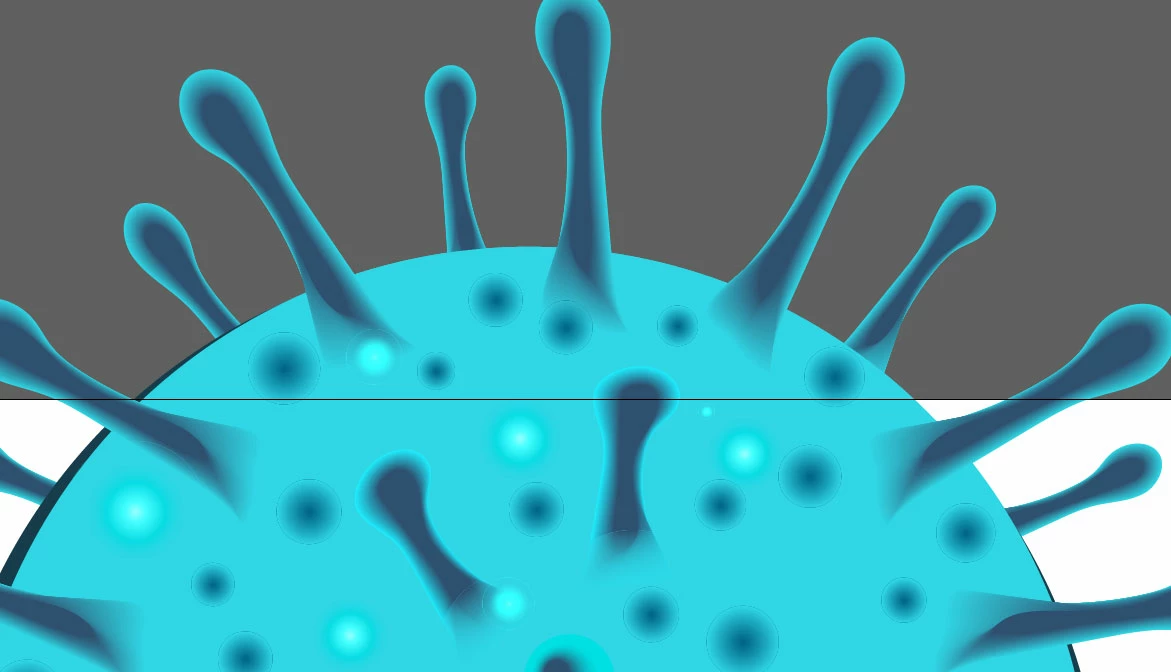
I created the gradients in Illustrator, and after saving to the format EPS 10, I have noticed the circles around gradients that are not in the original file. Could you, please, advise me how to avoid it or how to save it properly?

Thank you.
 

This topic has been closed for replies.
Correct answer d0nut247

are those gradient circles using blend modes like 'lighten' or 'screen' etc? you may do better to set them up as just actual colours and gradient to colour 0% transparency if they arent already. another 'fix' worth looking at is if you place the gradient circle within another circle as a clipping mask, so you lose the very tiniest fraction of the edge of the item.

1 reply

d0nut247Correct answer
Inspiring
April 3, 2020

are those gradient circles using blend modes like 'lighten' or 'screen' etc? you may do better to set them up as just actual colours and gradient to colour 0% transparency if they arent already. another 'fix' worth looking at is if you place the gradient circle within another circle as a clipping mask, so you lose the very tiniest fraction of the edge of the item.

petrab60631600
Inspiring
April 3, 2020

Thank you for respond. Yes, I made that circle by the gradient with the 2 colors, and with the opacity 0% , in the original file its okey, also when I exported as jpeg, there is no problem. Only after saving that file to Eps. So I tried to fix it by the clip. mask and it is solved! 🙂 

Thank you!!!


Inspiring
April 3, 2020

Great news. I'm sure there are other ways to sort this, so keep trying to learn. I'm sure someone will give you another solution here, but eps is an old format and it likes old school clipping paths so it seemed like a probable fix.