
Participant
October 4, 2020
Answered

Gradient Problem

  • October 4, 2020
  • 4 replies
  • 819 views

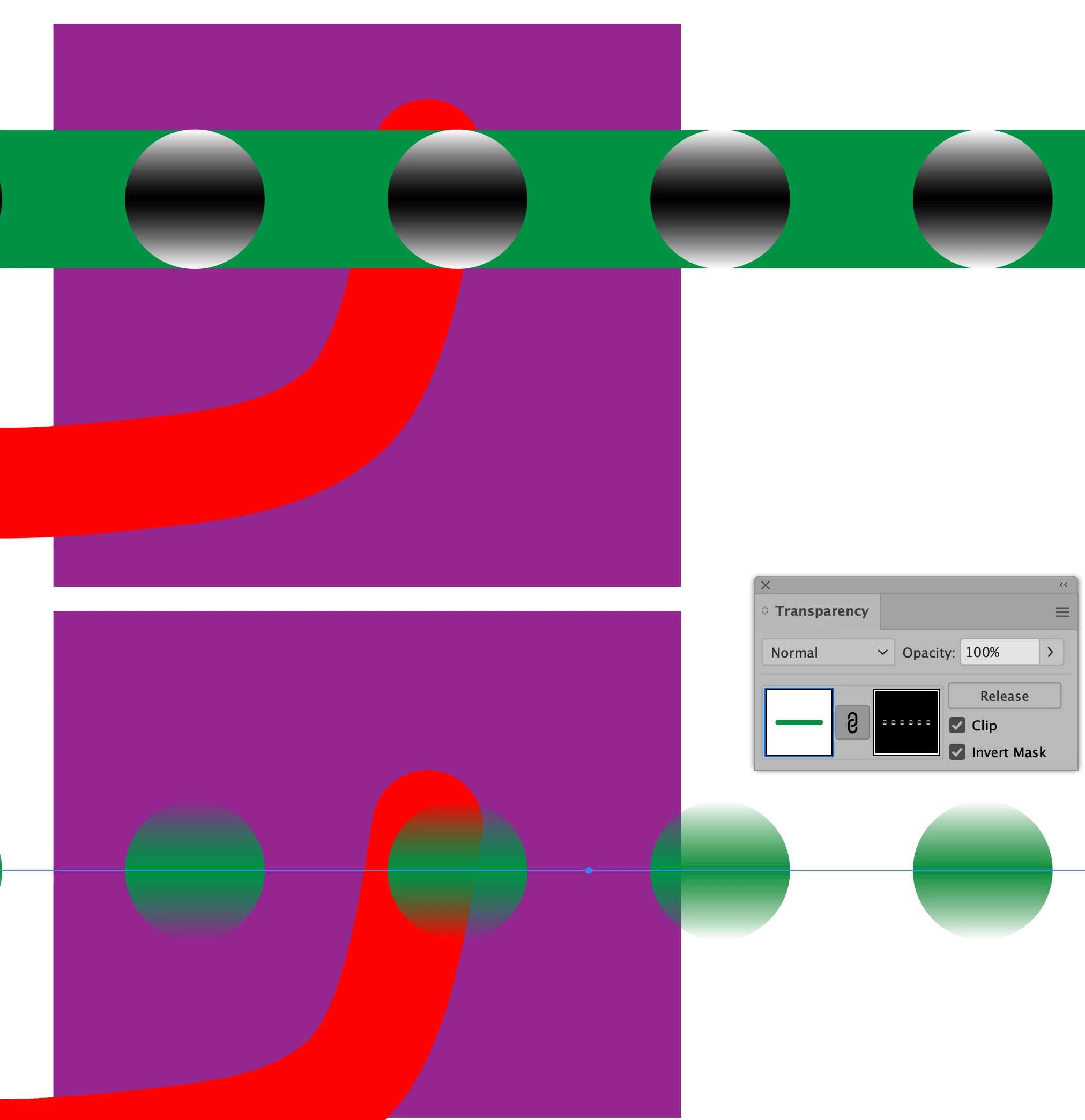
As shown in the pic attached, after applying the gradient to the stroke, and adjusting the alpha to 0 at one end, there will be some lines on each dot of the dotted line.


I'm not sure whether it is a bug, or it is some setting I didn't get it correct. And how could I solve it?

 

This topic has been closed for replies.
Correct answer tromboniator

It could be called a bug, but it's nothing that you're doing wrong: applying an opacity of less than 100% to a gradient stroke produces these lines. the only solution to your problem I've found so far is to use two strokes and to create an opacity mask.

The black and white in the gradient on the dashed line are both at 100% opacity.


Peter

4 replies

tromboniator
Community Expert
tromboniatorCommunity ExpertCorrect answer
Community Expert
October 5, 2020

It could be called a bug, but it's nothing that you're doing wrong: applying an opacity of less than 100% to a gradient stroke produces these lines. the only solution to your problem I've found so far is to use two strokes and to create an opacity mask.

The black and white in the gradient on the dashed line are both at 100% opacity.


Peter

Participant
October 12, 2020

Hi Peter,

Thanks a lot, and it does work.

More, does that mean for now, there is no other solution to this exept to the mask method you mentioned here?

tromboniator
Community Expert
Community Expert
October 12, 2020

I can only tell you that that is the only solution I've found; it doesn't mean that other answers don't exist. You might wish to report this as a bug here. 

barbara_a7746676
Community Expert
Community Expert
October 4, 2020

Is there more than one stroke or fill applied?

Michael Bullo
Community Expert
Community Expert
October 4, 2020

Could this be one of those weird view issues that only shows up at particular magnifications? Try zooming in or out a little. Are the lines still there?


Also, do you see these lines if you export out something like a PDF or a PNG? I appreciate that isn't a solution but it should help isolate whether this is a real or a virtual problem.

Participant
October 12, 2020

Hi Michael, 

I'm afraid it's still there when I export it as jpg or pdf.

Monika Gause
Community Expert
Community Expert
October 4, 2020

Can you please show the settings for the dashes and the appearance panel?

Participant
October 12, 2020

Hi Monika, 

The attachment it the stroke panel and concerning setting.

Monika Gause
Community Expert
Community Expert
October 12, 2020

In the appearance panel can you try and click on the bottommost "Opacity" and then in there check the option "Knockout group" - does that help?