Inspiring
February 11, 2019
Answered

Gradient Tool

  • February 11, 2019
  • 3 replies
  • 1335 views

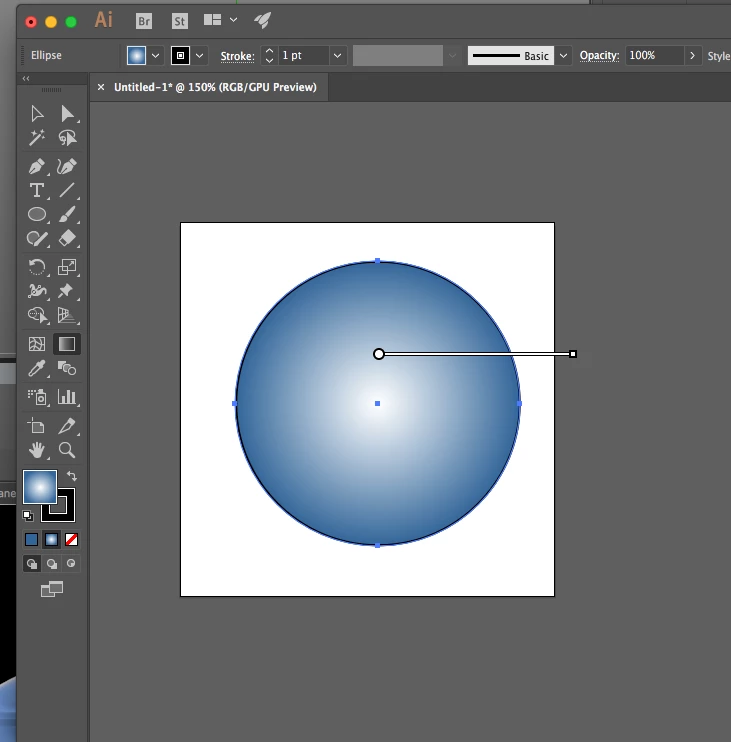
There used to be a difference between the way the gradient tool would come up for linear vs radial gradients.  I miss that.  Is there a setting that I can adjust to get back the adjustable gradient bar for adjusting a radial gradient?  It was easier to fine tune that way than just clicking the cursor and trying to hit the spot you mean on first go.  I keep thinking that a new version of Illustrator will put this back for me, but it's been some versions now, so either the functionality has been dropped, or it's just altered in some way that I'm simply not finding it.  I'm attaching a screenshot here.  I know this is a visual crowd .

See how there is just a line with two points?  I'm trying to get back the version that would draw the whole circle for me, so that I could adjust the aspect ratio of that gradient, and that showed any extra points in the gradient, and would allow you to grab points and move them around. 

Is there a way to get that kind of functionality back these days?
This topic has been closed for replies.
Correct answer tromboniator

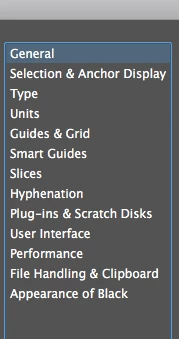
I'm not finding any preference settings related to the gradient tool in any of these menus.


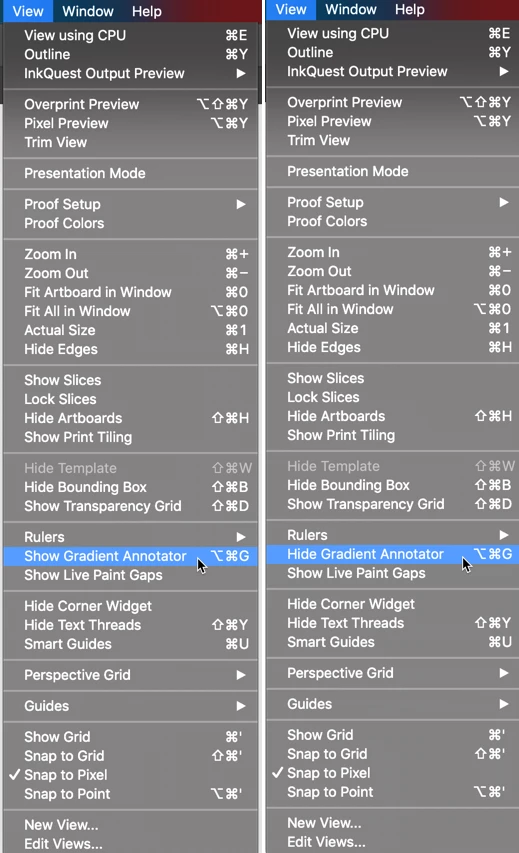
If you go to the View menu, which of these do you see? If it's the left one, select it and see if that solves the problem. If it's the right one, I'm out of ideas!

Peter

3 replies

Inspiring
February 11, 2019

It looks like y'all still have the old feature.  So there must be a setting somewhere that restores it.  I get the same effect using a mouse as I do with the Wacom.  And I've unplugged the Wacom a few times since I first lost this functionality.  The whole computer has also been restarted several times.  And this has persisted across CC upgrades.

When I'm in Illustrator, there is no moving the cursor over the gradient bar.  That's physically impossible.  I just get one shot at placing it, and then the bar disappears as soon as I let go.  Is there a setting somewhere that would cause this?

Ton Frederiks
Community Expert
Community Expert
February 11, 2019

I use a Wacom too, so that's probably not the problem.

Did you try to reset your preferences?

How to set preferences in Illustrator

Inspiring
February 11, 2019

I'm not finding any preference settings related to the gradient tool in any of these menus.

Ton Frederiks
Community Expert
Community Expert
February 11, 2019

Sarah, If I move my cursor over the gradient bar, I see this in 3 different versions.

Is that what you mean?

Monika Gause
Community Expert
Community Expert
February 11, 2019

Which version on which system is that?

Inspiring
February 11, 2019

CC 2018

Inspiring
February 11, 2019

But this has persisted over several upgrades.