Participant
January 2, 2018
Answered

Gradient tool

  • January 2, 2018
  • 4 replies
  • 1019 views

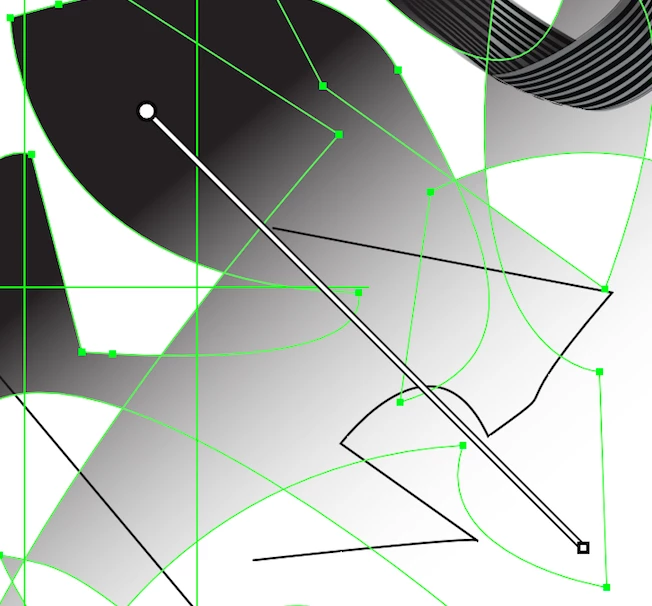
I can get a gradient working in the panel. But the gradient tool that appears and that used to be adjustable on the al actual artwork disappears instantly. I used to be able to adjust it and make changes using this. The line that I used to be able to adjust disappears instantly!!!
This topic has been closed for replies.
Correct answer Jeff Witchel, ACI

Or It could be that your Gradient Annotator is turned off under the View menu (View >Show/Hide Gradient Annotator).

4 replies

tjasak1993
Known Participant
February 8, 2018

Hello,

I will join to this topic, I have problems with making lights like this:

When I downloaded from freepik and copied to my existing illustrator document the lights becomes like this, anyone knows why?

Thank you for help,

Tjaša

Jeff Witchel, ACI
Community Expert
Jeff Witchel, ACICommunity ExpertCorrect answer
Community Expert
January 2, 2018

Or It could be that your Gradient Annotator is turned off under the View menu (View >Show/Hide Gradient Annotator).

Participant
January 6, 2018

Thankyou!! I seaarched so many times in Preferences for the setting!! Phew!!

(-:
Simmer1
Community Expert
Community Expert
January 2, 2018

Hi,

I look as though you may ave a number of shapes Grouped together when this is the case the gradient annotator is not visible.

If you Right click and select Ungroup and the gradient annotator should then appear.

If you want to edit the gradient eg change colour, add colour point just hover over the gradient annotator strip and the paint buckets will appear.

Hope this helps,

Sim

Monika Gause
Community Expert
Community Expert
January 2, 2018

Is this perhaps a Live Paint object?

Is the gradient annotator visible (check the View menu)?