

Known Participant
June 20, 2024
Answered
Gradient Tool - Unable to Select Color from Swatches
- June 20, 2024
- 2 replies
- 537 views
Hi there,
I've been having this issue for awhile and didn't find anything on the forum so I'm curious if anyone else has run into it.
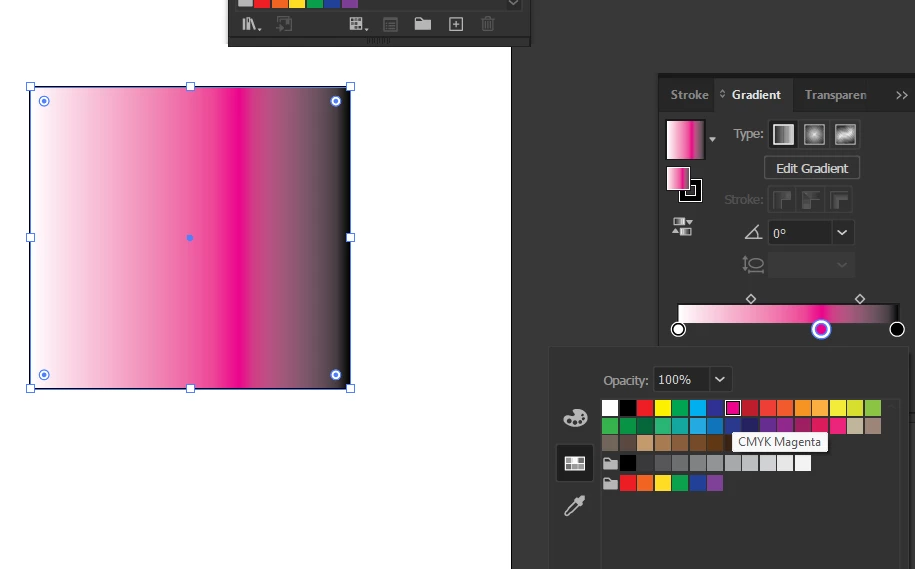
When using a gradient stroke or fill, sometimes Illustrator will not allow me to select a color from the swatches to replace the existing color in the gradient. See screenshot below where I added a stop in the middle, tried to replace it with Magenta, and the color did not change.
I am able to change the color using the RGB sliders, but of course I don't want to memorize RGB values when I have swatches saved right there...
Any help would be appreciated! This is not file specific either, happens on any file. Running AI 28.5, Windows 10.


 AdChoices