
stacifr
Participant
May 6, 2024
Answered

Graphic links from CC Library changing in Illustrator application

  • May 6, 2024
  • 1 reply
  • 258 views

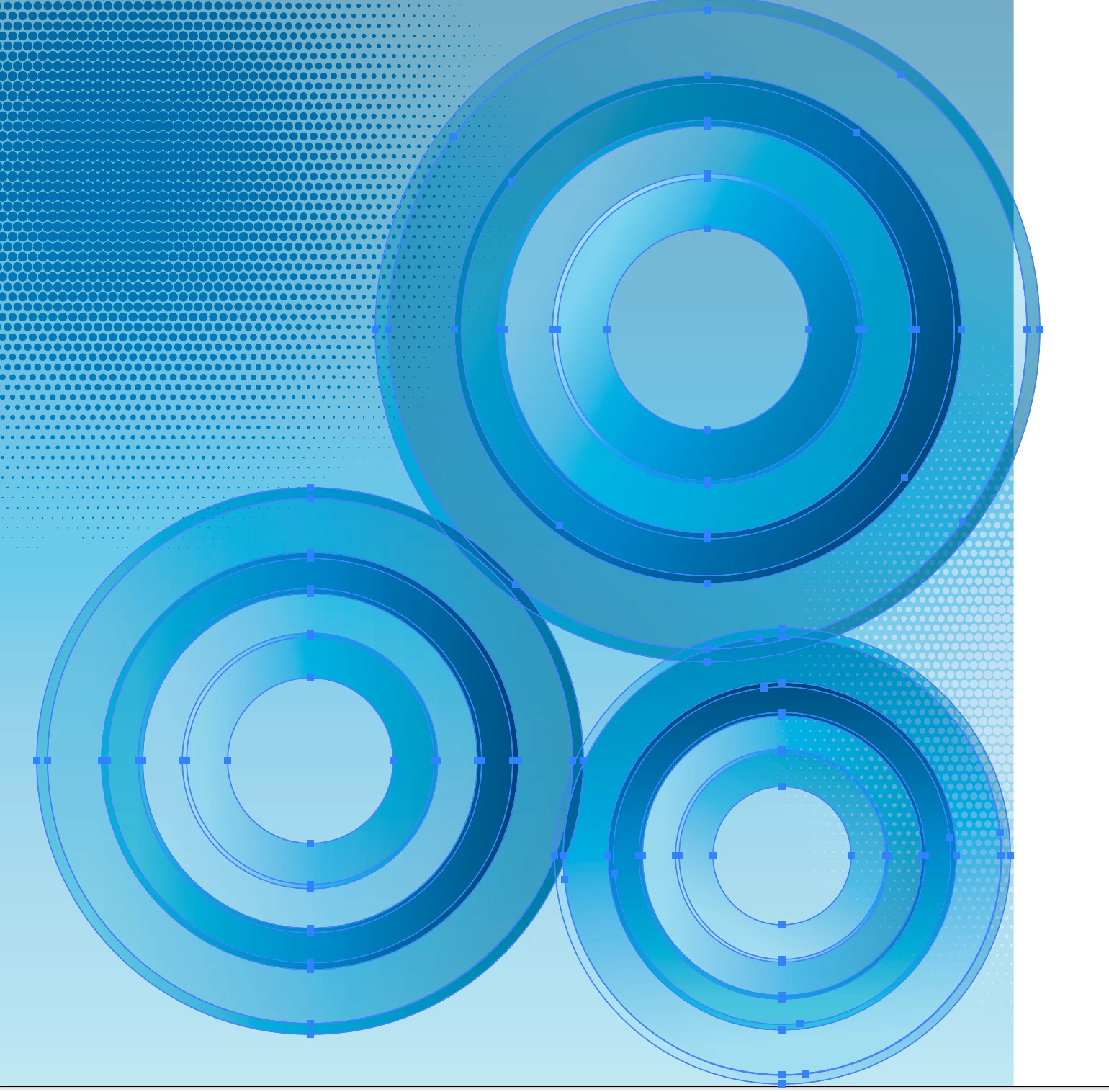
I created graphics for our team's Creative Cloud Library that are not remaining true to format as team members are linking them in projects. I have a series of overlapping circles filled with gradients that convert to circles that mask gradient squares when embedded. This makes it almost impossible to edit. Please see photo references. The 1st screenshot shows my original creation. The second shows how it imports and embeds.

This topic has been closed for replies.
Correct answer Ton Frederiks

How do you import and embed?

If you just drag it from the library you get a linked object, if you then embed it, it will probably look like what you've shown.

Try Alt Dragging from the library to embed the object.

1 reply

Ton Frederiks
Community Expert
Ton FrederiksCommunity ExpertCorrect answer
Community Expert
May 7, 2024

How do you import and embed?

If you just drag it from the library you get a linked object, if you then embed it, it will probably look like what you've shown.

Try Alt Dragging from the library to embed the object.

stacifr
stacifrAuthor
Participant
May 7, 2024
THANK YOU! That keeps the filled shapes intact.

I created these CCL graphics so the links would be updated everywhere when/if I update them in the library. Embedding them right away doesn’t allow for this, that’s why we were using the “embed” command later. Ideas for a workaround on this?


Staci Friedel
Segment Creative Director
Ton Frederiks
Community Expert
Community Expert
May 14, 2024

Staci, I am afraid there is no workaround for this. Unfortunately the current embedding embeds the PDF part and loses all the Illustrator layers and other AI editability.

I reported this 2 years ago, but it does not have enough votes to be taken seriously. See:

https://illustrator.uservoice.com/forums/333657-illustrator-desktop-feature-requests/suggestions/45031159-embedding-linked-illustrator-content-should-embed