Question
Grayscale image changes resolution when placed in Illustrator document
Hi everyone,
I need to copy grayscale .tiff images into illustrator to make panel-layouts (scientific figures, microscope images). This has worked fine for years but now the images change dramatically when placed in the Illustrator document. For comparison, the same image does not change when placed in an InkScape document. (see screenshot)
Illustrator: (CC) 24.2.3
InkScape: 0.92
For comparison I also show the original image (Opened in FIJI)
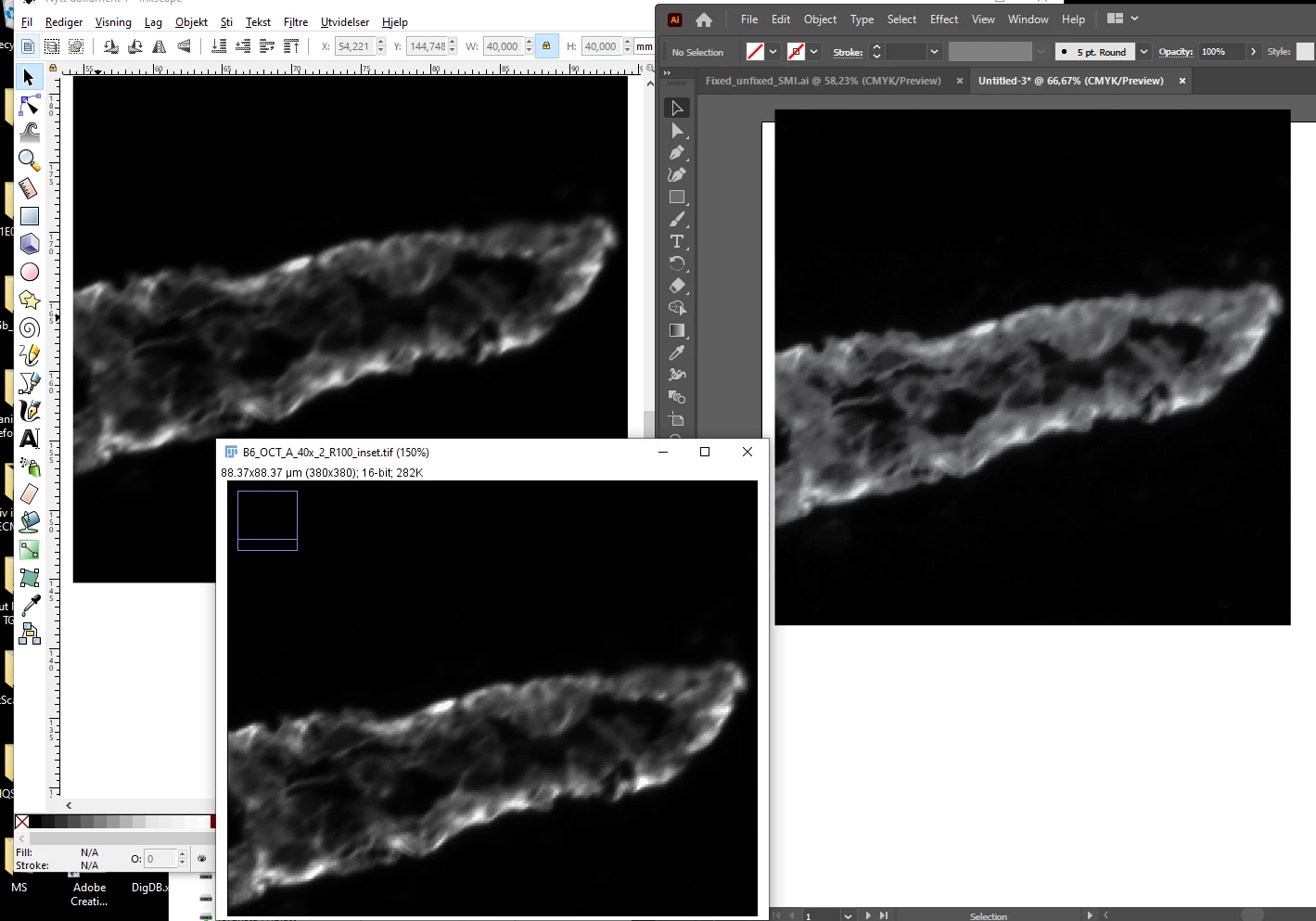
Are there settings I can change in Illustrator to keep the image as original?
I cross my fingers for an easy fix to this extremely annoying problem.
 AdChoices