


robinm85666415
Participant
Aug 6, 2024 2:55 PM UTC
Answered

Grey outline around all my 3D shapes?

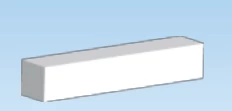
I have this weird grey outline around all my 3D shapes. I have turned stroke off for all these objects, and I have turned ray tracing on with quality set to high, I also turned off Anti-alised network in preferences since I read that could be a potential cause, but the outline is still there. 


All I did was create a shape like for example using the rectangle tool, then click it and press effect -> 3D and materials and then I have some shapes that use extrude, and another which uses revolve and they all have the outline.  
 

Monika Gause
Monika GauseCorrect answer
Community Expert
Aug 6, 2024 3:22 PM UTC

Does this also happen in the color mode RGB?

What happens in CPU Preview?

Does the grey outline get exported when you export as a JPEG?

7 replies

Monika Gause
Community Expert
Community Expert
Aug 6, 2024 3:14 PM UTC

How is Effects > Document raster effects settings set up?

Does the outline go away when you turn on Antialiasing?

Translate
robinm85666415
Participant
Aug 6, 2024 3:20 PM UTC

I turned on anti aliasing in the document raster effects settings but that didn't have any impact.


The settings in there are default and they are:

Color model: CMYK

Resolution: High

Anti-alis checked

Preserve spot colors checked

Translate
Monika Gause
Community Expert
Monika GauseCommunity ExpertCorrect answer
Community Expert
Aug 6, 2024 3:22 PM UTC

Does this also happen in the color mode RGB?

What happens in CPU Preview?

Does the grey outline get exported when you export as a JPEG?

Translate
