
Known Participant
September 8, 2021
Question

Grid lines disappearing randomly while zooming in Illustrator on Windows 10

  • September 8, 2021
  • 1 reply
  • 2581 views

I have this problem for the past few months on Windows10 with the latest Illustrator Versions.


When zooming in an out the grid lines disappear with no identifiable logic. Sometimes the grid completly disappears, sometime only vertical or horizontal lines are visible. Sometime every second line is missing.

My first thought was Windows UI Scaling, but it's set to native 100%.


I can't be the only one with this problem... any ideas?
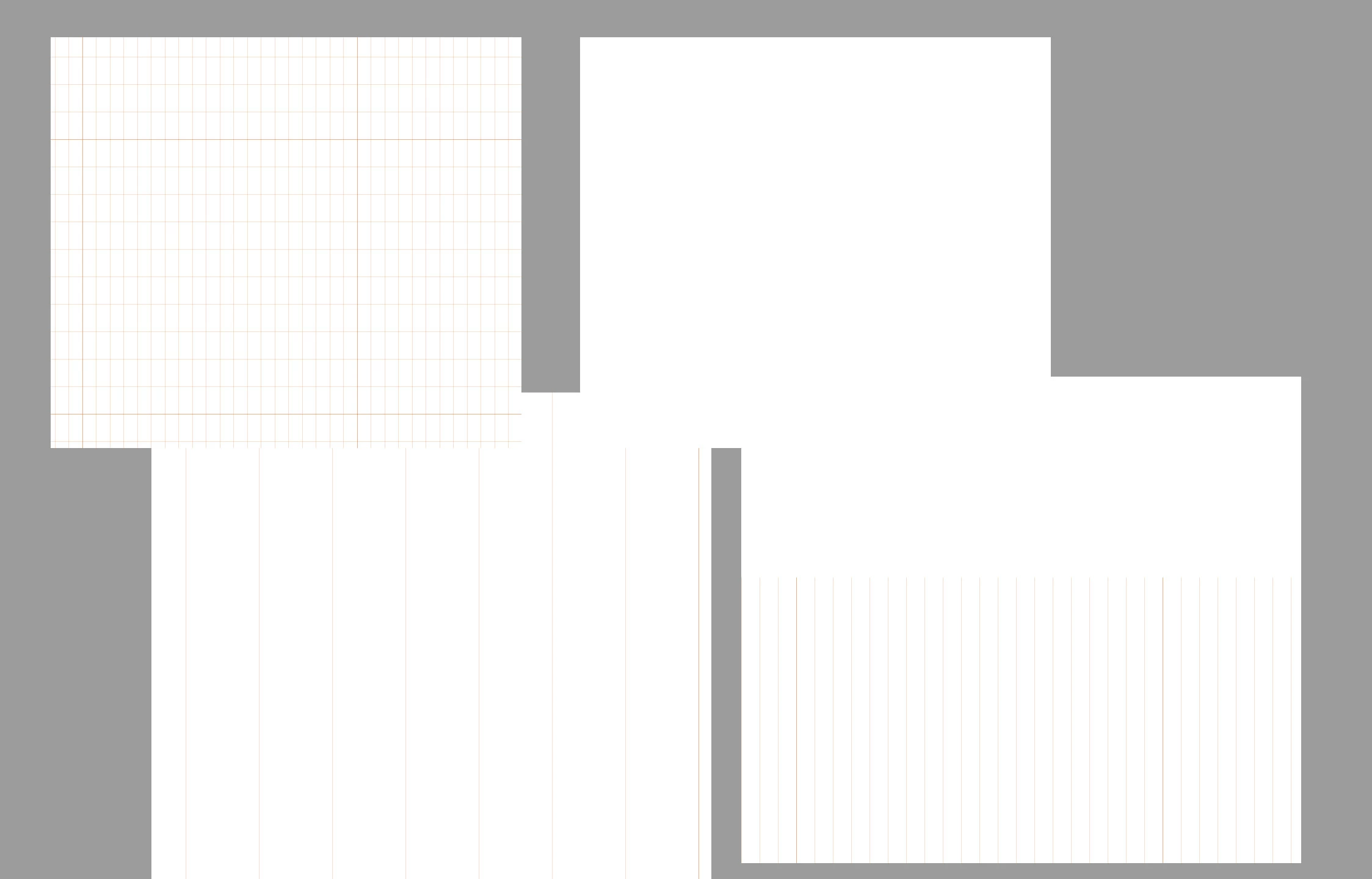


{Renamed by MOD}

This topic has been closed for replies.

1 reply

Anshul_Saini
Community Manager
Community Manager
September 8, 2021

Hi there,


Sorry to hear about your experience. I would suggest turning Off GPU performance from Illustrator preferences (ctrl + k > Performance > uncheck GPU Performance) and see if that helps resolve the issue.

If this doesn't help resolve the issue, I will request you to share a few more details like:

  • Version of Illustrator
  • Are you using an external monitor(s)? If yes, with which port and cable combination it is connected. What is the resolution and refresh rate of the monitor?
  • Which GPU are you using? Is it an external GPU?
  • A small video demonstrating the issue could be really helpful.
  • Is the issue happening while working on a specific document?
  • Could you please share a sample document with us? You can upload it to the Creative Cloud (https://helpx.adobe.com/in/creative-cloud/help/share.html) and share the download link.
  • When did this start happening?
  • Are there any recent changes made to your system? For example, any antivirus, system updates, or web extensions installed recently.


We will be looking forward to your response.


Thanks & Regards,

Anshul Saini

hayungsAuthor
Known Participant
September 8, 2021

Turning off GPU Acceleration removed the bug. But now everything runs sluggish, like exspected.

Is there any settting in NVIDIA Options that could cause this behaviour?

Anshul_Saini
Community Manager
Community Manager
September 9, 2021

Thank you for trying that. You can try updating or reinstalling the drivers. Also, visit this help article (https://helpx.adobe.com/illustrator/system-requirements.html) and check if your GPU is listed under supported video adapters.


Regards,

Anshul Saini