Participant
August 17, 2024
Answered

Guide pratique

  • August 17, 2024
  • 2 replies
  • 360 views

Bonjour, je débute sur illustrator.
Je suis dans le domaine de la personnalisation et souhaite maîtriser ce logiciel qui me paraît top. 

Je suis donc à la recherche d'astuces pour y parvenir. 
merci

This topic has been closed for replies.
Correct answer creative explorer

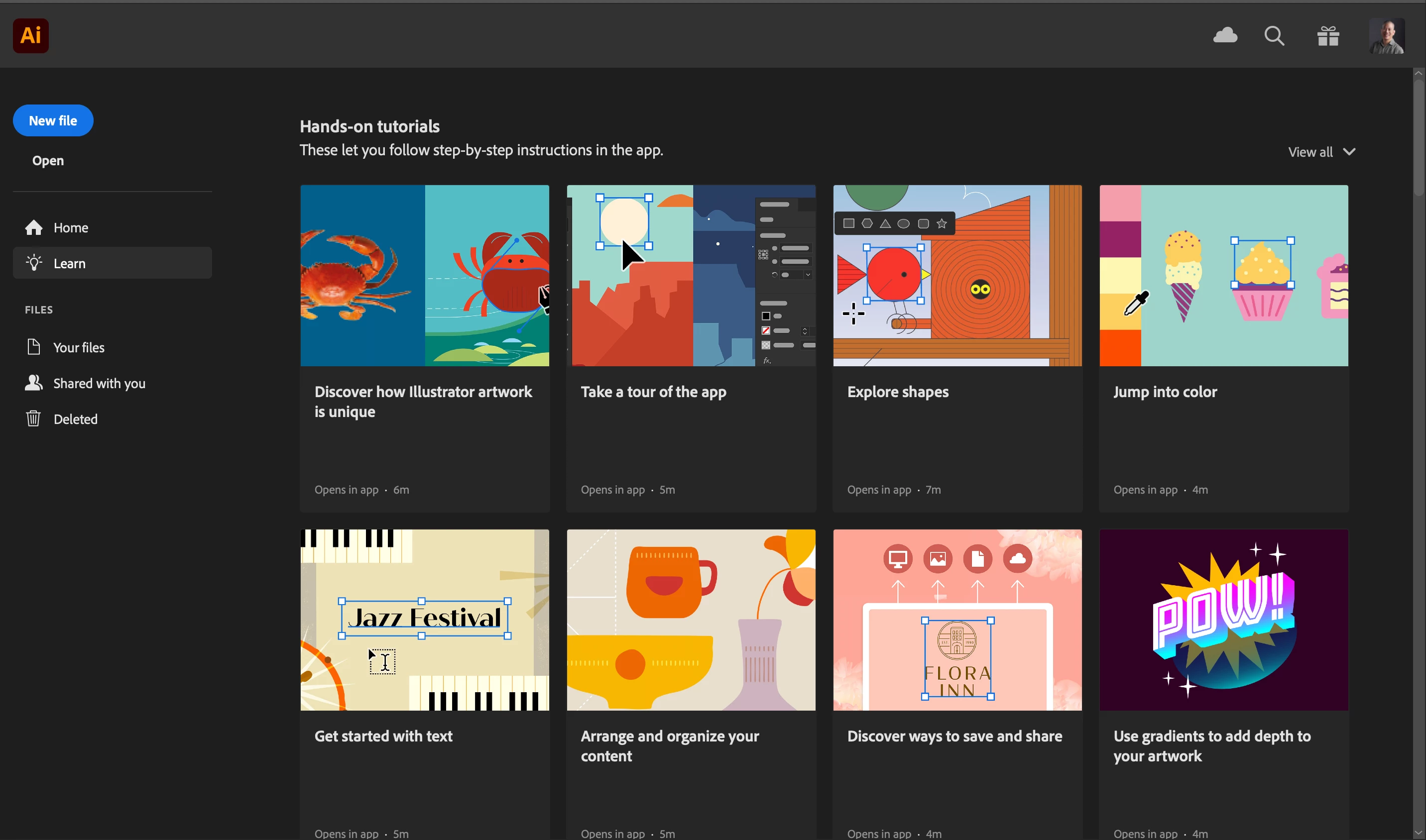
@astrid_7344 i totally agree with @Monika Gause you will need to learn the basics of Illustrator before you can learn the more advanced tools. In the dashboard, on the left hand side is 'Learn,' click on that to show the Illustrator tutorials. Also there are many great tutorials on LinkedIn Learning and YouTube videos as well. Many members, here can be a valuable resource. 
 

2 replies

creative explorer
Community Expert
creative explorerCommunity ExpertCorrect answer
Community Expert
August 17, 2024

@astrid_7344 i totally agree with @Monika Gause you will need to learn the basics of Illustrator before you can learn the more advanced tools. In the dashboard, on the left hand side is 'Learn,' click on that to show the Illustrator tutorials. Also there are many great tutorials on LinkedIn Learning and YouTube videos as well. Many members, here can be a valuable resource. 


m
Participant
August 17, 2024
Merciii beaucoup pour votre retour

Boulange Astrid
Monika Gause
Community Expert
Community Expert
August 17, 2024

What do you currently know?

You can start with the Help files: just go to the Help menu in Illustrator and then to the documentation or the tutorials. You need to know the basics before going into any sort of personalization.


Then when you master the basics, you can dive into the Variables function. And probably use the VariableImporter script. There are a couple of tutorials about the VariableImporter on different sources. But in order to understand what they are even talking about, you need to know the basics.


For many tasks you will probably need more custom scripts.