

Answered
Guides greyed out
Ive seen a number of misc responses to posts, but none seem to address this issue:
Illustrator 2020 (24.1.2)
Short of it: Pulled up rulers, dragged from the side to create guide (Ive done this many times), it creates new "guide" in the layers panel, but guides are no where in sight and theres nothing to select. View>guides is greyed out (as seen in image below). Ive tried with shape/object/text selected/deselected. Tried with Smart Guides on/off. Remains greyed out. Why is this happening? Any suggestions?
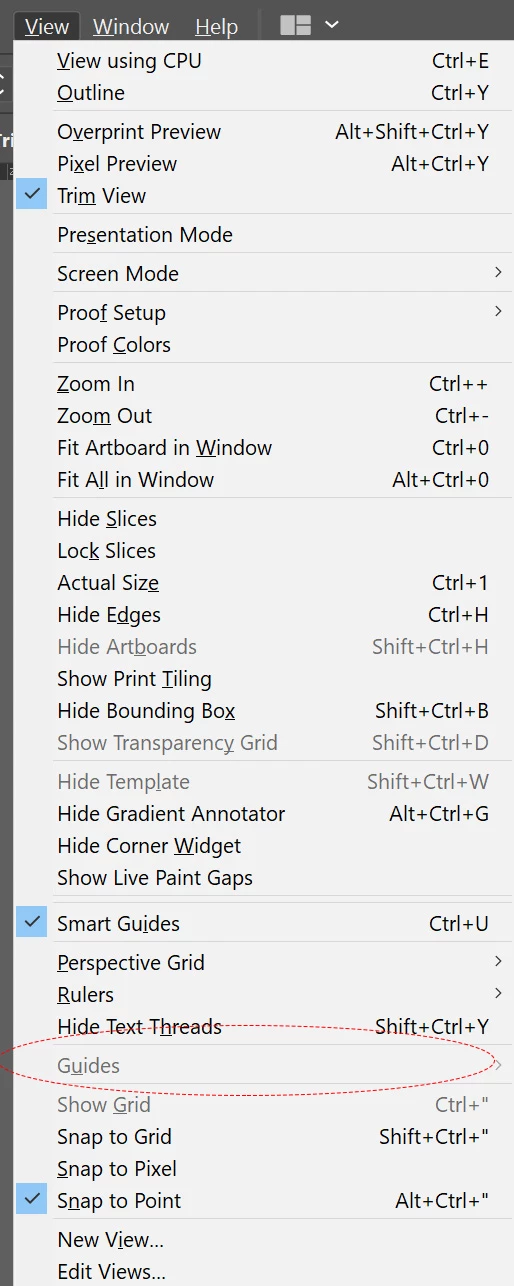
More info: The initial "issue" I'm having that led to this is that I can't align text to eachother or to the artboard. The technique/solution Im trying to follow is to use guides.
Any help would be DEEPLY appreciated.


 AdChoices