
Participant
April 29, 2017
Answered

Halftone Not Working

  • April 29, 2017
  • 4 replies
  • 9987 views

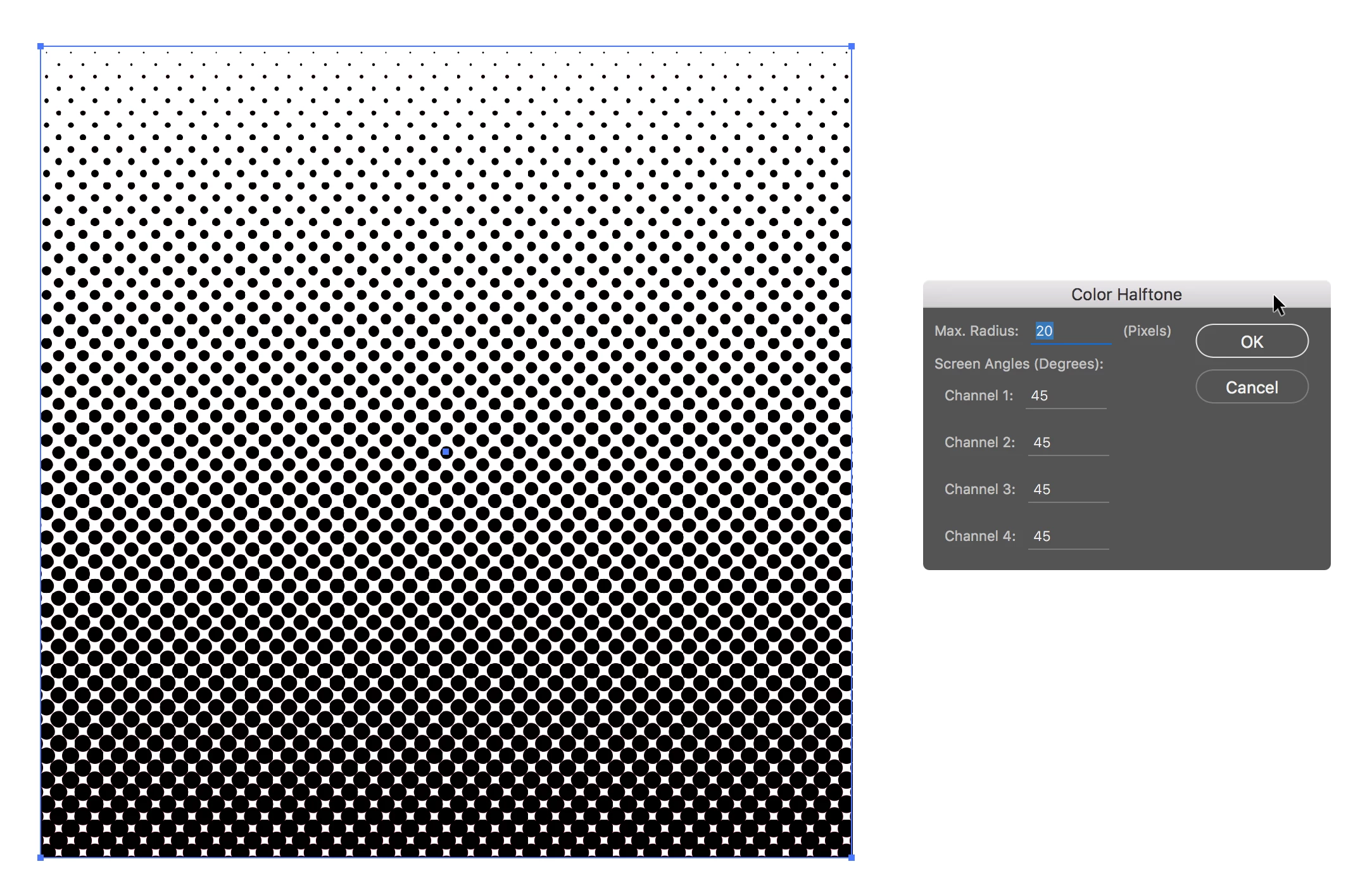
Hey guys, I'm having trouble with half toning. I'm not sure if it's something I'm doing or just a problem with my program but every time I try to half tone a gradient it comes out like this

Anyone know what's wrong/how to fix this? I'm honestly just really frustrated at this point
    This topic has been closed for replies.
    Correct answer carlosgarro

    You need to use the same angle in every channel

    4 replies

    Brad @ Roaring Mouse
    Community Expert
    Community Expert
    August 22, 2022

    Complicating your issue is that your gradation is in RGB colour mode. Even if your gradation is defined as 0%Grey to 100%Grey, when you apply the Color halftone filter, it will be converted to 4 colour based on your Color setting.

    Instead, change your Document Color mode to CMYK and it will act as expected.


    Ton Frederiks
    Community Expert
    Community Expert
    April 29, 2017

    Check also the Effect > Document Raster Effects Settings and change the Color Model and Resolution.

    Alternatively you can change this as an Effect > Rasterize and apply it before the Color Halftone Effect.

    barbara_a7746676
    Community Expert
    Community Expert
    April 29, 2017

    You didn't mention what you expect the halftone to look like, and whether or not you want color to show. If you want it to look black, follow carlosgarro's instructions.

    Participant
    August 20, 2022

    How do you get it to show color? I keep trying but it shows a black center and some colors on each circle's border. I used same values on every field

    Ton Frederiks
    Community Expert
    Community Expert
    August 20, 2022

    Start with a color fill and use different screen angles.

    carlosgarro
    Community Expert
    carlosgarroCommunity ExpertCorrect answer
    Community Expert
    April 29, 2017

    You need to use the same angle in every channel

    Brad @ Roaring Mouse
    Community Expert
    Community Expert
    August 22, 2022

    Although this appears to work, the problem with this approach is that all 4 colours are on top of each other, and depending on your Colour Settings Black Generation settings, might show dots with colour halos. If this is being professionally printed, then there are 4 separations needlessly. You can see this if you open up Separations Prieview,

    If they want a solely black halftone, they have to do it in CMYK mode so it generates only a Black halftone.

    Ton Frederiks
    Community Expert
    Community Expert
    August 22, 2022

    Or apply first a Rasterize Effect with Grayscale as Color Model before the Color Halftone.