
Participant
June 23, 2022
Answered

Hard edge after using feather effect

  • June 23, 2022
  • 2 replies
  • 1645 views

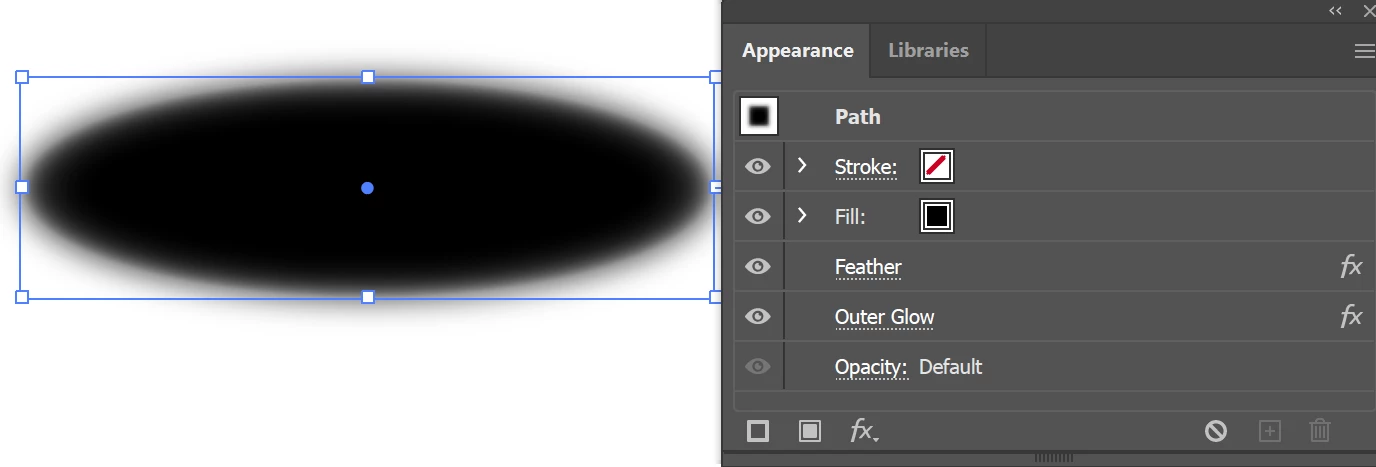
I want to feather an object, but I want the feather effect to be tighter, with a very small radius.  Unfortunately, that results in a hard edge, just beyond the feathered edge, filling out the original shape, which is obnoxious (please see attached image).  Is there a way to fix this (get rid of that hard edge) without having to resort to the "blur" effect?
This topic has been closed for replies.
Correct answer barbara_a7746676

Great workaround. 

Another possibility is to apply the feather effect and then an outer glow..

2 replies

Zach1234Author
Participant
June 23, 2022

Good News, Everyone!

I figured it out. lol
1. Forget the Feather Effect.
2. Add a stroke to the shape.
3. Give the stroke a linear gradient and also select "Apply gradient across stroke".
4. Play around with the colors a bit and eventually you'll get the same effect as what I was hoping to achieve with the feather effect (please see attached images).

barbara_a7746676
Community Expert
barbara_a7746676Community ExpertCorrect answer
Community Expert
June 23, 2022

Great workaround. 

Another possibility is to apply the feather effect and then an outer glow..

Zach1234Author
Participant
June 23, 2022

P.S. attached are my current "Document Rasters Effects Settings":