
Participant
March 23, 2023
Answered

Hard lines in Gaussian Blur

  • March 23, 2023
  • 2 replies
  • 2002 views

I am getting weird hard lines inside the boundaries of my object. I am using rgb and I have tried increasing my raster effect plently and it didnt work. I have changed the path to a shape and that still didnt work. I cant seem to understand or figure out a way to fix it, please help!
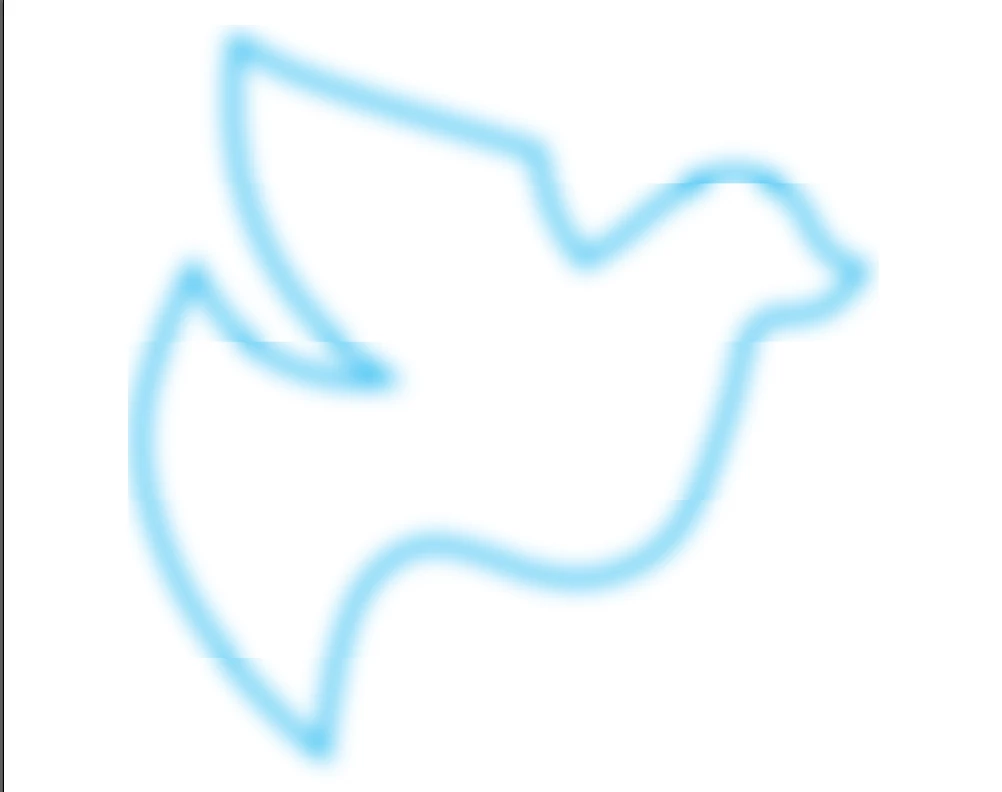
This topic has been closed for replies.
Correct answer Monika Gause

You need to adjust the blur after scaling down.

2 replies

Monika Gause
Community Expert
Community Expert
March 23, 2023

How large is this object and which version is it?

Does this also happen in smaller objects?

Participant
March 23, 2023

It is about 3700 px x 3700 px. When I try making the object smaller it actually gets rid of the gaussian blur which is confusing and sometimes the blur doesnt take any effect. I am using version 26.5.3

Monika Gause
Community Expert
Monika GauseCommunity ExpertCorrect answer
Community Expert
March 24, 2023

You need to adjust the blur after scaling down.

sishamIAGD
Community Expert
Community Expert
March 23, 2023

That looks like a rendering issue, have you tried switching your GPU to CPU (Ctrl+E) and see if that makes any difference.

Participant
March 23, 2023

Thank you for your response, I tried switching to cpu and it doesn't seem to have fixed it