


patd61312907
Inspiring
June 12, 2023
Answered

Having issue with outline text

  • June 12, 2023
  • 4 replies
  • 1358 views

I am trying to outline some files and get a message about previewing the file. 

I was able to select different sections of the document and outline them. However, one text box containing text will outline but then will not preview. 
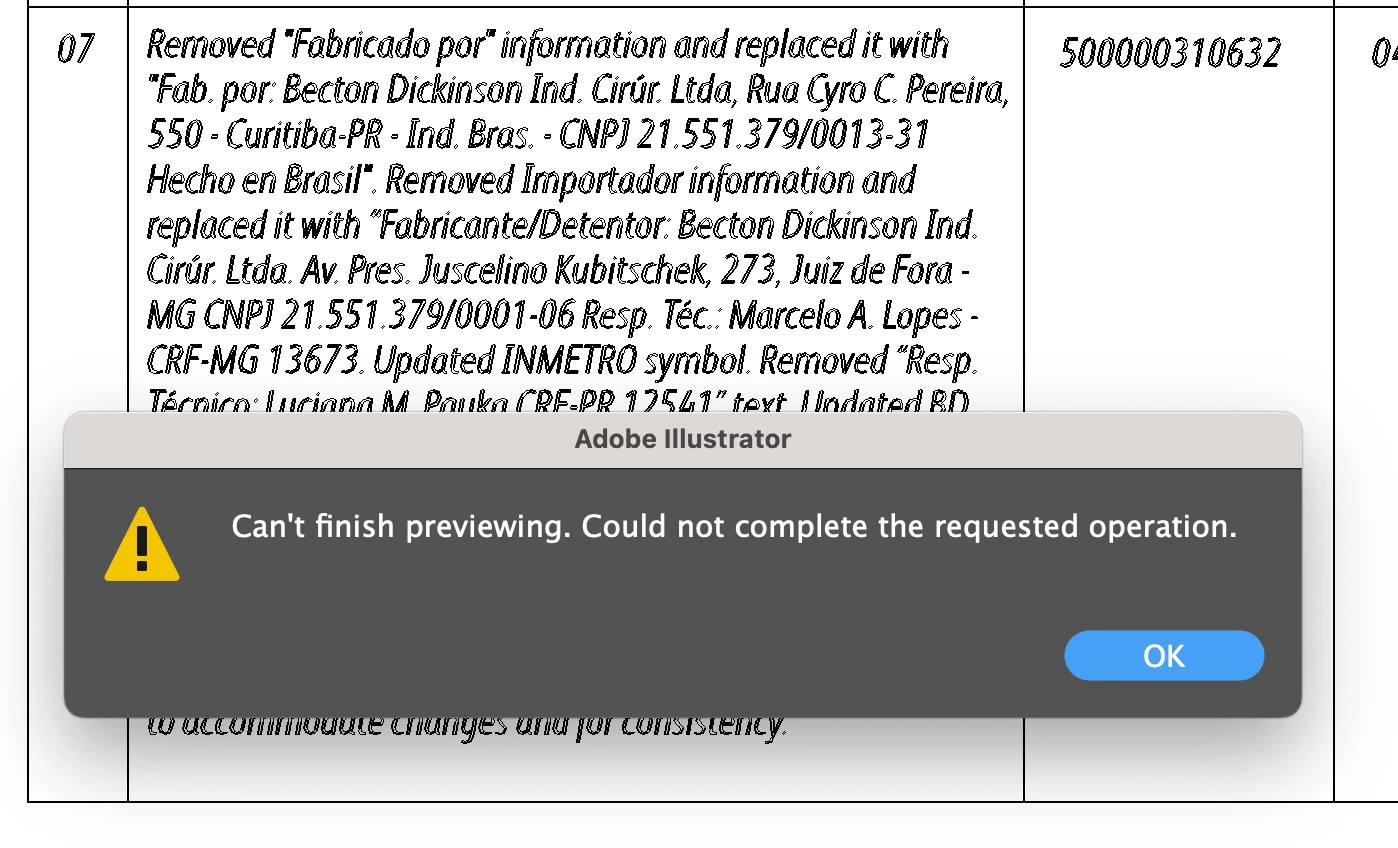
This is happening to many files and I cannot figure out why just one text box outlines but then cannot preview. Hope someone has an idea why this is happening.

This topic has been closed for replies.
Correct answer patd61312907

The same font family was used throughout the document (FS Albert Pro). It is our corporate brand font, and is not a free font. What you see is outlined text in outlined view. Out of the entire document it was this one text box of text that once outlined, would not allow me to get back to preview mode. 


Sorry, to continue, there was no line stroke on the text. Clearing the appearance is what allowed me to finally outline and get back to preview mode. 

4 replies

Community Expert
June 13, 2023

Yeah, now that you mention the fonts used, Albert Pro isn't a "grungy" typeface; the preview image above threw me a bit since the outlined text was rendered pretty rough in the first image you posted.


Even with "clean" sans-serif typefaces there are pitfalls to converting paragraph blocks of text to outlines. I dislike the common behavior of graphics applications joining multiple or many letter shapes into complex compound paths. It would be better if each letter was its own separate path and then all the separate letter shapes were organized into just one big group. Such a thing would actually be easier for a computer to handle. Many desktop printers or office laser printers may reject objects containing more than 5000 anchor points. Even our large format RIP applications have their limits on how many points a single path can have. A single glyph isn't going to have thousands of anchor points. But dozens of letters joined together into one compound path can go over those limits.

patd61312907
Inspiring
June 13, 2023

Thank you for your valuable input! 

Legend
June 13, 2023

It is best not to outline text. There are many problems it can cause. Protect against editing contractually (since there are many even worse things that can happen, and someone trying to edit outlined text will make a big mess).

patd61312907
Inspiring
June 13, 2023

Thank you for your thoughts. If it were my own business that is what I would do.


Mike_Gondek10189183
Community Expert
Community Expert
June 13, 2023

Could be a problematic font, if the same font is used on other files. What font as some free fonts are not well programmed and for example have 2 vector points directly on top of each other for no reason and that makes postscript act up.


Do you need to outline the type. Maybe you are submitting to print and can send a pdf wth font embedded?


patd61312907
Inspiring
June 13, 2023

FS Albert Pro is the font family. It is not a free font and is our corporate brand font. I do not necessarily have to outline the type but due to the nature of our file content we do so that there is no possibility of content change when transferring our files.

Community Expert
June 13, 2023

I know of at least one Illustrator plug-in (Vector First Aid by Astute Graphics) that can analyze outlined text and convert it back into editable text blocks.

Monika Gause
Community Expert
Community Expert
June 12, 2023

It's a very long text. How large is your file? How much RAM do you have installed?

patd61312907
Inspiring
June 12, 2023


I have had much more text than this. I did some more troubleshooting and I found that if I selected the text box and cleared appearance, I was then able to continue the outline and back to preview mode. I have NO idea if that is the real solution but it worked and I am going with it! 

Community Expert
June 12, 2023

Are you getting errors when using that specific typeface or does it happen regardless of what fonts are applied the to text block? The letters in that typeface look pretty rough and grungy. Such fonts can often contain a great deal of anchor points for each letter. You mentioned clearing the appearance of the type object; did you have a line stroke or some other effect applied? If so that probably increased the burden on the computer for converting the type object to outlines.