
Participant
December 2, 2022
Question

Help! AI Fill issues

  • December 2, 2022
  • 3 replies
  • 781 views

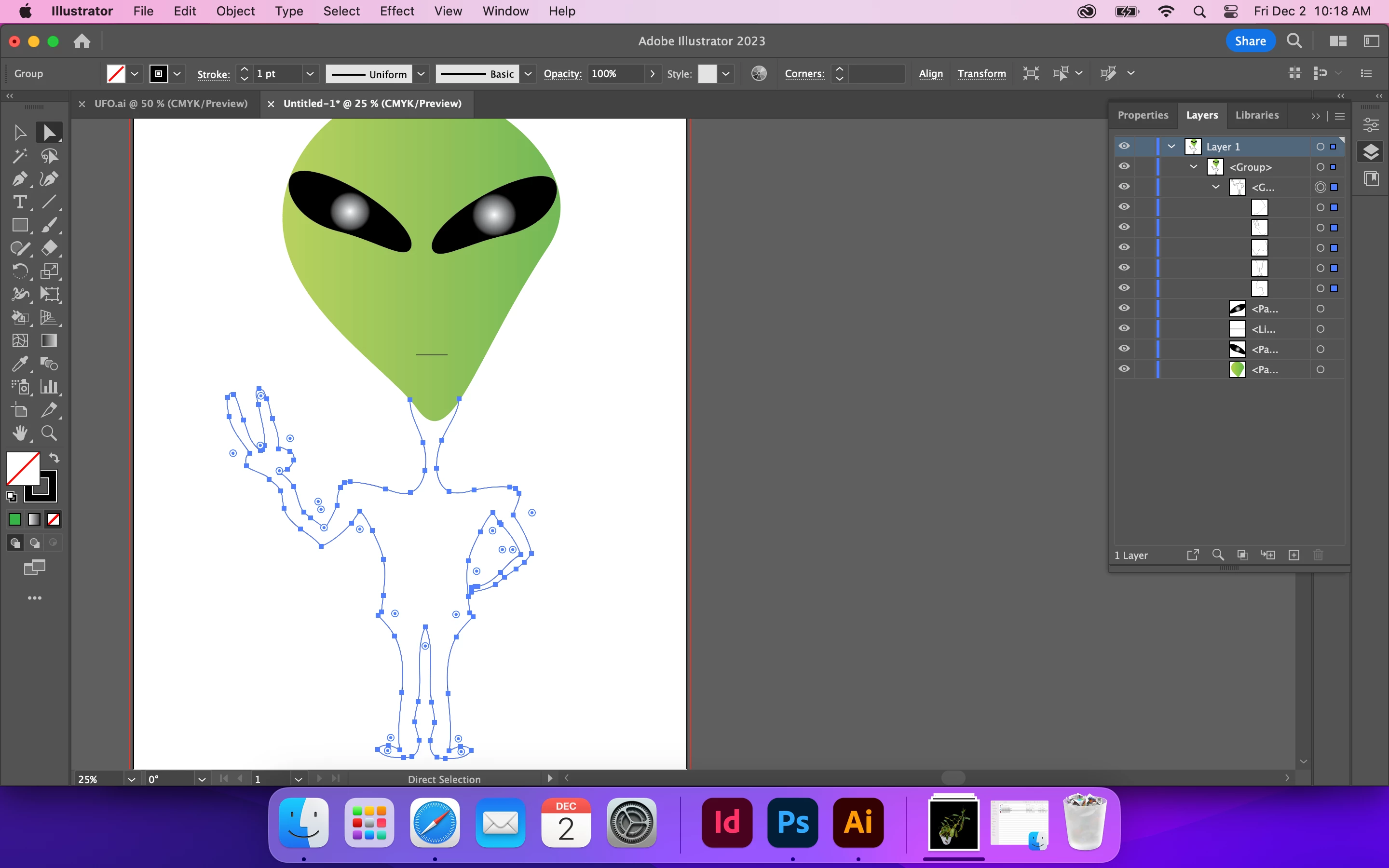
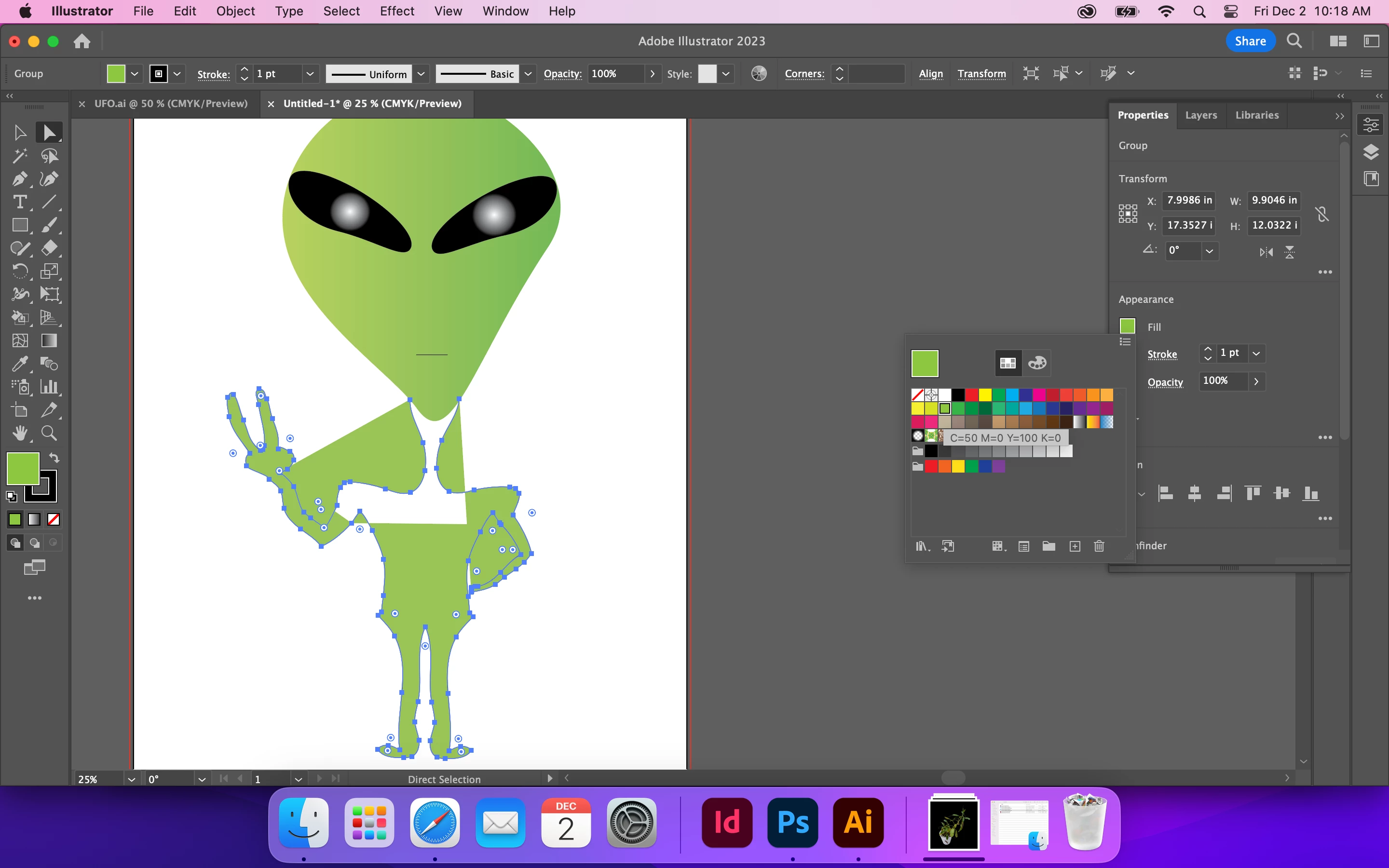
I'm a totaly newby, and I have no idea what I'm doing wrong, I made the head with shapes. I drew the body with pencil tool. When I try to fill, this happens. What am I doing wrong, and how on earth do I fix it? Thanks in advance
This topic has been closed for replies.

3 replies

Monika Gause
Community Expert
Community Expert
December 2, 2022

You could first delete all existing fills from the paths and then select all the paths that shape the body and use the shapebuilder tool (or live paint)

Mike_Gondek10189183
Community Expert
Community Expert
December 2, 2022

A - Your  path appears to not be connected here. MOve pen tool tool over on eofthe 2 poont until the curosr change to have a forward slash, click on the point to attach to that point then click on the next point to connect. Don't worry about being perfect as your head is a separate shape that can go on top of the body

B - Choose the hollow arrow tool, click and hold and drag the pint away. that will help you to inspect if that point is connected or not

C -  same thing as B.  I would need a zoomed in screenshot to see if you attach the hand to the hip or not to advise. As you are a newbie, would be easier for the hand to not touch the hip, so we do not need to walk you through composite paths.


davescm
Community Expert
Community Expert
December 2, 2022

Hi, I've moved your post from the Photoshop forum to the Illustrator forum where you are more likely to get an answer relevant to your question

Dave