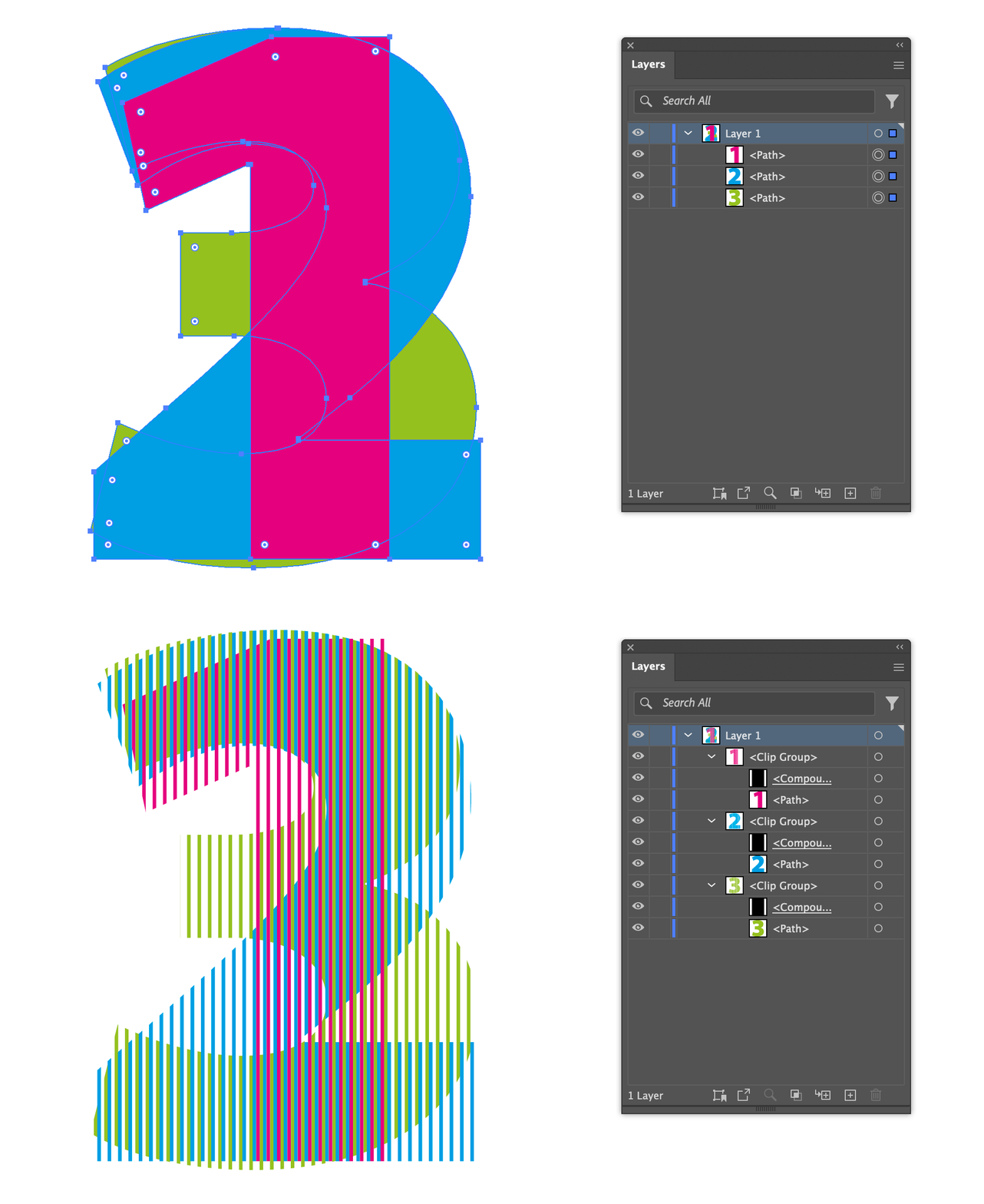
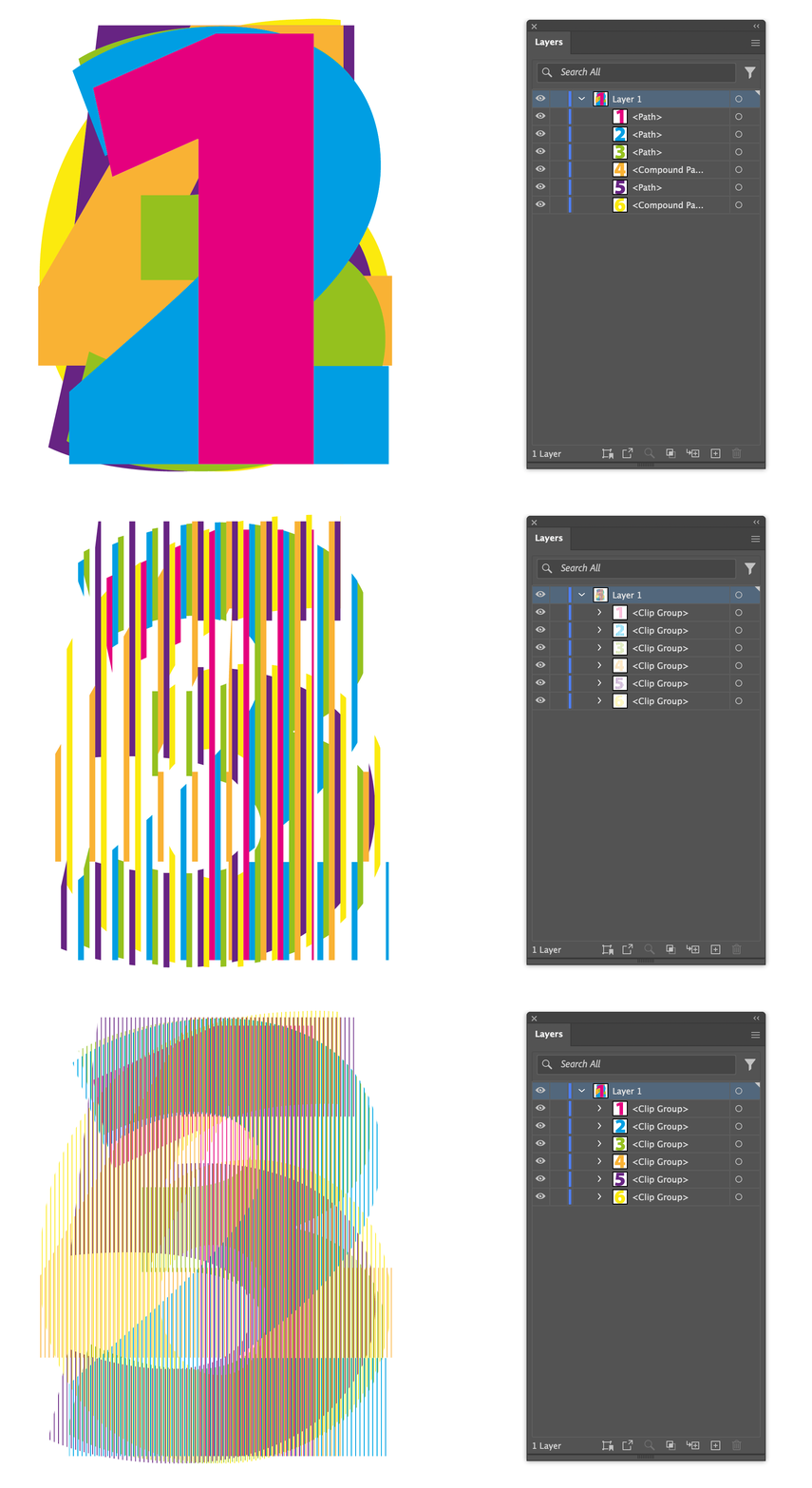
Hi @Jason Burnett, I made this script, that *maybe* does something like what you are asking. Basically clips each selected page item with a compound path made of vertical bars spaced out according to (a) settings.barWidth, and (b) the number of page items selected. Select a few items and try it.
- Mark
/**
 * @file Add Clipping Bars.js
 *
 * Usage:
 *   0. Make adjustments to the `settings` object below, if necessary.
 *   1. Select multiple page items in Illustrator.
 *   2. Run script.
 *
 * @author m1b
 * @version 2024-09-05
 * @discussion https://community.adobe.com/t5/illustrator-discussions/help-creating-script-from-pseudo-code/m-p/14842810
 */
(function () {

    var settings = {

        // only set this if you want to force the number of slices
        sliceCount: undefined,

        // the width of each bar, in points
        barWidth: 1,

        // if you want to choose the bar width each time
        showUI: false,

    };

    if (
        0 === app.documents.length
        || 0 === app.activeDocument.selection.length
    )
        return alert('Please select some items and try again.');

    if (settings.showUI) {

        var barWidth = Number(prompt('Width of each bar:', settings.barWidth || 1));

        if (isNaN(barWidth))
            return;
        else
            settings.barWidth = barWidth;

    }

    var doc = app.activeDocument,
        items = doc.selection;

    settings.sliceCount = Math.min(settings.sliceCount || Infinity, items.length);

    // calculate the outer bounds
    var everyBound = [];
    for (var i = settings.sliceCount - 1; i >= 0; i--)
        everyBound.push(getItemBounds(items[i]));

    var outerBounds = combineBounds(everyBound),
        step = settings.sliceCount * settings.barWidth;

    // add margins
    outerBounds[0] -= step;
    outerBounds[1] += step;
    outerBounds[2] += step;
    outerBounds[3] -= step;

    // add the clipping bars
    for (var i = settings.sliceCount - 1; i >= 0; i--)
        addClippingBars(items[i], outerBounds, i, settings.sliceCount, settings.barWidth);


})();

/**
 * Adds vertical bars compound path to clip `item`.
 * @author m1b
 * @version 2024-09-05
 * @param {PageItem} item - an Illustrator PageItem.
 * @param {bounds} bounds - the outer bounds [l,t,r,b].
 * @param {Number} index - the slice index.
 * @param {Number} sliceCount - the number of slices.
 * @param {Number} barWidth - the width of each bar.
 */
function addClippingBars(item, bounds, index, sliceCount, barWidth) {

    var x = 0,
        step = sliceCount * barWidth;

    var container = item.parent,
        bars = container.compoundPathItems.add(),
        fullLength = Math.ceil((bounds[2] - bounds[0]) / step) * step;

    while (x <= fullLength) {
        drawBar(bars, bounds, x + (index*barWidth), barWidth);
        x += step;
    }

    // do the clipping
    var group = bars.parent.groupItems.add();
    bars.move(group, ElementPlacement.PLACEATEND);
    item.move(group, ElementPlacement.PLACEATEND);

    // cannot create the clipping mask with code, so ...
    app.selection = [group];
    app.executeMenuCommand('makeMask');

    return bars;

    /**
     * Draws one bar.
     * @param {Document|GroupItem|Layer} container - the place to draw the bar.
     * @param {bounds} bounds - the outer bounds [l,t,b,r].
     * @param {Number} x - the x offset, in points.
     * @param {Number} barWidth - the bar width, in points.
     */
    function drawBar(container, bounds, x, barWidth) {

        return drawRectangle(container,
            [
                bounds[0] + x,
                bounds[1],
                bounds[0] + x + barWidth,
                bounds[3],
            ]
        );

    };

};


/**
 * Draws a rectangle to the document.
 * @param {Document|Layer|GroupItem} container - an Illustrator container.
 * @param {Array<Number>} bounds - [T, L, B, R]
 * @param {Object} props - properties to assign to the rectangle.
 * @return {PathItem}
 */
function drawRectangle(container, bounds, properties) {

    properties = properties || {};

    var rectangle = container.pathItems.rectangle(bounds[1], bounds[0], bounds[2] - bounds[0], -(bounds[3] - bounds[1])); // TLWH

    // defaults
    rectangle.filled = true;
    rectangle.stroked = false;

    // apply properties
    for (var key in properties)
        if (properties.hasOwnProperty(key))
            rectangle[key] = properties[key];

    return rectangle;

};

/**
 * Returns bounds of item(s).
 * @author m1b
 * @version 2024-03-10
 * @param {PageItem|Array<PageItem>} item - an Illustrator PageItem or array of PageItems.
 * @param {Boolean} [geometric] - if false, returns visible bounds.
 * @param {Array} [bounds] - private parameter, used when recursing.
 * @returns {Array} - the calculated bounds.
 */
function getItemBounds(item, geometric, bounds) {

    var newBounds = [],
        boundsKey = geometric ? 'geometricBounds' : 'visibleBounds';

    if (undefined == item)
        return;

    if (
        item.typename == 'GroupItem'
        || item.constructor.name == 'Array'
    ) {

        var children = item.typename == 'GroupItem' ? item.pageItems : item,
            contentBounds = [],
            isClippingGroup = (item.hasOwnProperty('clipped') && item.clipped == true),
            clipBounds;

        for (var i = 0, child; i < children.length; i++) {

            child = children[i];

            if (
                child.hasOwnProperty('clipping')
                && true === child.clipping
            )
                // the clipping item
                clipBounds = child.geometricBounds;

            else
                contentBounds.push(getItemBounds(child, geometric, bounds));

        }

        newBounds = combineBounds(contentBounds);

        if (isClippingGroup)
            newBounds = intersectionOfBounds([clipBounds, newBounds]);

    }

    else if (item.typename == 'TextFrame') {

        // get bounds of outlined text
        var dup = item.duplicate().createOutline();
        newBounds = dup[boundsKey];
        dup.remove();

    }

    else if (item.hasOwnProperty(boundsKey)) {

        newBounds = item[boundsKey];

    }

    // `bounds` will exist if this is a recursive execution
    bounds = (undefined == bounds)
        ? bounds = newBounds
        : bounds = combineBounds([newBounds, bounds]);

    return bounds;

};


/**
 * Returns the combined bounds of all bounds supplied.
 * Works with Illustrator or Indesign bounds.
 * @author m1b
 * @version 2024-03-09
 * @param {Array<bounds>} boundsArray - an array of bounds [L, T, R, B] or [T, L , B, R].
 * @returns {bounds?} - the combined bounds.
 */
function combineBounds(boundsArray) {

    var combinedBounds = boundsArray[0],
        comparator;

    if (/indesign/i.test(app.name))
        comparator = [Math.min, Math.min, Math.max, Math.max];

    else if (/illustrator/i.test(app.name))
        comparator = [Math.min, Math.max, Math.max, Math.min];

    // iterate through the rest of the bounds
    for (var i = 1; i < boundsArray.length; i++) {

        var bounds = boundsArray[i];

        combinedBounds = [
            comparator[0](combinedBounds[0], bounds[0]),
            comparator[1](combinedBounds[1], bounds[1]),
            comparator[2](combinedBounds[2], bounds[2]),
            comparator[3](combinedBounds[3], bounds[3]),
        ];

    }

    return combinedBounds;

};


/**
 * Returns the overlapping rectangle
 * of two or more rectangles.
 * NOTE: Returns undefined if ANY
 * rectangles do not intersect.
 * @author m1b
 * @version 2024-09-05
 * @param {Array<bounds>} arrayOfBounds - an array of bounds [L, T, R, B] or [T, L , B, R].
 * @returns {bounds?} - intersecting bounds.
 */
function intersectionOfBounds(arrayOfBounds) {

    var comparator;

    if (/indesign/i.test(app.name))
        comparator = [Math.max, Math.max, Math.min, Math.min];

    else if (/illustrator/i.test(app.name))
        comparator = [Math.max, Math.min, Math.min, Math.max];

    // sort a copy of array
    var bounds = arrayOfBounds
        .slice(0)
        .sort(function (a, b) { return b[0] - a[0] || a[1] - b[1] });

    // start with first bounds
    var intersection = bounds.shift(),
        b;

    // compare each bounds, getting smaller
    while (b = bounds.shift()) {

        // if doesn't intersect, bail out
        if (!Mittens.boundsDoIntersect(intersection, b))
            return;

        intersection = [
            comparator[0](intersection[0], b[0]),
            comparator[1](intersection[1], b[1]),
            comparator[2](intersection[2], b[2]),
            comparator[3](intersection[3], b[3]),
        ];

    }

    return intersection;

};

/**
 * Returns true if the two bounds intersect.
 * @author m1b
 * @version 2024-03-10
 * @param {Array} bounds1 - bounds array.
 * @param {Array} bounds2 - bounds array.
 * @param {Boolean} [TLBR] - whether bounds arrays are interpreted as [t, l, b, r] or [l, t, r, b] (default: based on app).
 * @returns {Boolean}
 */
function boundsDoIntersect(bounds1, bounds2, TLBR) {

    if (undefined == TLBR)
        TLBR = (/indesign/i.test(app.name));

    return !(

        TLBR

            // TLBR
            ? (
                bounds2[0] > bounds1[2]
                || bounds2[1] > bounds1[3]
                || bounds2[2] < bounds1[0]
                || bounds2[3] < bounds1[1]
            )

            // LTRB
            : (
                bounds2[0] > bounds1[2]
                || bounds2[1] < bounds1[3]
                || bounds2[2] < bounds1[0]
                || bounds2[3] > bounds1[1]
            )
    );

};




 AdChoices