Answered
HELP Illustrator files exporting outside of art board
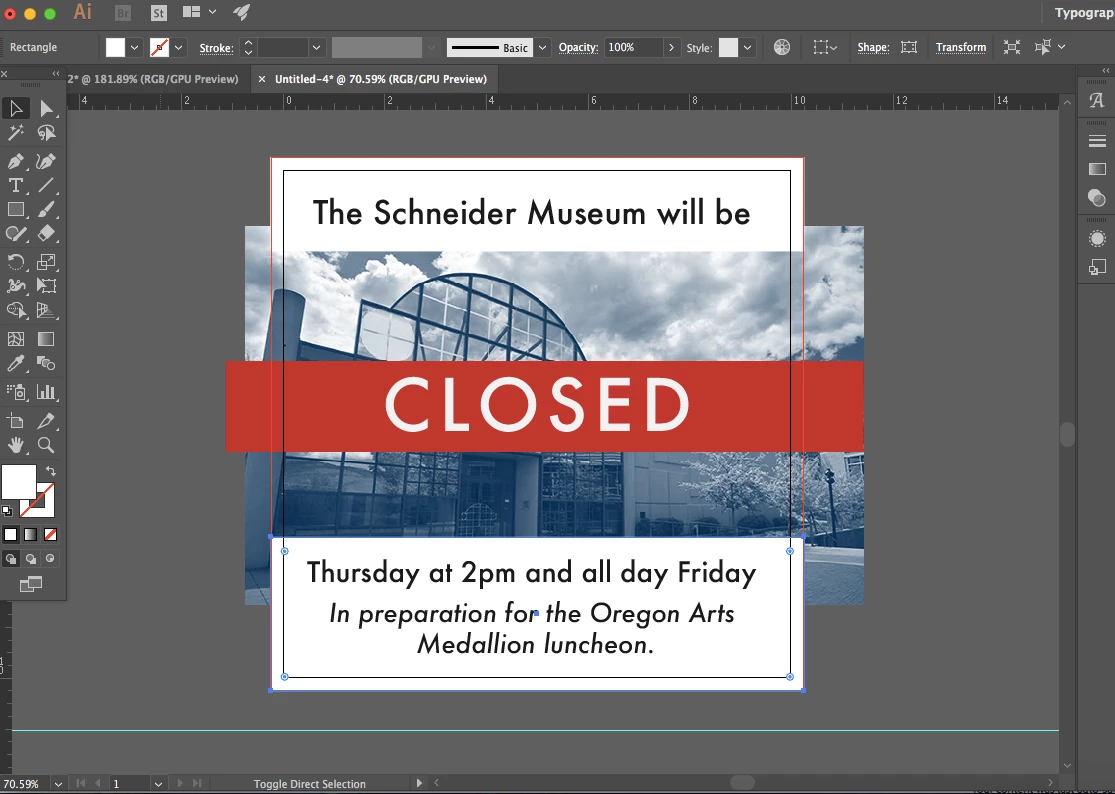
None of my design coworkers know what's going on, and it's a difficult question to google. So, here are some images:
This is what I see in Illustrator, with the bleed and everything:
When I export as a JPG or PNG or PDF (anything, really) it saves like this:

Of course, this is how I want it to look, and if I were to save a PSD or IND file, it would look like this:

For this project specifically I can just crop in Preview because it's web based, however I can't create any file with bleeds, which is big problem.
Help is appreciated!
 AdChoices