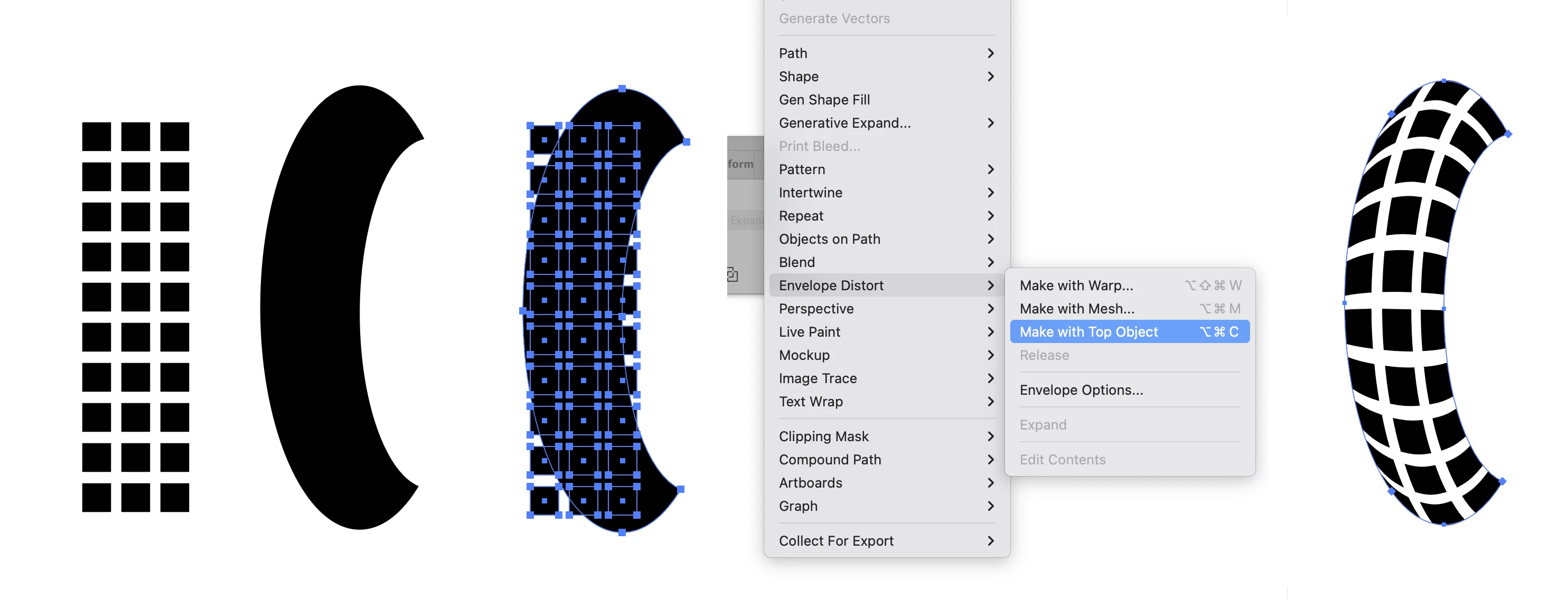
You can do it using the Envelope Distort feature found under the Object Menu. As shown below the crescent shape is placed on top of the tread pattern and then both are selected (make sure that the crescent is either above the pattern in object order or on a higher separate layer). Then "Make with Top Object" is chosen from the Envelope Distort option and the result is seen in the final picture.
You can do it using the Envelope Distort feature found under the Object Menu. As shown below the crescent shape is placed on top of the tread pattern and then both are selected (make sure that the crescent is either above the pattern in object order or on a higher separate layer). Then "Make with Top Object" is chosen from the Envelope Distort option and the result is seen in the final picture.




 AdChoices