Participating Frequently
February 13, 2017
Answered

HELP: Merge overlapping vectors leaving one cut line
  • February 13, 2017
  • 1 reply
  • 1689 views

Aloha All,

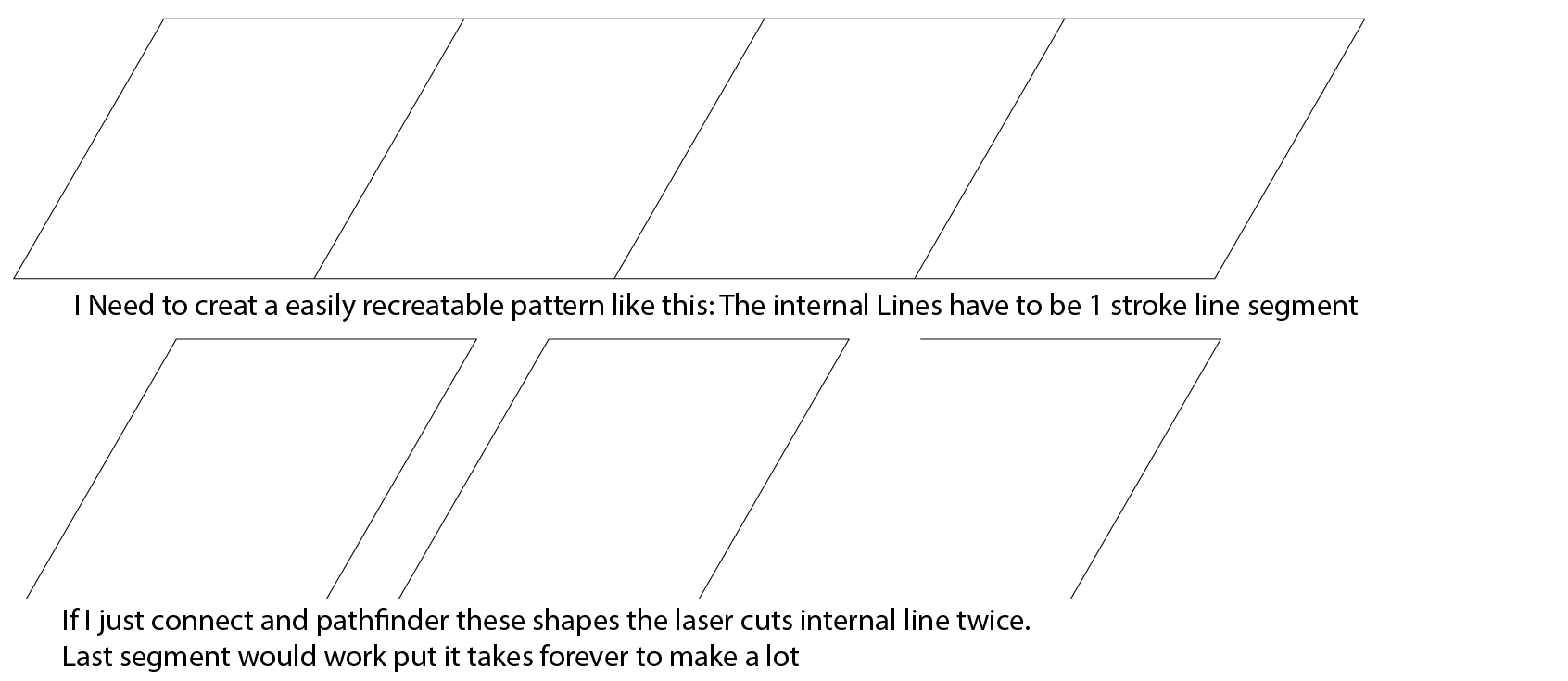
I need to make a file for cutting with a laser cutter that will save the most material. When I combined the bottom two left most shapes with pathfinder the results look like the top most shape and all seems perfect. However, the Laser Cutter cuts the internal lines twice resulting in over burn and frankly  a lot of time wasted. Please someone explain me how to get the topmost shape with single vector line segments as the dividers. This will save a lot of wood and trees

Thanks in advance

FWIW: This is where I'm going with this request
This topic has been closed for replies.
Correct answer Ton Frederiks

I tried this;

Select all the stroked objects (no fill) and choose: Object > Live Paint > Make

Choose: Object > Live Paint > Expand

Ungroup a few times if necessary

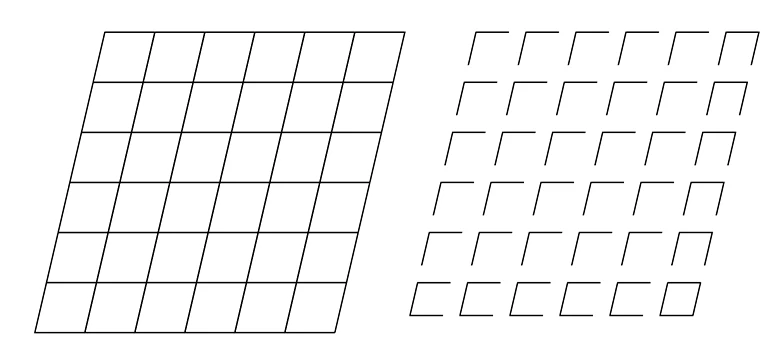
The resulting objects are like the objects on the right (I scaled the objects to show them individually).

1 reply

Ton Frederiks
Community Expert
Ton FrederiksCommunity ExpertCorrect answer
Community Expert
February 13, 2017

I tried this;

Select all the stroked objects (no fill) and choose: Object > Live Paint > Make

Choose: Object > Live Paint > Expand

Ungroup a few times if necessary

The resulting objects are like the objects on the right (I scaled the objects to show them individually).

DocRockAuthor
Participating Frequently
February 13, 2017

Tom you are the MAN! Thanks so much from Me, My Giant Laser and the Trees!


Aloha,

Doc

Ton Frederiks
Community Expert
Community Expert
February 13, 2017

Good to hear that worked for you!

Aloha,

Ton