


Participant
September 1, 2011
Answered

Help! my file went all to black outlines...

  • September 1, 2011
  • 12 replies
  • 201752 views

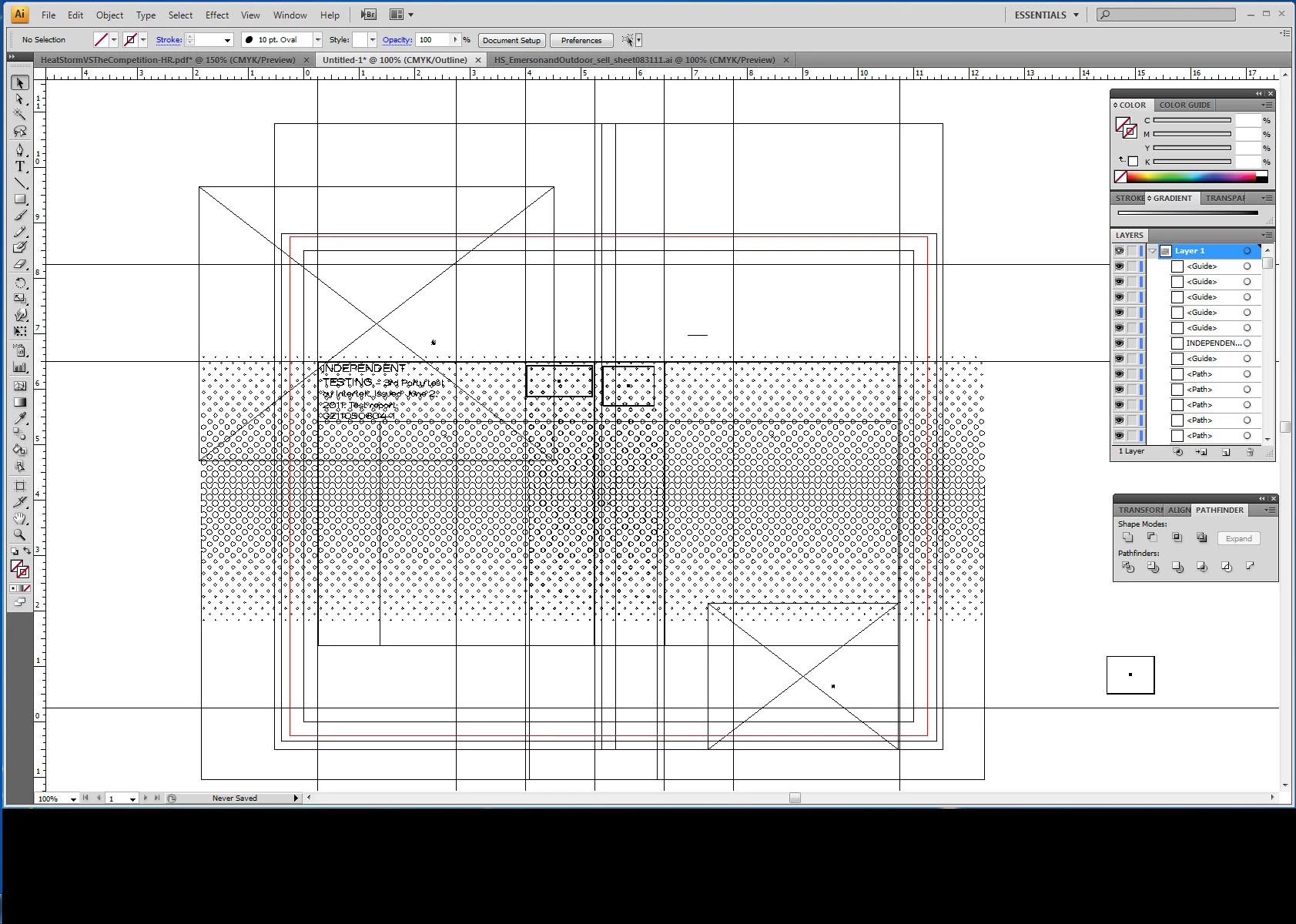
I accidentally pushed a button on the right side of my screen that turned everything white with black outlines. I can't figure out what I pushed and crtl+z didn't undo it. Please help! Thanks!!! (below is what my screen looks like)
Correct answer Kurt Gold

View > Preview

12 replies

Participant
January 9, 2024

What I should do if It pop ups the warning message : Can't finish previewing. Could not complete the requested operation. ?

Monika Gause
Community Expert
Community Expert
January 9, 2024

Please tell us about your computer hardware.

anastasia.one
Participant
November 2, 2023

👍😊

Participant
March 23, 2023

Hi - When this happens go to View and select CPU Preview from the options. You should be able to get out of the Outline review. 

Met1
Legend
May 11, 2023

Has this really been viewed 136.2K since the correct answer was posted the same day the question was asked September 1st, 2011?

Participant
November 27, 2022

Omg!! I had this same problem and had no idea what to do! Thank you for your help! 🙂

Participant
May 22, 2022

Thanks, Kurt, I almost got a heart attack. It made me realize I have to save my work more often than once every half hour.

Participant
March 8, 2022

 how to do if my work turn like this. I draw in computer then transfer to ipad. It turn out like this. Please help me😭

Monika Gause
Community Expert
Community Expert
March 8, 2022

Exactly what is this? And exactly how did you transfer it to the iPad?

Participant
March 8, 2022
I colour my drawing in computer.. after that I open the files on iPad. Then
it turn out like that. Maybe because I use some effect that unsupported on
iPad.
Participant
June 12, 2020

So helpful! thankyou!

Participant
December 20, 2019

I see everyone saying thank you for the answer, but I dont see the reply that actually says the answer. Someone please repost the solution, this is killing me. 

Monika Gause
Community Expert
Community Expert
December 20, 2019
marcome3
Participant
December 18, 2018

Well that was quick and easy!

Participant
September 24, 2016

I had the same "problem" and got frustrated. But View/GPU Preview fixed it. Now I'm happy again. TYVM!

Participant
May 11, 2023

Thanks a lot. I solved the problem. View > Preview on CPU