Participating Frequently
August 3, 2022
Answered

HELP! Paths seem to change in my illustration when I save as a SVG

  • August 3, 2022
  • 1 reply
  • 386 views

First time trying to use illustrator as needed to convert some illustrations into vectors.

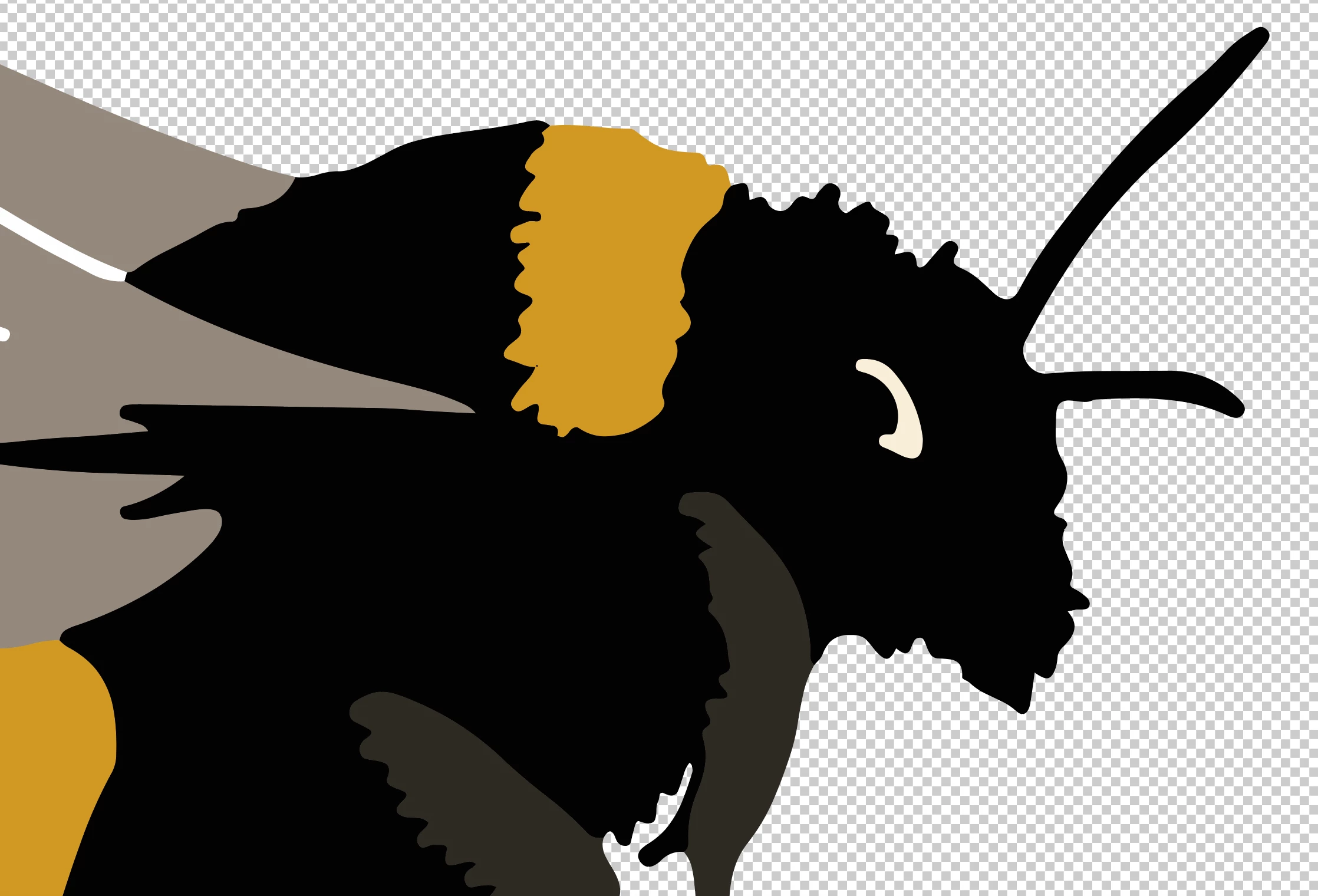
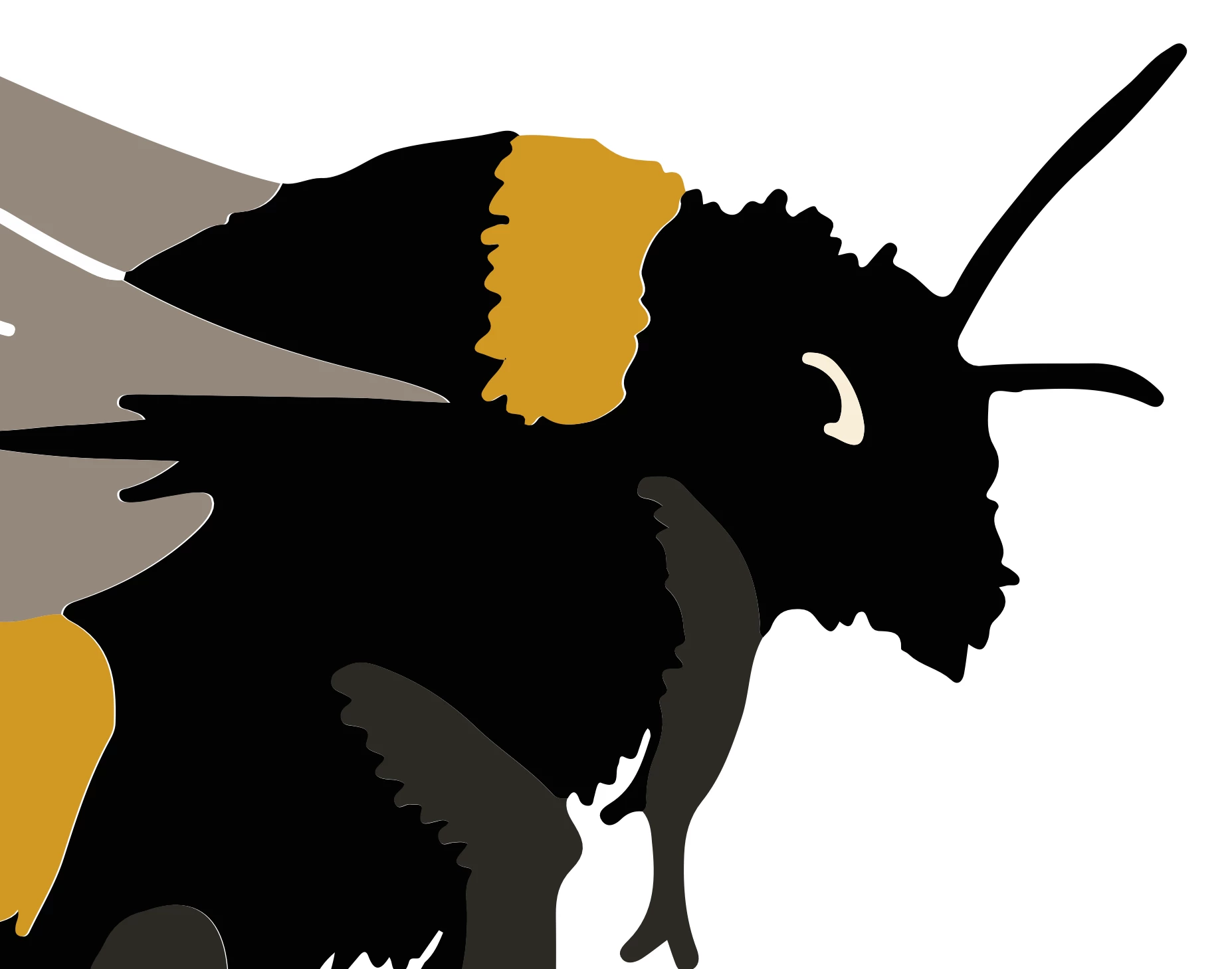
I have opened up my first file and seemingly on the Ai interface successfully converted to a vector and made my bckground transparrent, but when I then save as an SVG and open, several of the edges between colours have a transparent gap that isn't visible in Ai so I'm not sure how I can get rid of them!? If anyone is able to help (using as simple language as possible for a newbie!) I'd be eternally grateful!


Pics attached are zoomed in - the dodgy one has been placed on a white background, its still transparent.
This topic has been closed for replies.
Correct answer Doug A Roberts

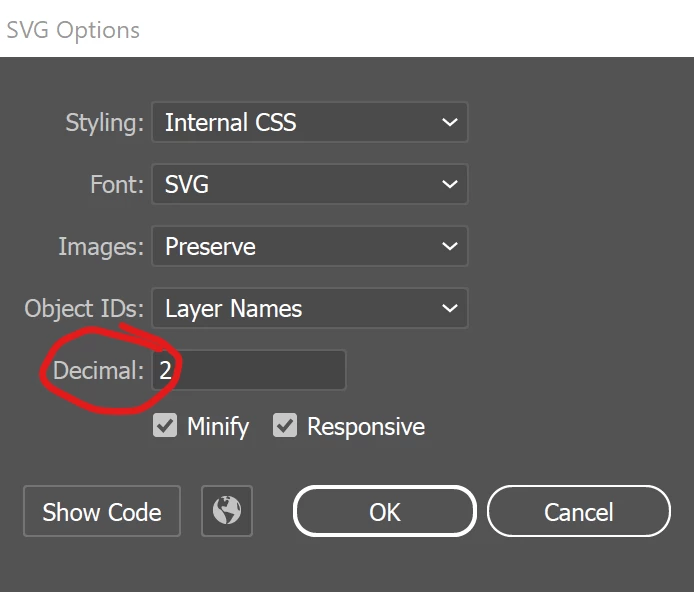
In Export As:


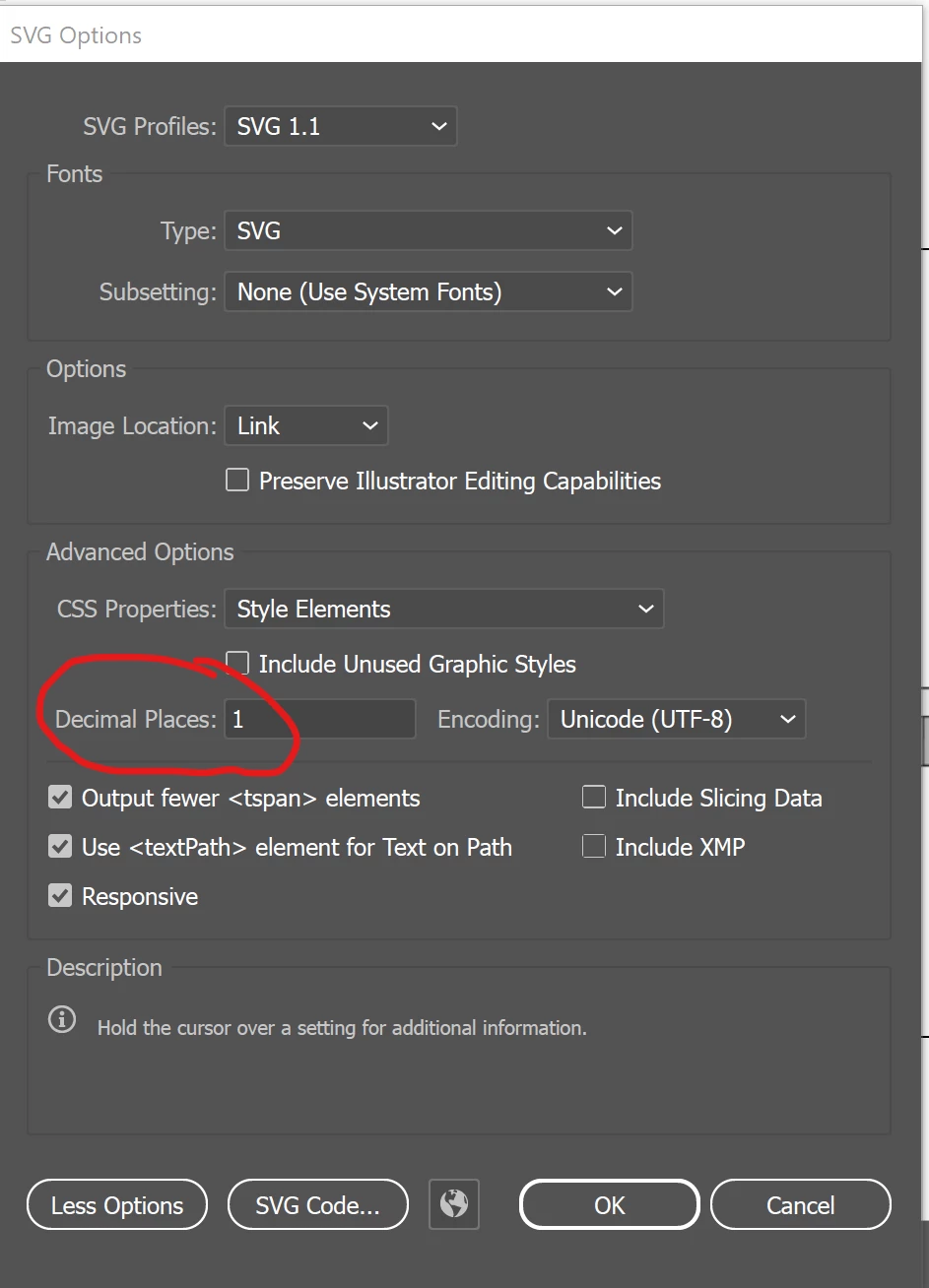
In Save As:


1 reply

Monika Gause
Community Expert
Community Expert
August 3, 2022

When saving set a higher "Decimals" value in the options.

This will not magically correct an already saved SVG

Participating Frequently
August 3, 2022

Thank you so much for your reply! I'm afraid I can't work out where to change the decimals... have tried save as and export and tried searching for decimals in help.. would you mind giving me another clue? Sorry to bother you!

Doug A Roberts
Community Expert
Doug A RobertsCommunity ExpertCorrect answer
Community Expert
August 3, 2022

In Export As:


In Save As: