zealousli
Participant
June 26, 2018
Answered

Help! Same file, open in iMac and PC but the 100% view is smaller on the mac

  • June 26, 2018
  • 2 replies
  • 968 views

Hi All, I used to do my projects on Illustrator CS6 on a PC but now I have upgraded to an iMac with Illustrator CC 2018.

The same file that I open in my iMac, the save for web image at 100% size looked much smaller compared to the PC.

The PC view is larger than the iMac view. (See photos below)

Now I have a visual problem. I won't be able to tell if the image is too small or too big on my iMac.

How do I resolve this?

On a PC
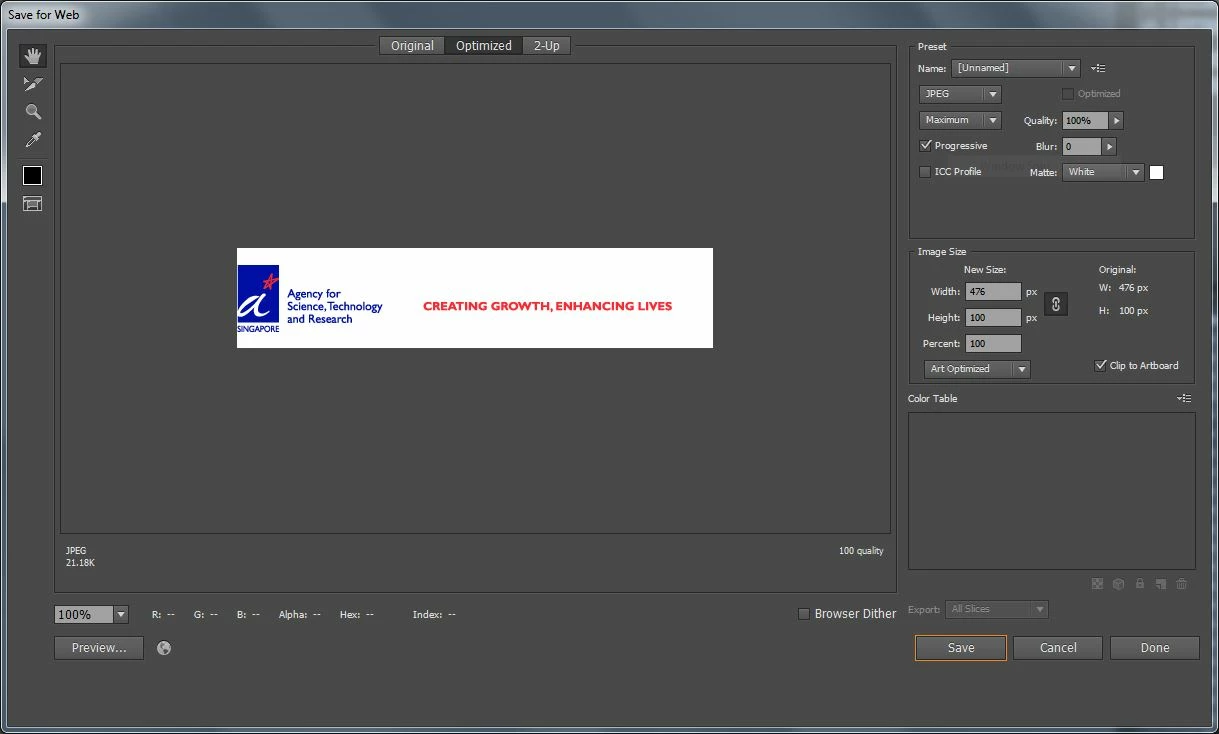
On a Mac

    This topic has been closed for replies.
    Correct answer intelligent_neighborsFA21

    Hello Zealousli,

    Have you consider the resolution (PPI) difference between your PC and your Mac, it could make the difference.

    100% doesn't mean it will show you the physical size, it will show the pixel size.

    On a PC is the non-4k screen: 96 ppi

    On a Mac is that more or less (72 ppi) depending on the screen: 4K screen is that 225ppi for a Macbook pro.

    That will make a big difference.

    Good luck with it.

    Patrick

    PS: If you like this answer, define it as valuable. Thanks

    2 replies

    Inspiring
    June 26, 2018

    Vector drawing saved as .ai or PDF always print and look better.

    If you save as svg, you'll also maintain the vector information. But not all apps are compatible with it.

    Good luck.

    Patrick

    zealousli
    zealousliAuthor
    Participant
    June 27, 2018

    I'm actually having preview issues for the retina display. The artwork are in vector but yet when Save for Web, it is pixelated.

    Whereas when view on my PC, it is clear.

    I was wondering is there a setting that I can change in the Mac or to view it at 200%?

    tonyharmer
    Community Expert
    Community Expert
    June 27, 2018

    There is such a setting and you'll find it in the bottom-left corner of the Save for Web dialog.

    Inspiring
    June 26, 2018

    Hello Zealousli,

    Have you consider the resolution (PPI) difference between your PC and your Mac, it could make the difference.

    100% doesn't mean it will show you the physical size, it will show the pixel size.

    On a PC is the non-4k screen: 96 ppi

    On a Mac is that more or less (72 ppi) depending on the screen: 4K screen is that 225ppi for a Macbook pro.

    That will make a big difference.

    Good luck with it.

    Patrick

    PS: If you like this answer, define it as valuable. Thanks

    zealousli
    zealousliAuthor
    Participant
    June 26, 2018

    Thanks for your comments.

    How then I can view them accurately on the Mac?

    Coz when I save the vector, it looked pixelated but looked fine on the working file.