
Participant
October 16, 2024
Answered

Help! Trying to change the size of my work

  • October 16, 2024
  • 3 replies
  • 357 views

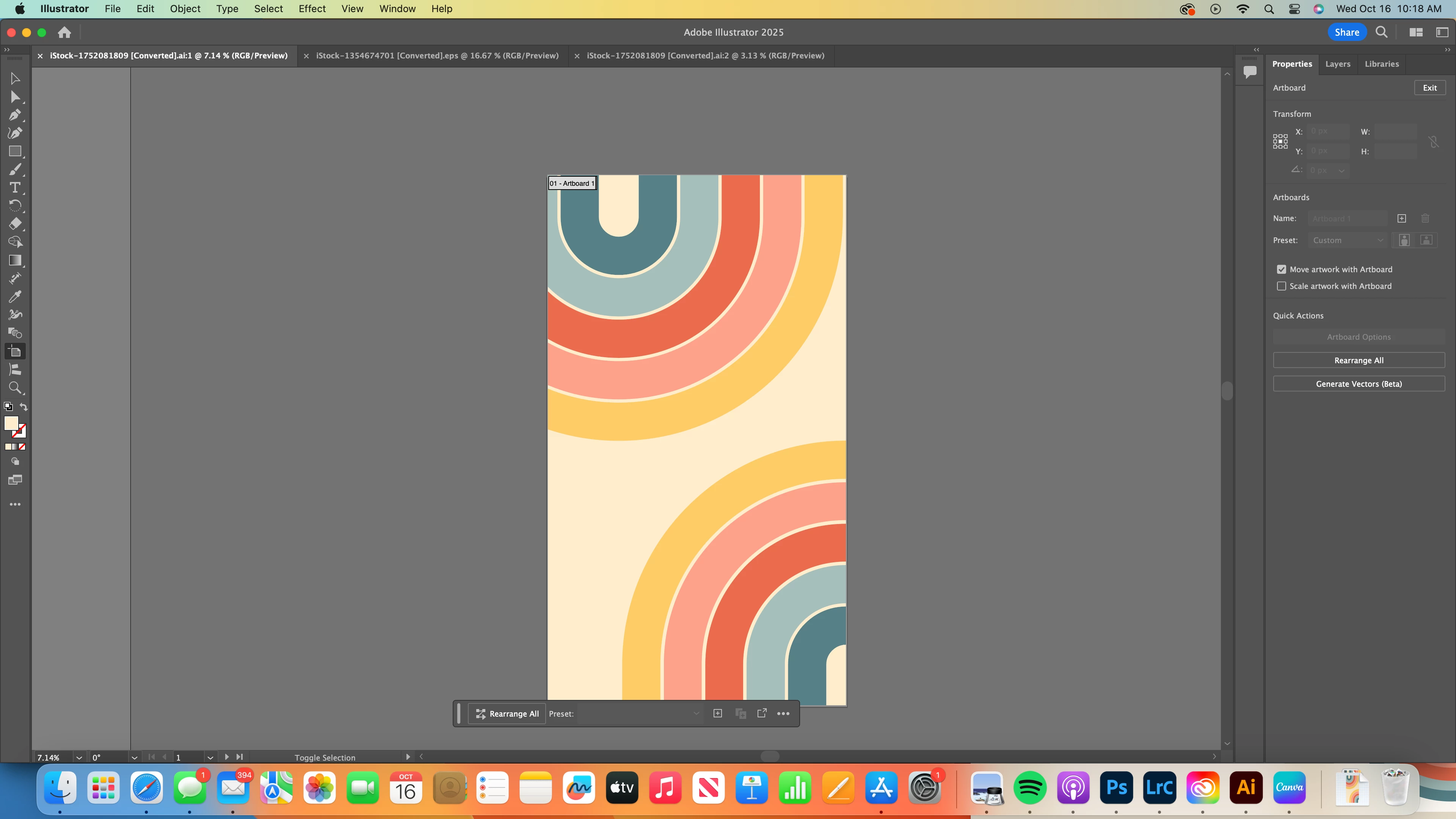
I'm completely new to Illustrator but I've been trying to search online for help with this, and I'm not coming up with much.  I have an illustration that I made in a rectangle.  I'm wanting to take this design and also make a square version of it.  Can someone point me in the right direction to do that?
This topic has been closed for replies.
Correct answer Anubhav M

Hello @alison_7726,

You could crop the artwork to make it a square and then export it. But you could also export it as a JPEG/PNG as it is and then use Generative Expand in Photoshop to make it a square without cropping: https://adobe.ly/3BXIxUr

Here's an example I made using the screenshot you provided:


Feel free to reach out if you have more questions or need assistance. We'd be happy to help.


Anubhav

3 replies

Jacob Bugge
Community Expert
Community Expert
October 16, 2024

Alison,


As I (mis)understand it, the original vector artwork already contained all you need, so that you can just go back to it and apply a (wider) square mask to another copy of it as desired, (or cut/crop it correspondingly), and retain the full editability of vector artwork including limitless upscaling.


It is always recommended to keep a backup of the artwork at (important) steps on the way, especially before doing something irreversible, such as removing parts and switching from vector to raster.


Monika Gause
Community Expert
Community Expert
October 16, 2024

You could apply a square clipping mask to it.

Anubhav M
Community Manager
Anubhav MCommunity ManagerCorrect answer
Community Manager
October 16, 2024

Hello @alison_7726,

You could crop the artwork to make it a square and then export it. But you could also export it as a JPEG/PNG as it is and then use Generative Expand in Photoshop to make it a square without cropping: https://adobe.ly/3BXIxUr

Here's an example I made using the screenshot you provided:


Feel free to reach out if you have more questions or need assistance. We'd be happy to help.


Anubhav

Participant
October 16, 2024

Thank you.  That's exactly what I was hoping to do.  I didn't just want to crop it because I wanted most of the image.  But I wasn't sure how to do that.  I'll look at that link you gave and see if I can figure it out!