


Known Participant
July 18, 2025
Question

Help, typography conflict in 2025 but not 2023... How to solve it?

  • July 18, 2025
  • 1 reply
  • 152 views

Hello! I'm having a Gotham Book type conflict, in an existing file the typeface loads correctly in Ai 2023, but it does not load correctly in 2025.... (these sorts of inconsistencies is why I don't update the moment a new Illustrator launches). It looks like this :
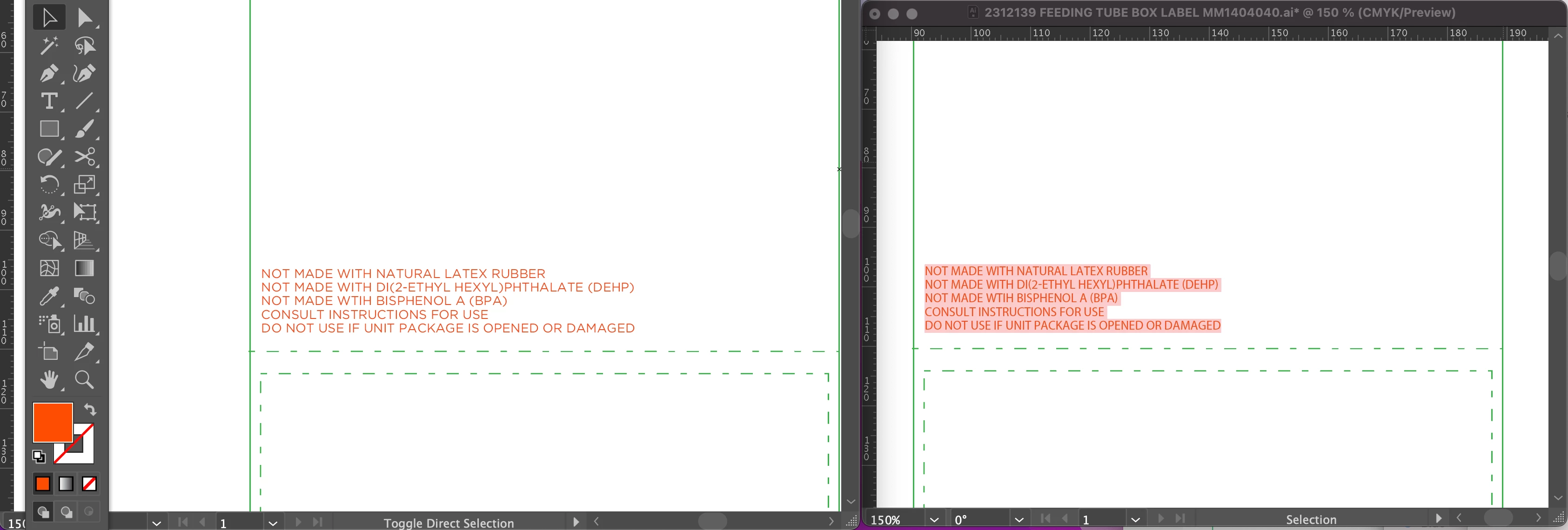
 

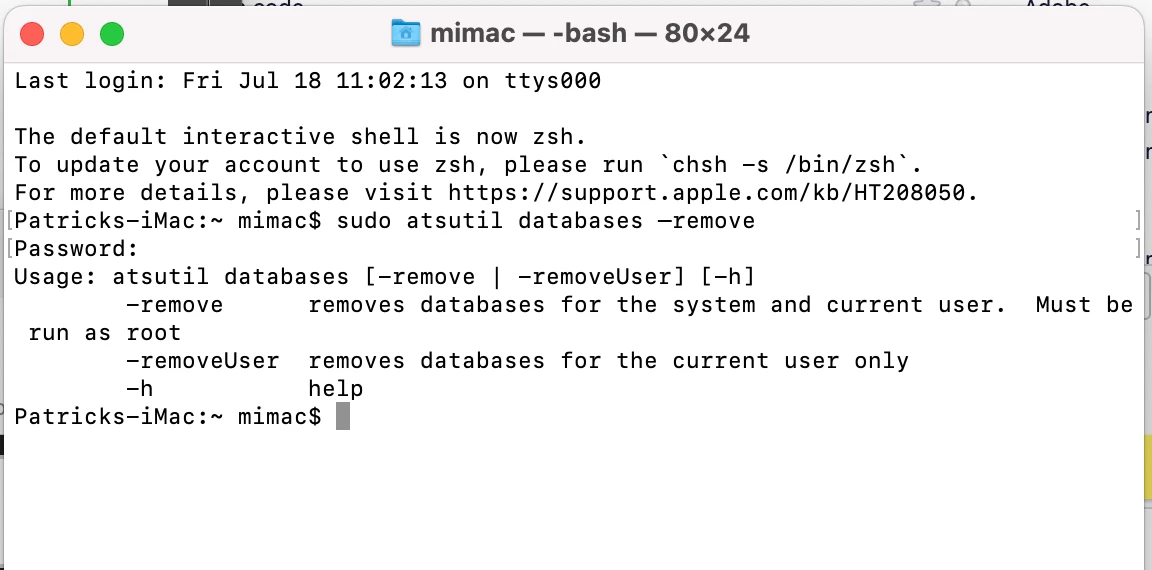
I've refreshed, relaunched and reinstalled. I am using RightFont5, Adobe Illustrator 2023 and 2025. In my search for answers, I did find something helpful and followed along with using Terminal to clean the Font Cache, ... I'm not 100% sure it worked, here was the screen it took me too.: 


Anyone else encountered this ginormous pain in the arse?

1 reply

Anubhav M
Community Manager
Community Manager
July 18, 2025

Hello @Sittle,

I'm sorry to hear about your experience. Could you try pre-installing the font(s) used in the file locally before opening it to check if Illustrator keeps behaving the same?

Looking forward to your response.
Anubhav

SittleAuthor
Known Participant
July 18, 2025

Hello @Anubhav M , yes, when I say "reinstalled" I mean, I removed the typeface files that were locally installed and reinstalled them and there were no changes.

Anubhav M
Community Manager
Community Manager
July 18, 2025

Hello @Sittle,

Thanks for confirming. Could you try disabling any plugins/font managers temporarily and then relaunching Illustrator to see if it helps? Also, try running Illustrator under Safe Mode (macOS) and under a different administrator account (macOS) and share your observations.

If the problem persists, kindly share a link to a sample AI file along with the names of the Fonts used in it, after uploading them to a file-sharing service, so I can check it on my end.

Looking forward to hearing from you.
Anubhav