Question
Help! Unable to create outlines for an object to create an offset path
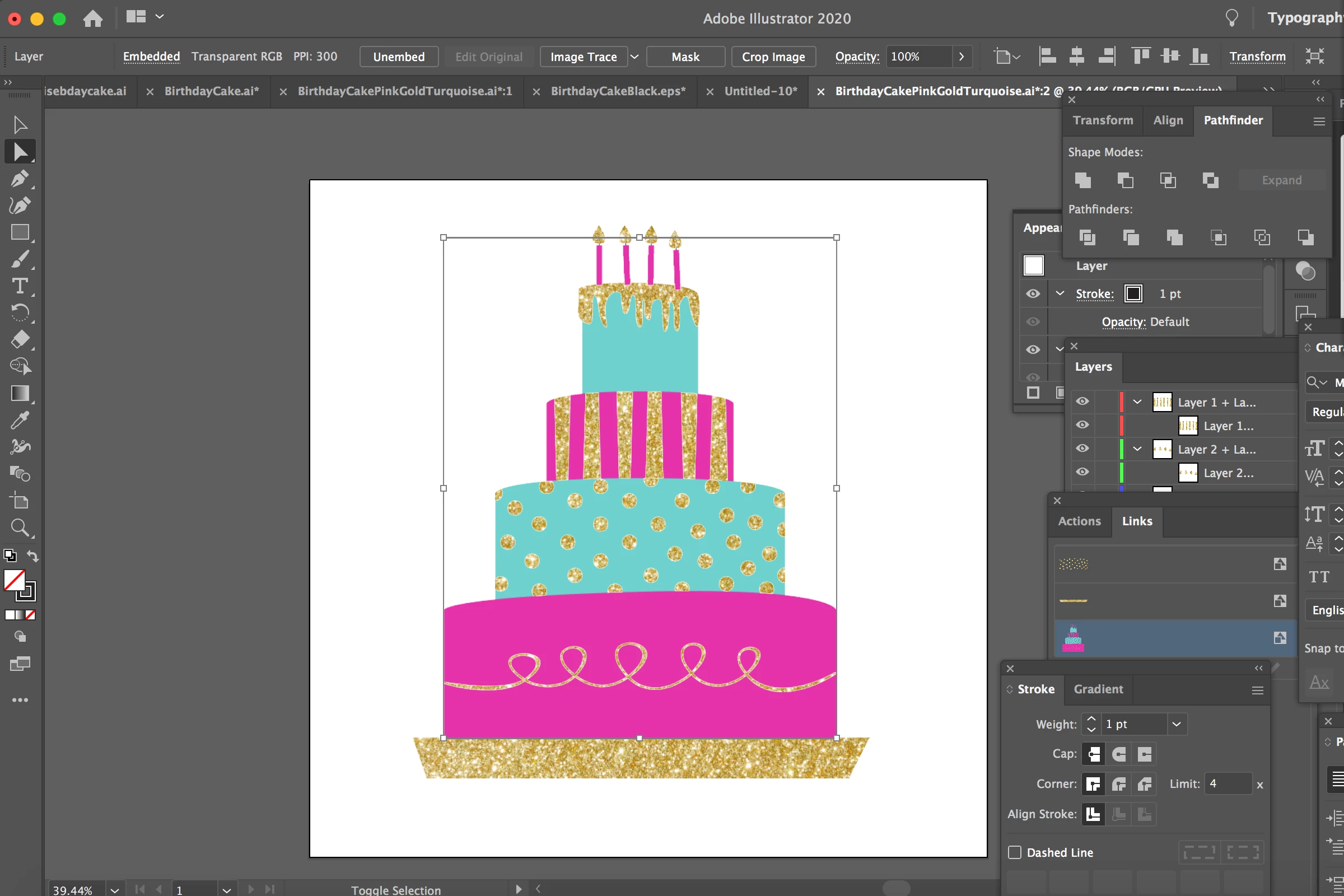
I am working on a file in illustrator and I need to create "cut lines" around an object (a cake) for a sign printer. I normally accomplish this by making an offset path. For some reason, the offset path isn't working. When I select it with the direct selection tool, then add a new stroke and then select offset path under effects, nothing happens. I think the issue might be that the cake isn't directly outlined with direct selection tool. Instead there is a box around it. I have tried to create outlines but that doesn't work. I have tried to make separate eps and PDF files where I have made the cake into one black object but nothing is working to make the outlines and the offset path. Please Help! I am pulling my hair out!!!
 AdChoices