
Inspiring
March 16, 2023
Answered

help whith Export format

  • March 16, 2023
  • 3 replies
  • 1034 views

Hello guys and girls, I need help

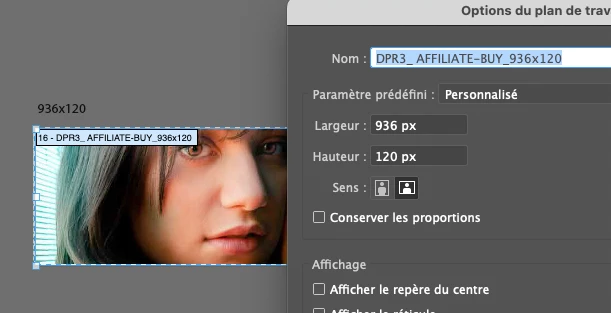
I made some files (banners) containing each on different workplan (dunno the exact term in english) When I want to export every workplans as a jpg, illustrator add 1 pixel. for example a 936x120 px change to 937x121 !! How can I fix this, its now quite urgent as usual`

Thanks for responding !


This topic has been closed for replies.
Correct answer Anubhav M

Hello @octone75,


We understand that encountering technical issues can be frustrating. Would you mind trying the suggestions shared in this community post (https://community.adobe.com/t5/illustrator-discussions/the-solution-to-the-extra-pixel-problem/td-p/9274343) and checking if it helps?


Looking forward to hearing from you.


Thanks,

Anubhav


Note: Marking correct for visibility.

3 replies

Anubhav M
Community Manager
Anubhav MCommunity ManagerCorrect answer
Community Manager
March 31, 2023

Hello @octone75,


We understand that encountering technical issues can be frustrating. Would you mind trying the suggestions shared in this community post (https://community.adobe.com/t5/illustrator-discussions/the-solution-to-the-extra-pixel-problem/td-p/9274343) and checking if it helps?


Looking forward to hearing from you.


Thanks,

Anubhav


Note: Marking correct for visibility.

Ton Frederiks
Community Expert
Community Expert
March 16, 2023

I understand, if you can give an example with just a black rectangle, that would be fine.

Ton Frederiks
Community Expert
Community Expert
March 16, 2023

Use points or pixels as units to check the upper left X/Y coordinates and make sure that the values are round, no fractions.

octone75Author
Inspiring
March 16, 2023

Hello Ton,

I already use pixels as unit, all my workplans are at the good size, just checked right now, but all my exports are 1 pixel too large, this is insane. I have 180 banners, and no solution to export them.

Ton Frederiks
Community Expert
Community Expert
March 16, 2023

Check if your Rulers are Global Rulers, and measure the artboard X/Y coordinates from the upper left corner.

Export at 72 ppi or multiples thereoff, like 288 ppi.