
Participant
December 11, 2019
Question

Help with appearance Panel

  • December 11, 2019
  • 2 replies
  • 248 views

Hi,

I am trying to replicate the style of the letters "COOTA" in the attached image using the appearance panel but am having an issue with the inner shadow.
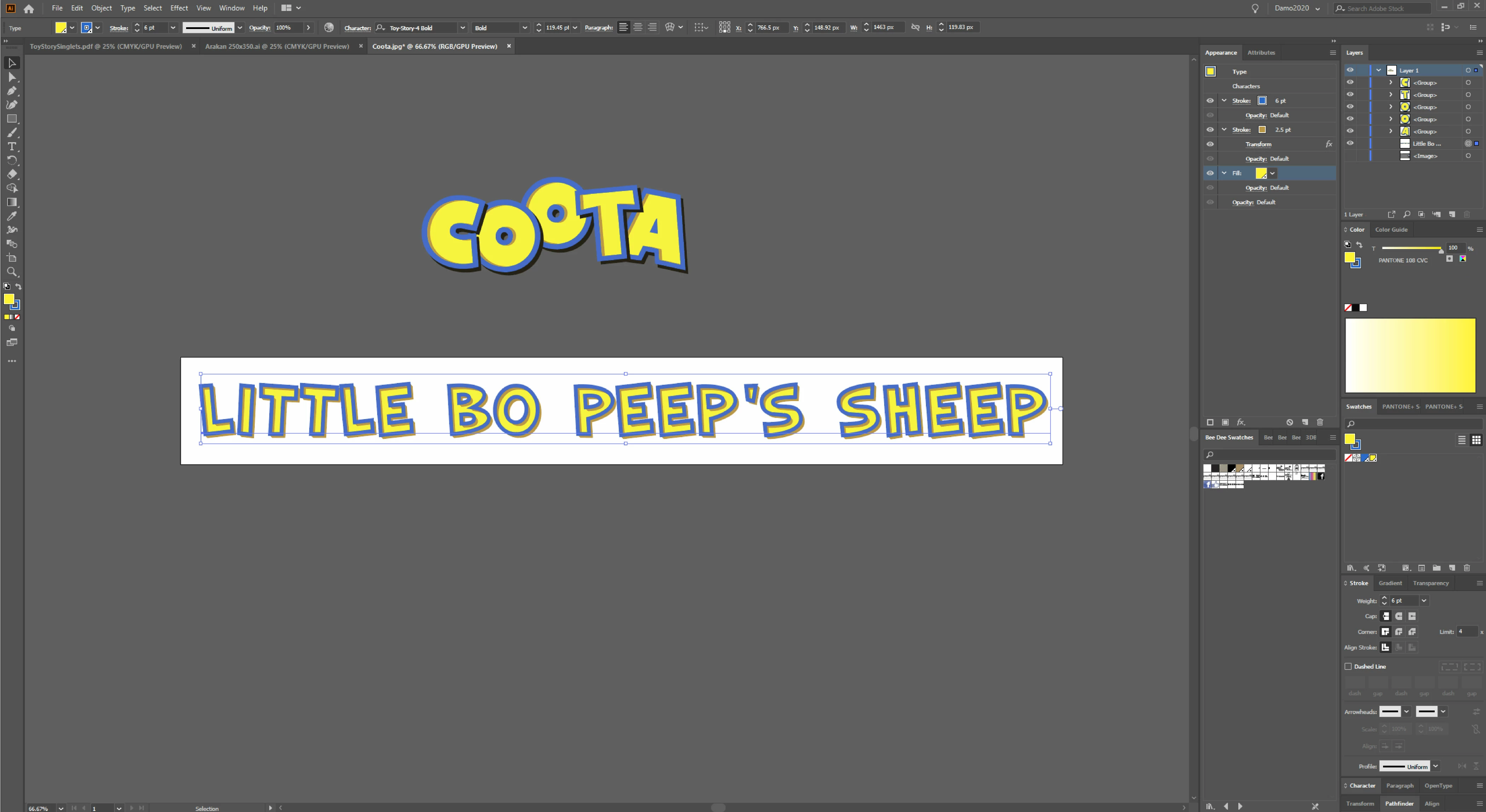
 

 I am wishing for it to be confined to the inside only. At the moment it also going on the outside which I am unable to cover up with any other subsequent Strokes or fills.


Please help and let me know if this is possible using the appearance panel or wishful thinking.


Cheers

Damian

This topic has been closed for replies.

2 replies

Monika Gause
Community Expert
Community Expert
December 11, 2019

I think the secret is that they made the shadow stroke as thin as possible and the blua stroke (that covers the excesses) much thicker.

rcraighead
Legend
December 11, 2019

Add a "Fill" to the "Type" level and assign it a negative "Offset" effect.
And… choose "Med or Large" when attaching a screen image to the thread. I cannot read your Appearance Panel. 🙂


Participant
December 11, 2019

Sorry rcraighead, here is the closeup of my appearance panel