Inspiring
August 4, 2025
Answered

Help with borderless printing in Illustrator Epson ET-8550

  • August 4, 2025
  • 1 reply
  • 701 views

Hi... I am new to producing printed output.  I just attempted to print my first 13x19 on high quality paper, and unexpectedly, ended up w/ a ~1/4" white border all the way around, which maked the content at the edge.


Instead of trial-and-erroring w/ the expensive paper, I thought I'd tinker more w/ cheaper copy paper.


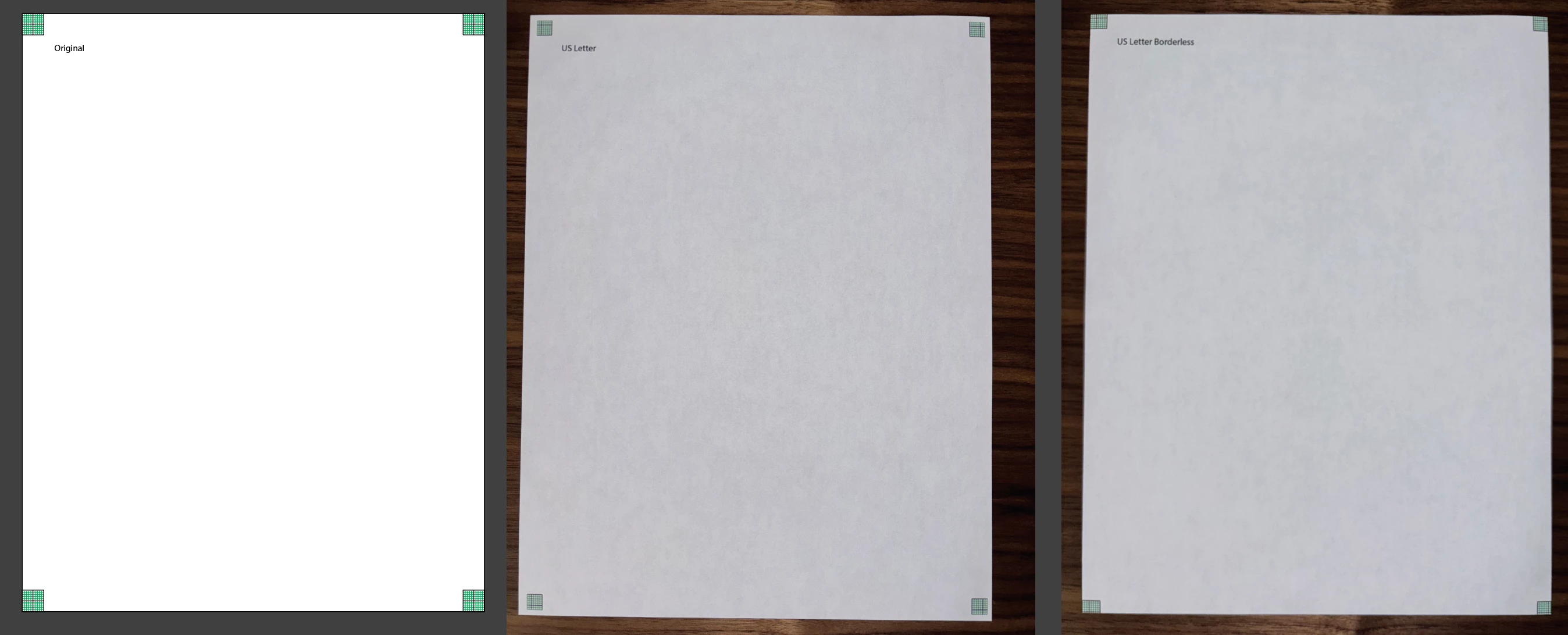
I don't quite undersatand what is happening.  Seems if I print 'non' Borderless on US Letter, I similarly get a white border that masks part of the image (see "US Letter").... and if I print Borderless, it seems to stretch the image a bit, and cuts off the edge (see "US Letter Borderless"


How might I more reliably get edge-to-edge printing w/o cutting off (or border/masking) content?


Correct answer DoYouLikeHam

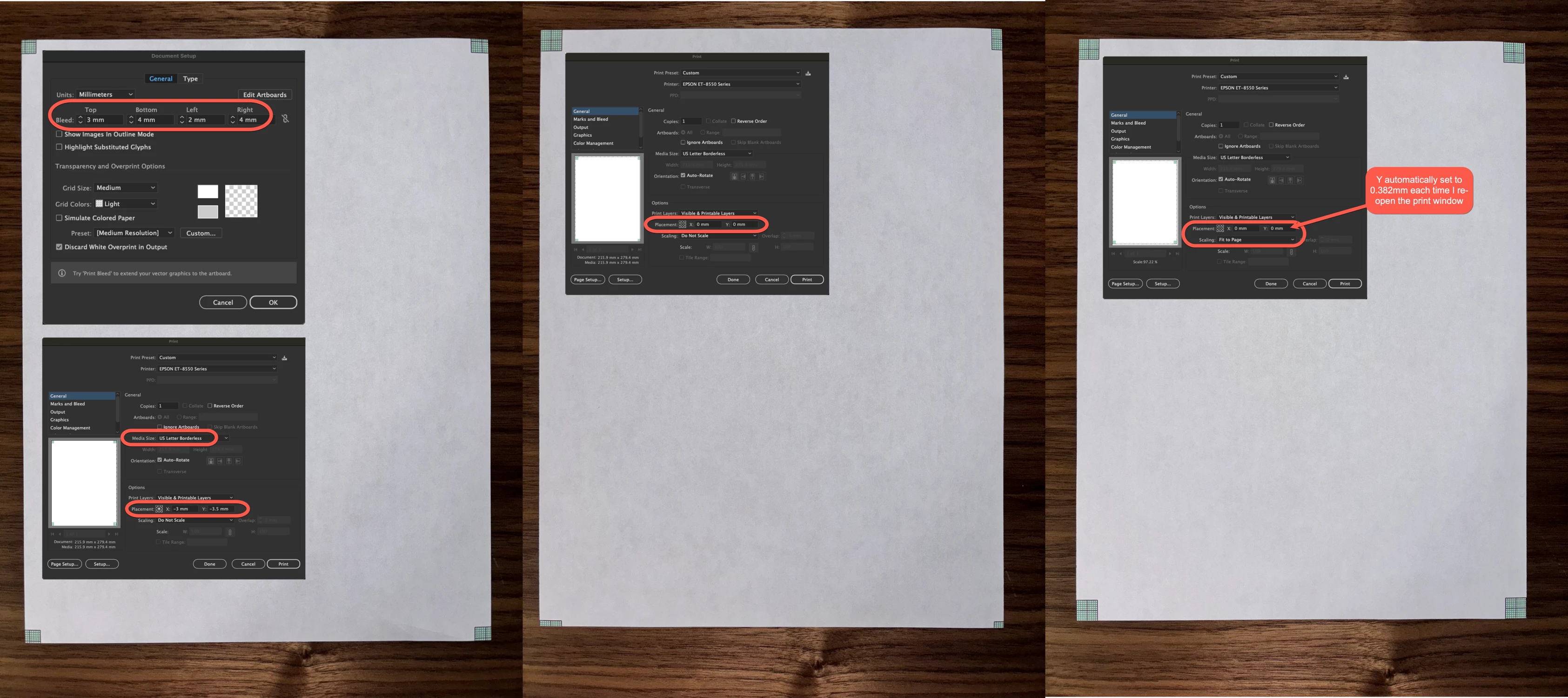
@Gord@APL - thx for the tips... getting very close... does this seem to be the right track.. basically using a combination of the bleed and scaling.


1 reply

Inspiring
August 4, 2025

'Borderless' is still pretty difficult to achieve reliably. Depending on the type of printer, you're attempting to compensate for the margin for error in paper alignment as it goes through the physical, mechanical processes of printing. You'll have noticed that the margins on your 'non-borderless' print aren't consistent on each edge of the paper.


Just as an experiment, you might try adding bleed to the document - start with 3mm, say - then print with bleed. If it works, it won't be perfectly accurate, and you'll need to tweak the size of the bleed with more experimentation.

DoYouLikeHamAuthorCorrect answer
Inspiring
August 4, 2025

@Gord@APL - thx for the tips... getting very close... does this seem to be the right track.. basically using a combination of the bleed and scaling.


Inspiring
August 6, 2025

Definitely the right track. I'd aim to tweak the bleed and placement settings as much as possible before adjusting the scaling, but each printer is different, and there will never be 100% consistency between individual cut sheets getting pulled through via a series of rollers. The third image is about the best I'd expect from this kind of printer.