Participant
September 10, 2018
Answered

Help with partial knockout

  • September 10, 2018
  • 4 replies
  • 1180 views

I need to knockout only hands in circle..

Have them be see through if i place it on a

background but i need the arms,

the stuff outside circles, to stay black???

    This topic has been closed for replies.
    Correct answer byjnet

    Ladies and Gents I now give you THE IMAGES...bhaaaa

    GREAT job for all of you mind readers!!!

    So the first is the logo is what I worked with.. the hands are all one pathed image and the second was HOW it was suppose to look printed on a COLOR wristband (AND I DID IT...with pathfinder - whatever I picked (its been a long week) - it kept the hands in one group and the arms in another)
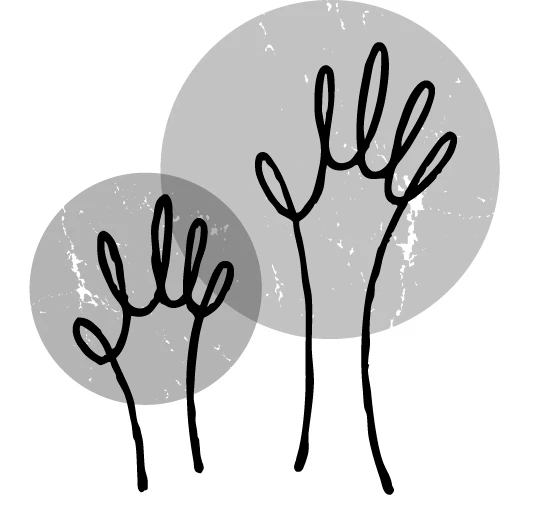
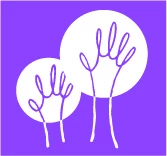
    So I needed the hands inside the circle to show through and the arms OUTSIDE the circle to stay white

    4 replies

    byjnetAuthor
    Participant
    September 11, 2018

    Thank everyone!! Even without pic you helped me.. When i can.. I'll upload the actual pic and that will make more sense

    Jacob Bugge
    Community Expert
    Community Expert
    September 11, 2018

    byjnet,

    I believe we shall all look forward to the picture, and/or your findings.

    Apart from that, at least some of us enjoy the challenge of seeing (or trying to see) the unseen.

    byjnetAuthorCorrect answer
    Participant
    September 12, 2018

    Ladies and Gents I now give you THE IMAGES...bhaaaa

    GREAT job for all of you mind readers!!!

    So the first is the logo is what I worked with.. the hands are all one pathed image and the second was HOW it was suppose to look printed on a COLOR wristband (AND I DID IT...with pathfinder - whatever I picked (its been a long week) - it kept the hands in one group and the arms in another)

    So I needed the hands inside the circle to show through and the arms OUTSIDE the circle to stay white

    Jacob Bugge
    Community Expert
    Community Expert
    September 11, 2018

    byjnet,

    If you wish to have the hand part cut out a part of the circle so the background is seen within the hand shape, and so that the black arm part outside the circle and the remaining part of the (otherwise coloured) circle are shown in front of the background, you can do it as follows:

    1) Select both hand/arm and circle, then Ctrl/Cmd+C+F to copy in front to have two sets, then reverse the stacking order of either set;

    2) Select each set and Pathfinder>Minus front (depending on version you may need to press Alt/Option to get simple paths.

    This will give you (two) complementary paths of black arm and circle with hand cutout in front of the background.

    byjnetAuthor
    Participant
    September 11, 2018

    Thx myra.. unfortunately I'm on my phone.. I'll just have to google my way to an answer...

    Myra Ferguson
    Community Expert
    Community Expert
    September 11, 2018

    Maybe you can post a picture later. I can't tell exactly what you want to do, but it sounds like maybe you have a shape with parts to keep and parts to not keep. If that's the case, then check out the Shape Builder Tool. How to create shapes using the Shape Builder tool in Illustrator

    byjnetAuthor
    Participant
    September 10, 2018

    My image didn't show.. How can i get it in post

    Myra Ferguson
    Community Expert
    Community Expert
    September 11, 2018

    If you're using the browser to access the forums, in the editor click on the Insert Image button


    and navigate to the image you want to upload from your computer

    or paste the URL

    if the image is on the web.