

Help with perspective grid units / snapping?
Having a few teething troubles with perspective grid.
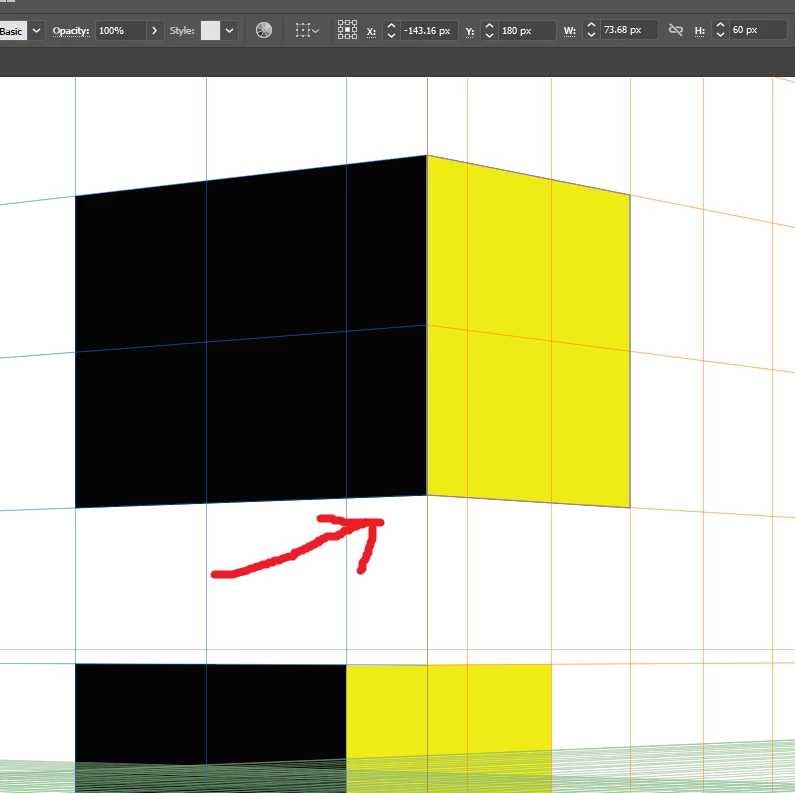
1. How do I make the grid for each axis line up where they meet, it seems to me that the grid lines should originate from the middle where they meet so you can make rectangles that line up and are in units of whole grid squares. In stead I have this (ist image) which means I can't get consistent rectangle sizes.
(EDIT, As usual as soon as post I've figured out the solution to this, hold shift moving grids so ignore the first 2 points, sorry, Craig)
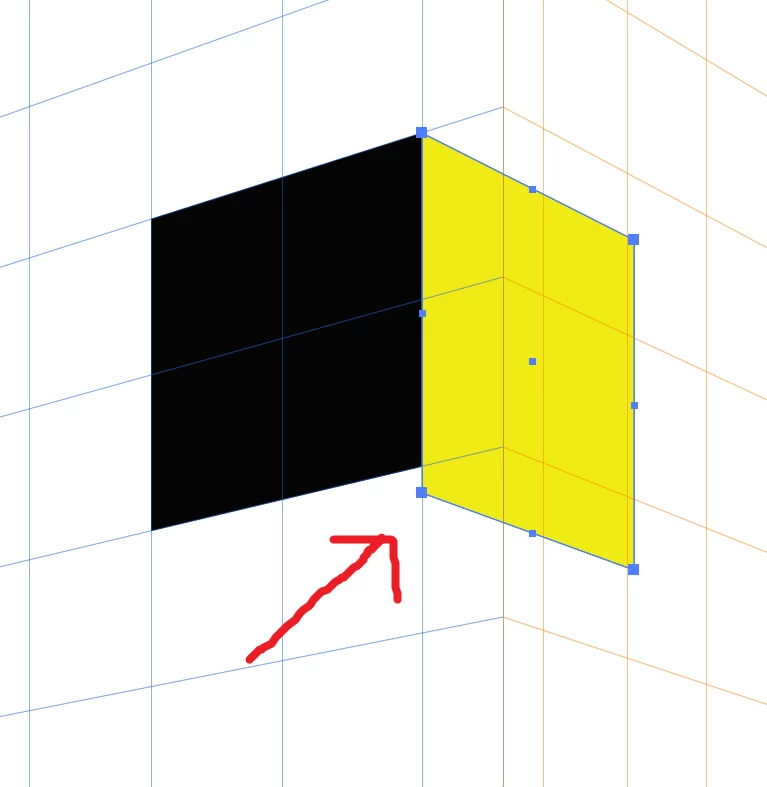
2. I have tried starting at the first whole grid unit after where the grids intersect and this is fine for the first grid, but then when I move to the another grid to draw another face of the object, it won't snap to the objects on the other plane (3rd image)
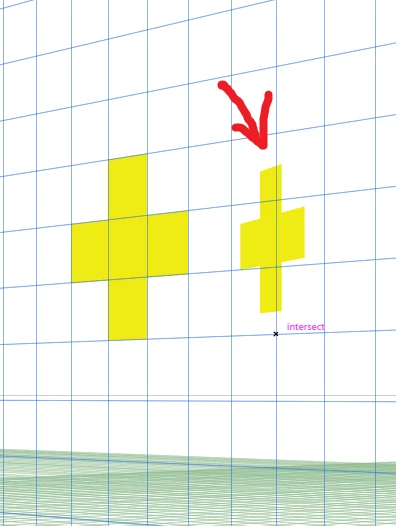
3. If I make a shape on one axis out of more than one rectangle and unite it, it cannot be moved with the perspective selection tool without distorting and going out of perspetive. (2nd image)
Any pointers would be greatly appreciated,
Thanks,
Craig
 AdChoices