Diego Mejia
Participating Frequently
March 15, 2023
Answered

Help with Scripts

  • March 15, 2023
  • 2 replies
  • 785 views

Hello!

Two questions:

1. I discovered the wonderful scripts by John Wundes https://github.com/johnwun/js4ai . I installed the whole thing in "C:\Program Files\Adobe\Adobe Illustrator 2023\Scripting\", but everytime I go to "File|Scripts|Other Script..." it opens  "This PC", so I have to navigate to the "Scripting" folder everytime. Is there any way to set a default "scripts" folder?


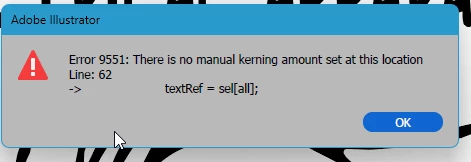
2. When I run the "TextTweaker" script to randomize the text baseline, I get an error:
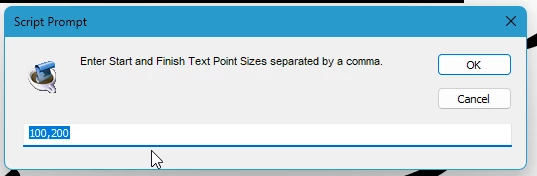
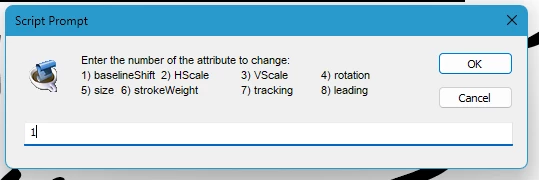
As per the instructions, I select some text, do "File|Scripts|Other Script...", navigate to the script, Open and answer the questions:
 

The direct link to the script is HERE 

Thank you in advance!


Diego


This topic has been closed for replies.
Correct answer CarlosCanto
quote

As per the instructions, I select some text,


By @Diego Mejia


you need to select one or more text frames, as if selecting with the Selection Tool (V), do not select some of the characters in a text frame.

2 replies

CarlosCanto
Community Expert
CarlosCantoCommunity ExpertCorrect answer
Community Expert
March 16, 2023
quote

As per the instructions, I select some text,


By @Diego Mejia


you need to select one or more text frames, as if selecting with the Selection Tool (V), do not select some of the characters in a text frame.

Diego Mejia
Participating Frequently
March 16, 2023

Thank you, Carlos!!! Text FRAMES, not TEXT SELECTIONS! It works!

Two down!!!

We have a WIN!!!

Ton Frederiks
Community Expert
Community Expert
March 15, 2023

"Is there any way to set a default "scripts" folder?"

There are several ways, but one is to put them here: C:\Program Files\Adobe\Adobe Illustrator 2023\Presets\(your language)\Scripts\


Diego Mejia
Participating Frequently
March 16, 2023

Thank you, Ton Frederiks!

One down!

One to go...