
Milomolly
Known Participant
March 3, 2018
Answered

Help with spirals / swirls

  • March 3, 2018
  • 2 replies
  • 1450 views

Hi guys

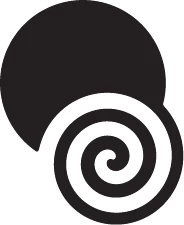
I am trying to establish the quickest and most efficient way of reproducing this drawing (ignore the dots and background).

I have tried the swirl tool but that does not produce archimedian swirls. I tried drawing several lines, slanting them and making them a brush then using the brush on a circle, but this also did not work as eventually  gave me broken circles with gaps between the ends.

I tried drawing a circle and then using the twirl tool which gave me this, which is close but  the end is attached to the remains of the circle I twirled. Can anyone please help me before I lose my mind completely?

Thanks
This topic has been closed for replies.
Correct answer tromboniator

Your method with the slanted-line art brush will work if the slant elevation is exactly equal to the space between the lines. Apply the brush to a circle, then manipulate the width slider in the brush options to get the look you want. Expand Appearance, ungroup and, with the whole spiral still selected, cmd/ctrl J to join all the segments at once. Apply a round cap if you want, use the Scissors Tool to determine the one leg of the triskelion.

2 replies

JETalmage
Inspiring
March 3, 2018

....quickest and most efficient way...

The simplest and quickest way is to just use a program that has a more versatile spiral tool. Inkscape is free, and its spiral tool lets you create both uniform and progressive spirals with ease, with numeric controls for number of turns, "divergence", and inner radius.

There's no law that says you can only use one drawing program in a project. Just draw the spiral in Inkscape, then copy/paste it or save/open to get it into Illustrator if you want to incorporate it into other artwork there.

JET

tromboniator
Community Expert
tromboniatorCommunity ExpertCorrect answer
Community Expert
March 3, 2018

Your method with the slanted-line art brush will work if the slant elevation is exactly equal to the space between the lines. Apply the brush to a circle, then manipulate the width slider in the brush options to get the look you want. Expand Appearance, ungroup and, with the whole spiral still selected, cmd/ctrl J to join all the segments at once. Apply a round cap if you want, use the Scissors Tool to determine the one leg of the triskelion.

Milomolly
MilomollyAuthor
Known Participant
March 3, 2018

Thanks. How do i ensure the elevation is equal to the space between the lines?

tromboniator
Community Expert
Community Expert
March 3, 2018

Assuming that you draw your first line as a simple straight segment between two anchor points, with the Direct Selection Tool (A), the white arrow, select one of those anchor points. Go to Object > Transform > Move (cmd/ctrl+shift+M), set Horizontal to 0, set vertical to the spacing you want between lines, and click OK. With the Selection Tool, the black arrow, select the whole line segment and repeat the Move process (same vertical setting) and click copy. Press cmd/ctrl D as often as necessary to repeat duplication, and create your brush.