
Participant
April 21, 2023
Answered

hexadecimal color picker missing

  • April 21, 2023
  • 1 reply
  • 1700 views

I'm using Illustrator 27.4.1 on a MacBook Pro M1 16 GB RAM, macOS Ventura 13.3.1 When I shift click on the alternate color UI
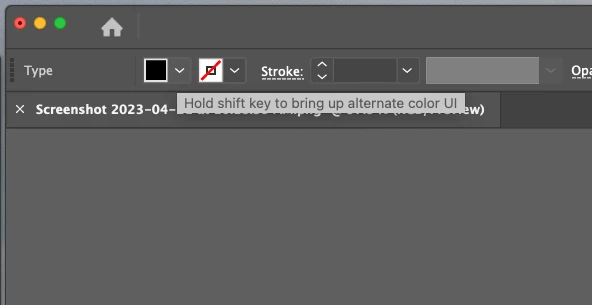
I get this screen
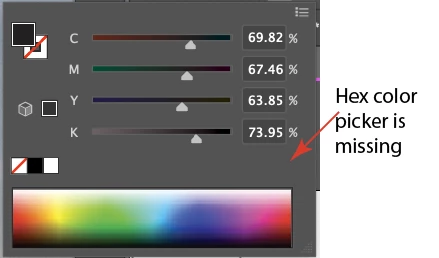
I use the hex color picker extensively in my work flow.   This morning the hex picker is MIA in a project I was working on yesterday when everything was fine.  Illustrator may have updated last night, I'm not sure as I have automatic updates turned on. The problem is probably me, but google is no help.

This topic has been closed for replies.
Correct answer IllustratorNewb

OK - I'm an idiot. Some how the color picker UI got changed to CMYK. (It wasn't me, I swear lol) I missed the hamburger in the upper left corner. Clicking on that I was able to change it to RGB colors.


Solved and thanks!

1 reply

IllustratorNewbAuthorCorrect answer
Participant
April 21, 2023

OK - I'm an idiot. Some how the color picker UI got changed to CMYK. (It wasn't me, I swear lol) I missed the hamburger in the upper left corner. Clicking on that I was able to change it to RGB colors.


Solved and thanks!

Ton Frederiks
Community Expert
Community Expert
April 21, 2023

You are not an idiot but experiencing a new feature.

The color picker is keeping the color model that was last used.

So if you have CMYK selected in the Color panel and create an new RGB document, the color panel keeps the last state, CMYK. In previous versions the Color panel was determined by the document created.

Participant
April 21, 2023

Ok - while it is always safe to assume I'm the idiot, good to know that the Adobe Illustrator programmers are the idiot instead. What are they thinking?! Were they thinking at all?


Is there anyway to downgrade Illustrator? I bounce between document types all the time. They way it was is the way it should be. I'm actually kind of bugged by the change.