Participant
September 16, 2026
Answered

Hi, do you guys have a solution for this?
  • September 16, 2026
  • 7 replies
  • 53 views

When I want to use 3D effects in Illustrator, I have to change these settings from

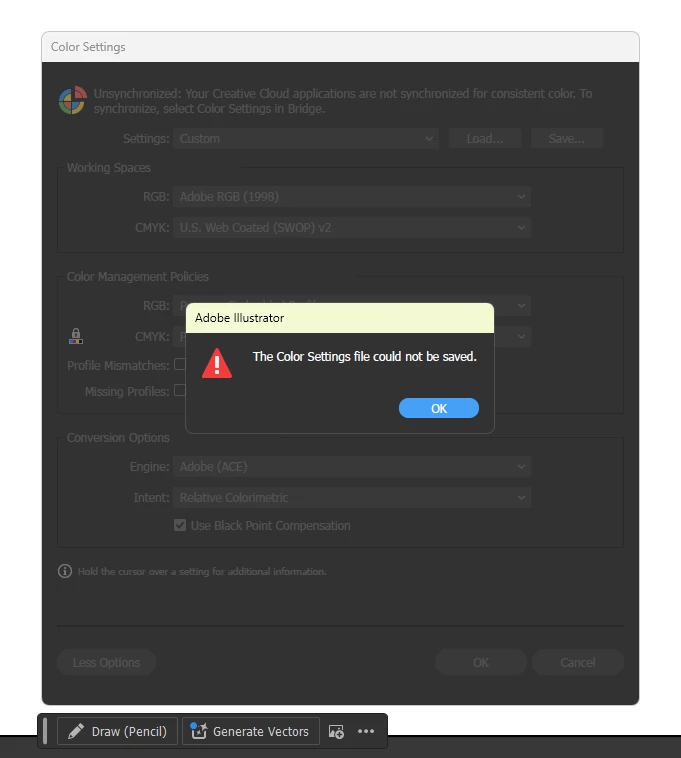
the default ones to create the 3D effect. However, when I try to create a custom color settings file so I don’t have to keep changing the settings every time I open the app, it won’t save. What should I do?

    Correct answer Monika Gause

    There could be something more serious going on. Of course this might be a setting in your system (read/write permissions for a certain folder), but it could also affect your Creative Suite. Do you also have other Adobe apps? Photoshop? 


    7 replies

    Ares Hovhannesyan
    Community Expert
    Community Expert
    September 16, 2026

    Did you installed a new version previously before 6 version? If yes delete all preference files from your system. May be that can help

    Monika Gause
    Community Expert
    Community Expert
    September 16, 2026

    “Emulate Illustrator 6” means turning off color management. That is not something you want to do.

    Participant
    September 16, 2026
    so that's why I want to make custom color settings but can't save them. any solutions?


    Monika Gause
    Community Expert
    Monika GauseCommunity ExpertCorrect answer
    Community Expert
    September 16, 2026

    There could be something more serious going on. Of course this might be a setting in your system (read/write permissions for a certain folder), but it could also affect your Creative Suite. Do you also have other Adobe apps? Photoshop? 


    Ton Frederiks
    Community Expert
    Community Expert
    September 16, 2026

    What settings do you need to change to use the 3D effects? What setting did prevent it?

    Participant
    September 16, 2026

    In the color settings, when using default or 'emulated Adobe Illustrator 6.0', I can't use all 3D effects except for the 3D (classic) effect.

    Participant
    September 16, 2026

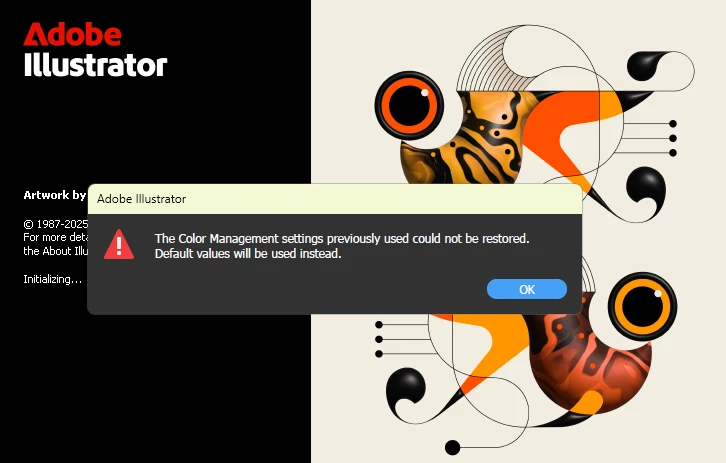
    This warning keeps popping up, so I have to change the color setting from 'emulated Adobe Illustrator 6.0' to 'Custom' whenever I use 3D effects