


Participant
July 8, 2026
Question

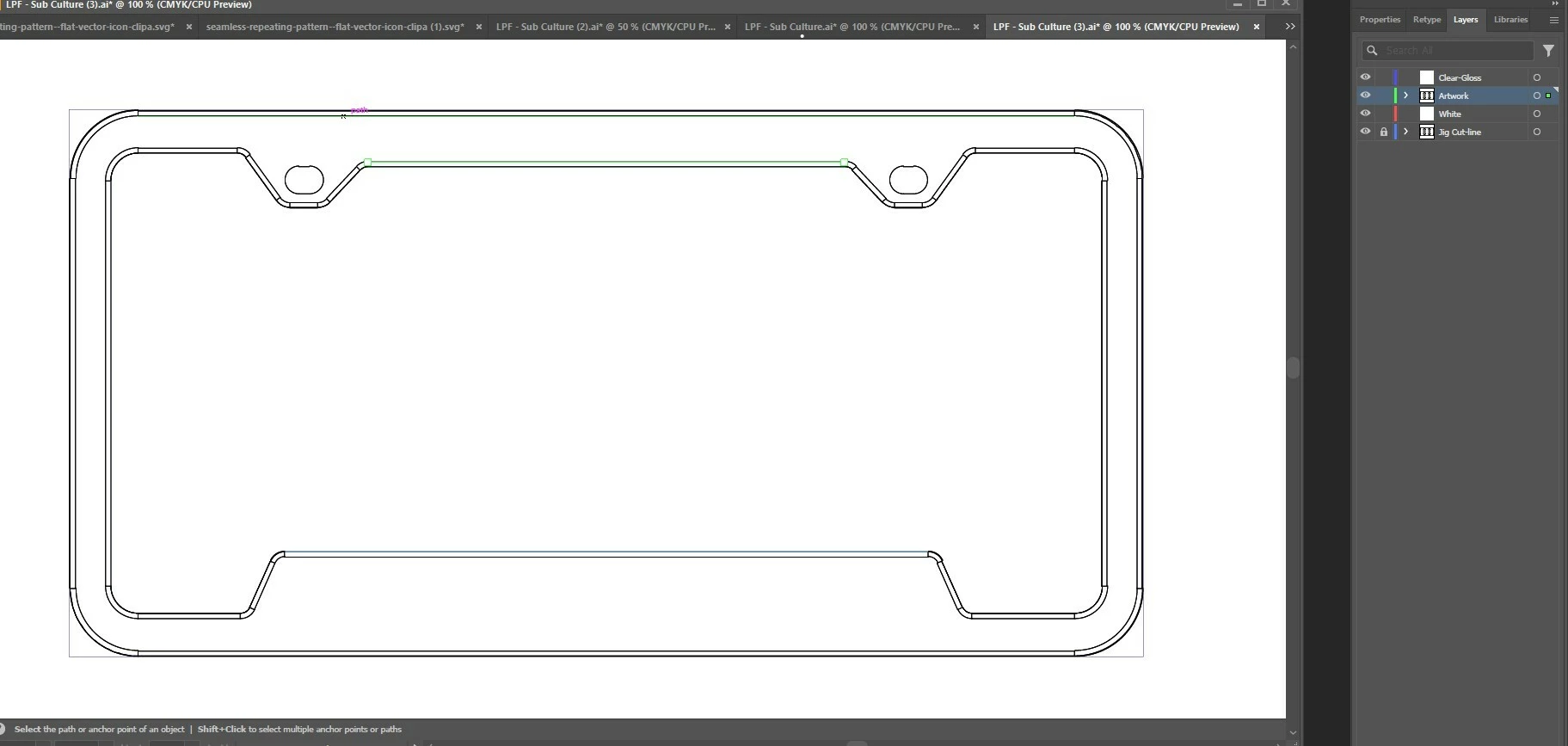
Hi, I am making the printable region on my license plate frame. However I am stuck at the rounded corners on top an bottom. I want to use the artwork in the print region. Could any one help me to resolve the issue?

  • July 8, 2026
  • 3 replies
  • 51 views

Hi, I am making the printable region on my license plate frame in Illustrator. However I am stuck at the rounded corners on top an bottom. I have drawn the rectangle print area for the frame on top, bottom and on both sides however at the rounded corners I am unable to draw or merge the print area. I want to use the vector artwork in the print regions. I will be using Pattern swatch for it. I want to have 4 different print regions like Top, bottom, left and right side of the frame. I have tried Shape Builder, Live Paint and tried to manually draw the area using Pen tool. Could any one help me to resolve the issue? I have attached the Illustrator file for the reference. I have also attached the vector art which I would be using.


Thanks,

Nusrath

    3 replies

    Ton Frederiks
    Community Expert
    Community Expert
    July 9, 2026

    @nusrath your artwork consists of many unconnected paths which cannot be filled the way you would like. Either connect them to create fillable shapes (which is a lot of work), redraw the template or use Live Paint. 


    Community Expert
    July 9, 2026

    Yeah, those broken paths won't be of much use as cut paths to a sign shop, at least not without some editing. The paths look like something that was created in a CAD application rather than a graphics app like Illustrator. Closed vector shapes are better.

    A standard license plate blank panel is 12" X 6" with 1/2" radius corners. The visible area not obscured by a frame is roughly 11" X 4". The important parts of the design need to be visible in that 11" X 4" area.

    The screw holes are on centers of 7" X 4.75". Most aluminum license plate blanks will have pill capsule shaped holes (1" X 1/4" in size) to allow for some horizontal wiggle room for vehicles that deviate slightly from standard specs.

    Community Expert
    July 9, 2026

    I am a bit confused. Are you creating graphics to be applied to a blank license plate or are the graphics going on the frame that holds the license plate?

    Either way, the graphics have to be printed with a certain amount of bleed. Basically, the design has to extend a little beyond the boundaries of the license plate. That is what will allow the design to cover the rounded corners of the license plate. The same rule is true for graphics that would be applied to a license plate frame. The excess vinyl would be trimmed away using an X-Acto knife after the graphics are applied.

    Dave Creamer of IDEAS
    Community Expert
    Community Expert
    July 8, 2026

    Did you want the pattern in the area between the two shapes?

    David Creamer: Community Expert (ACI and ACE 1995-2023)