
Participant
March 9, 2018
Answered

Hidden paths - can't delete

  • March 9, 2018
  • 2 replies
  • 866 views

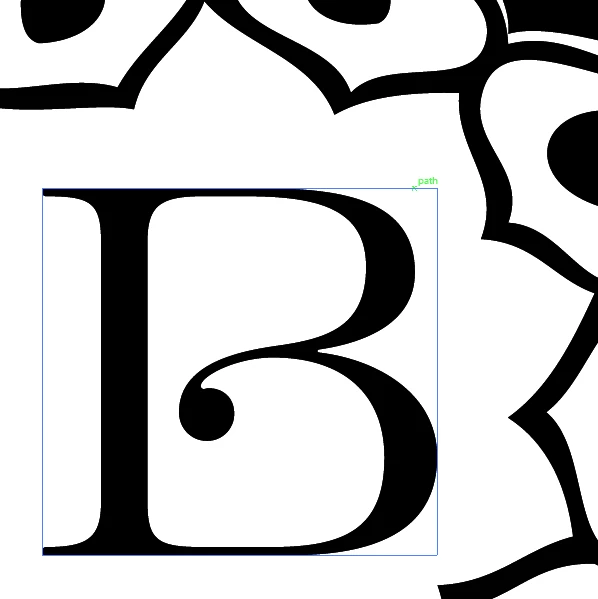
I'm working with a logo file that was created by someone else and there's hidden paths (all squares) which seem to be used as guides.

I can hover over them to show (like below) but I can't select them or delete them and I need to get rid of them.

I have passed this to another company to cut from vinyl and it's cut all of the square too, even though you can't see them or work with them.

Anyone have any idea as to how to delete these?
    This topic has been closed for replies.
    Correct answer Monika Gause

    Open the layers panel.

    Inspect the artwork

    Delete what's not needed.

    Maybe it's filles with white, it's a clipping mask or whatever.

    Whoever plotted this should at least have warned you and asked you if you want to proceed.

    2 replies

    Bill Silbert
    Community Expert
    Community Expert
    March 9, 2018

    Have you tried going through the View Menu>Guides>Release Guides? If they are actually guides then they will now be selectable and you can delete them.

    Monika Gause
    Community Expert
    Monika GauseCommunity ExpertCorrect answer
    Community Expert
    March 9, 2018

    Open the layers panel.

    Inspect the artwork

    Delete what's not needed.

    Maybe it's filles with white, it's a clipping mask or whatever.

    Whoever plotted this should at least have warned you and asked you if you want to proceed.